What does order management mean? #
Order management, also known as the order management process or order-to-cash process, encompasses the entire workflow from the order to the payment. It ensures that your company records orders correctly, delivers services on time, and receives payment for them. A structured order management process therefore forms the backbone of every successful company.
Key take-aways #
- In principle, an order management process takes place in every company that sells products or services.
- The goals of order management include, among other things, a smooth data exchange between different systems, transparency through real-time information (e.g. about inventory levels and order status), and considerable time savings through automated processes.
- The biggest obstacles in order management are media breaks with manual intermediate steps that hinder the workflow, slow it down, and make it prone to errors.
- An order management system like SeaTable helps you to set up digital and automated processes yourself, avoiding cumbersome workarounds.
What is part of order management? #
The order-to-cash process begins with the order and can be divided into the following consecutive steps:
- Order intake and recording: First, your sales or customer service team takes the order (e.g. via an online shop, by e-mail, or by phone) and records all the necessary data, e.g. in a CRM, ERP, or inventory management system.
- Order check and confirmation: Next, someone in order processing checks the customer’s creditworthiness and the availability of the ordered goods and services. If sufficient inventory or capacity is available, the order is confirmed, including the delivery date.
- Resource planning and procurement: If the ordered products are already in stock, they only need to be reserved. Otherwise, production or the purchase of materials is now initiated. For ordered services, staff deployment must be planned.
- Logistics and shipping: Your warehouse staff pick the goods according to the delivery note and pack them for shipment to the customer. A service provider then usually handles the transport up to delivery to the customer.
- Invoicing and payment processing: Your accounting department creates and sends the invoice for the ordered goods or services rendered and monitors the incoming payment. Payment service providers are often involved here.
- After-sales and returns: After the sale, customer service takes care of returns, complaints, or spare parts. In addition, you can encourage customers to leave reviews, make recommendations, or place repeat orders.
For more extensive orders (e.g. skilled trade services), order management is usually preceded by quotation creation with a cost estimate. In this case, resources relate not only to materials but also to the availability of staff, tools, and machinery, which makes resource planning and logistics considerably more complex.
Which departments are involved in order management? #
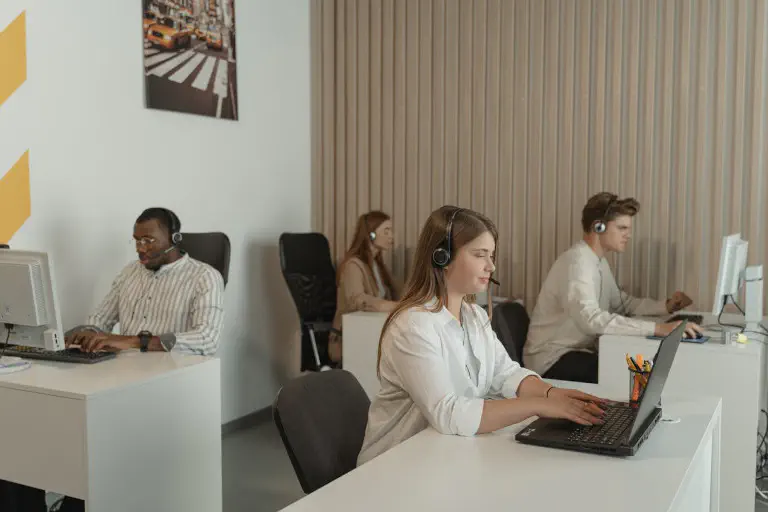
The central hub of order management is usually customer service or a dedicated order management department. It is the direct point of contact for customers with questions and problems relating to the order and works closely with the following departments:
- Sales: acquires customers and generates orders
- Procurement/Purchasing: ensures that resources are sufficient
- Warehouse/Logistics: coordinates inventory levels, incoming and outgoing goods
- Finance/Accounting: checks invoices and incoming payments
- IT: provides the systems for digital and automated processes
Greater efficiency, fewer errors: The most important goals of order management #
Errors in the order management process affect all downstream steps. Incomplete customer data or incorrect delivery addresses can, for example, complicate distribution. If you confirm an order based on outdated information about inventory levels, this can, in the worst case, lead to delivery delays and negative customer reactions.
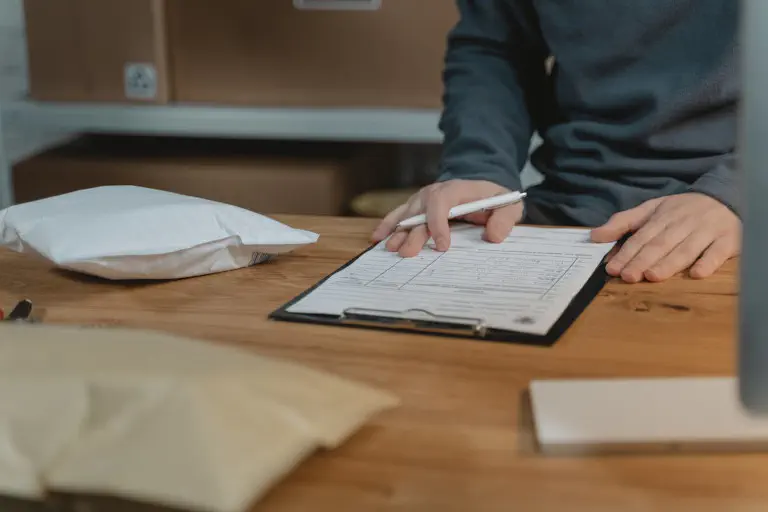
A well-organized order management process with as few sources of error as possible is therefore crucial for customer satisfaction and business success. Typical advantages of optimized processes are:
- The shortest possible delivery times and reliable adherence to deadlines
- Efficient warehousing while avoiding supply bottlenecks
- Greater transparency for customers and employees through real-time information
- Scalability with a fluctuating number of orders
- Less effort for administrative order processing
- A smooth workflow without media breaks in order processing
The biggest obstacles in order management #
In principle, order processing can still be done on paper today. In that case, an employee would, for example, write down all the data by hand for an incoming call, determine the availability of products using inventory lists, send an order confirmation by letter, and bring a completed delivery note to the warehouse. This not only sounds outdated, but would actually be very cumbersome and slow compared to a consistently digitalized and automated order management process.

The main problem in many companies is that order management is only partially digitalized and automated. Media breaks that disrupt the flow of information, slow down processes, and reduce efficiency are the result:
- Analog media breaks: When processes are only partially digitalized, the data has to change medium. One example of this is that an order confirmation is printed out, signed by hand, and then scanned in again.
- Virtual media breaks: There are exclusively digital systems, but no automatic data exchange. One example of this is that data from an Excel spreadsheet is manually entered into a CRM system.
Manual work steps in order management not only cost you time, but also make the workflow more prone to errors that reduce data quality. In addition, there is a lack of transparency about the current status when data silos exist side by side in different systems.
Digital order management: An end to Excel chaos and paperwork #
In the following, we use a positive example to describe what efficient order management could look like:
If you run an online shop through which most orders are received, you can connect it, for example, to an ERP system that automatically takes over all relevant order data. Since the customer enters their master data themselves when registering, it is immediately available in digital form. It can then be stored in a relational database and transmitted to other systems without media breaks.
The comparison of the ordered goods with inventory levels takes place in real time: Since all data converges in the ERP, the system automatically recognizes whether enough products or capacity are available. If so, the system can immediately send an order confirmation including the expected delivery date by e-mail and create a delivery note. Invoices and payment reminders can also be generated and sent automatically.
The bottom line is: All recurring processes that always follow the same pattern can be standardized and therefore also automated.
– Christoph Dyllick-Brenzinger, CTO of SeaTable
Digital order management systems allow you to define the rules by which the individual steps in order management should run and where human intervention is necessary. In addition, an order management system provides a central overview with real-time information (e.g. customer data, order status, inventory levels) that all involved departments and systems can access.

Why an order management system like SeaTable beats classic ERP solutions #
There are several ready-made ERP systems on the market that are usually far too expensive for small and medium-sized enterprises and come with a range of functions that they don’t even need. The alternative of developing your own system was previously unthinkable and involved even more costs and time.
As an AI no-code platform, SeaTable has fundamentally changed this. Using visual elements, you can simply click together your own software solution without any programming knowledge, build databases and apps, set up automations, and use powerful AI functions. SeaTable can also be integrated with countless systems via the API.
An unbeatable advantage for SMEs, startups, and skilled trades is also the exceptional scalability. SeaTable grows flexibly with your requirements – you start with the permanently free version and only need to upgrade when you need more user accounts, storage space, or functions. You can flexibly adapt SeaTable to your current order situation and your individual needs.
What’s more, you have the free choice of whether you prefer the convenience of the SeaTable Cloud or would rather install SeaTable Server on your own infrastructure to retain full data sovereignty.
Templates for order management and warehouse management #
SeaTable makes it child’s play to get started: Discover numerous templates and helpful guides to familiarize yourself with SeaTable. All you need is your email address to create a user account and get started right away.
Make order management easy!
Optimize your warehouse management!
Experience exciting SeaTable features in action:
-
Use the order management template to create and send order confirmations with a mouse click. In SeaTable, you can centrally store all data relating to your customers, products, and orders, link them together, and embed them in documents. Using automation rules, you reduce manual entries and minimize your administrative effort.
-
With the warehouse management template, you always keep track of your inventory levels. Record goods movements quickly and easily and maintain your product range with all item data. To avoid supply bottlenecks, you can track warehouse utilization in real time and receive notifications when minimum stock levels are not reached.
FAQ on order management #
What are the most common problems in order management?
What are the advantages of optimized order management?
- Greater transparency through real-time information
- Time savings through smooth and automated workflows
- Avoidance of delivery delays and bottlenecks
- Efficient, scalable solutions without media breaks
- Higher data quality and fewer errors in order processing
How can the order management process be optimized in a mid-sized company without an IT department?
TAGS: Customer Relationship Management Procurement & Logistics Digital Transformation