Order Confirmation Template for Clear Processes and PDF Creation
Keep your order management reliably under control! With our free order confirmation template, you manage customer orders, project details, line items and order totals centrally in one flexible database. Instead of error-prone Word or Excel files, you use this digital order confirmation template for standardized mandatory details, clear approval processes and automated PDF creation. Teams always see which orders are open, confirmed or in progress and work from a single, up-to-date database. In just a few clicks, your order confirmation template becomes a PDF you can send straight to your customers.
Digital order processing
Order Confirmation Template for Teams and Customer Orders
-
Confirm orders centrally
Use the template to bring customers, line items, prices and mandatory details together in one structured environment. Replace outdated files with a central solution for clean processes, fast approvals and consistent order confirmations.
-
Link customer data smartly
Connect customers, contacts, line items and prices directly with each other. This creates a shared database where all relevant details come together consistently and can be reused cleanly for queries, approvals and follow-up processes.
-
Track status in real time
Track at any time which orders are still open, already confirmed or in progress. The digital order confirmation template brings transparency to daily business and helps teams spot pending steps early and follow up in a targeted way.
-
Maintain mandatory details
Work with a template that captures delivery date, payment terms, customer data and other mandatory details in a structured way. This reduces errors, prevents incomplete documents and ensures reliable commercial processes in daily operations.
-
Adapt the template flexibly
Extend the template for the order confirmation with your own fields for discounts, project phases, internal references or design specs. The digital template adapts flexibly to agencies, SMEs and service teams and supports individual business processes.
-
Generate PDFs digitally
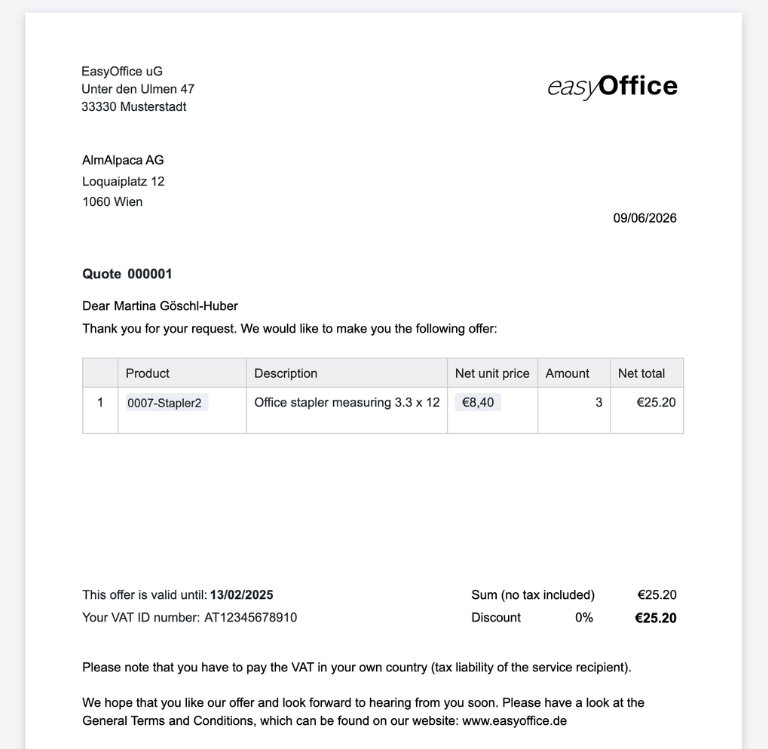
Automatically turn your table data into ready-to-send documents and save every order confirmation as a PDF. This removes manual copying into an order confirmation sample, while versions, content and approval states stay traceable and up to date.
Who uses SeaTable?
Leading companies worldwide trust SeaTable

















100,000+
Downloads from Docker Hub in the first year
1,500+
Daily users on SeaTable Cloud
4.6
Rating on Capterra
Your benefits at a glance
Use the order confirmation template online
Discover an order confirmation template that lets you run order management without Word or Excel chaos. Use SeaTable to control customers, products, line items and order totals in one shared database. The template supports mandatory details, PDF creation and transparent approval processes in real time. If you want to connect your workflows further, SeaTable also offers a structured invoice template or quote template . This gives you a solid basis for professional order processing and more efficient business processes, where you can generate up-to-date documents from the template PDF for your customers at any time.
Up-to-date data: Record customer orders, line items and document status continuously in one central order confirmation template, so open, confirmed and sent orders stay visible and current at all times.
Real collaboration: Office managers, operations managers, project managers and sales teams work together in the same database – without version chaos, media breaks or manual copying between CRM, Excel and PDF.
Interactive template: Link customers, products, prices, discounts and owners with each other and switch between tables, filters, groupings, forms and visual reports whenever you need them.
Central storage: All order confirmations, customer details, mandatory fields, PDFs and notes sit in one place – structured, traceable and flexibly expandable for growing teams.
A practical example
How to use the order confirmation template
Orders table for confirmations
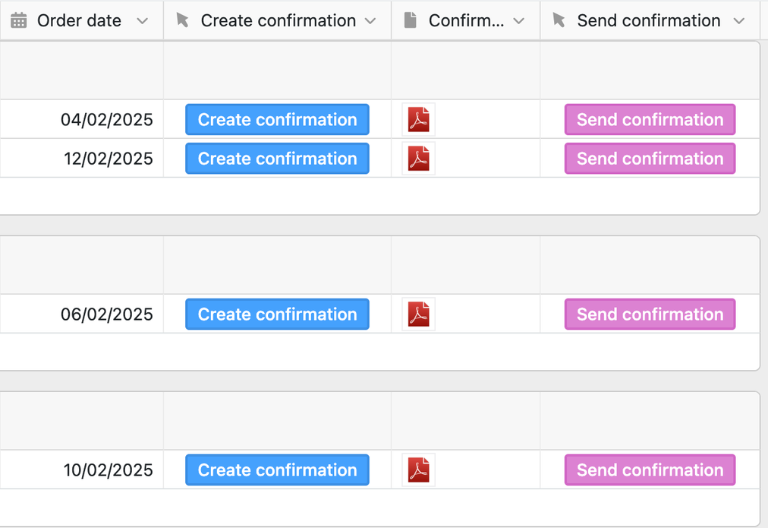
In the “Orders” table, you collect all the data needed for a professional order confirmation. You select the customer, the responsible person from sales and the matching line items. Serial numbers are assigned automatically, totals calculated by formula and, depending on the customer country, tax details such as VAT or VAT ID taken into account. This is how you use the order confirmation template to map customer orders cleanly, traceably and in a standardized way.
Customers table for master data
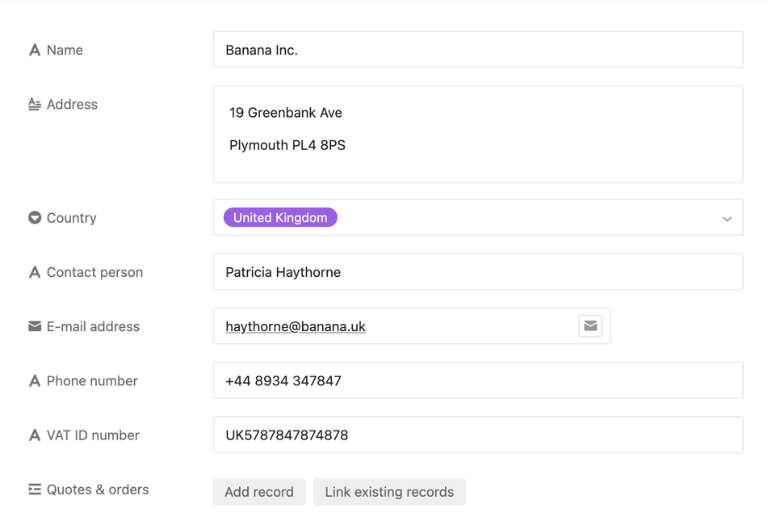
In the “Customers” table, you manage all relevant customer data such as company name, address, contact person, email address, phone number, country and VAT ID. This information is linked to the orders and pulled automatically into the order confirmation via lookup. That reduces duplicate data entry and ensures your order confirmation sample is filled with consistent customer data.
Products table for products and services
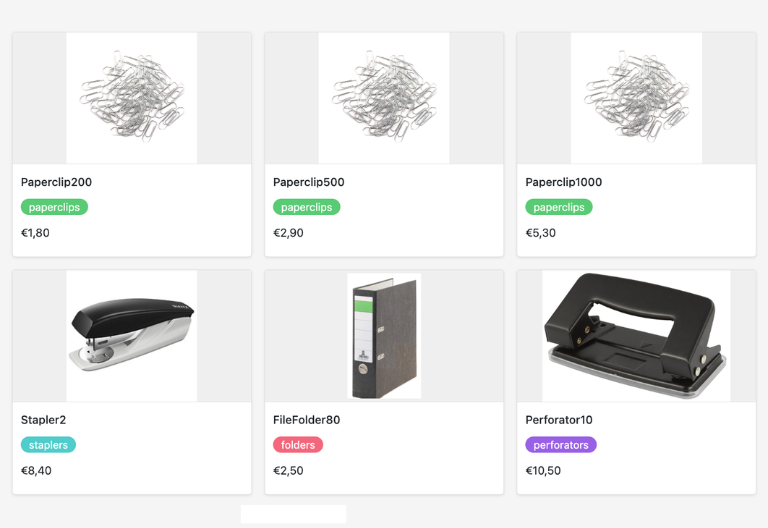
In the “Products” table, you maintain your products or services with name, description, category and net price. Formulas automatically calculate gross prices from this, while the link to the line items ensures prices are carried over consistently into order confirmations. This keeps your template for the order confirmation reliable and easy to maintain, even with many quotes and variants.
Positions table for quantities
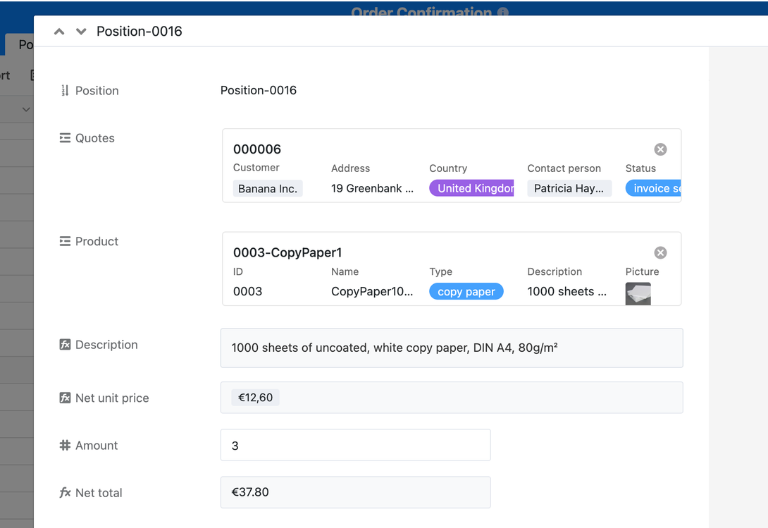
In the “Positions” table, you assemble the individual order items by linking products with the desired quantity. The net total of each position is calculated automatically and then embedded into the order confirmation. This lets you generate a complete document directly from structured data, ready for approval, dispatch and further order processing.
Your interactive order confirmation app
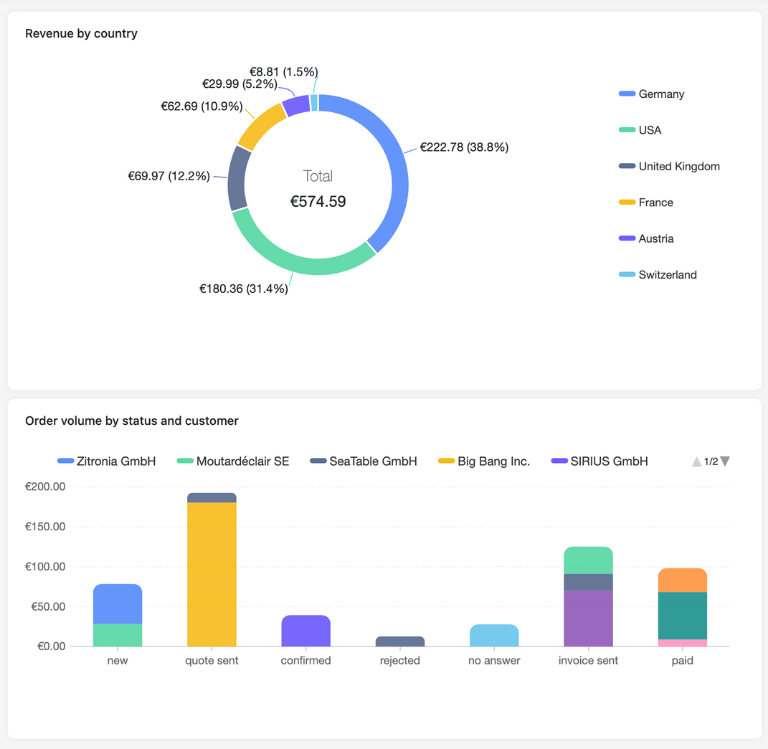
Turn your order confirmation template into an interactive app for order management, approval processes and document creation. Combine order tables, customer master data, product lists, position management and PDF export in one customizable application. Generate a PDF from your order confirmation template that bundles all relevant information and can be used without extra formatting. Visualize status and revenue trends in dashboards, share targeted views with departments and control access to sensitive customer data precisely via roles. Whether a single customer order, an ongoing project or standardized order processing – the order confirmation template adapts flexibly to your processes and helps teams make faster, less error-prone decisions.
Organize orders, customer data and PDF confirmations digitally – with SeaTable
Smart automation for ops teams
AI-powered order processing
With SeaTable, your order confirmation template becomes even more powerful. Built-in AI automations help you process order data faster, keep mandatory details consistent and reduce routine tasks in the document process. A classic order confirmation sample becomes an intelligent system for order management, approvals and collaboration.
Classify customer data
With Classify, you automatically assign customer entries, order types or line items to fitting categories. The AI analyzes names, texts and extra details and writes the assignment into defined fields, keeping your order confirmation template consistent and structured even with many records.
Extract mandatory fields
With Extract, you pull content from emails, orders or quote documents straight into your order confirmation template. The AI recognizes delivery date, payment terms, contacts or references and transfers them automatically into matching columns. This saves time and clearly reduces transfer errors.
Capture data via OCR
With OCR, you can extract content directly from photographed orders, signed confirmations, or supplementary images. The AI recognizes names, dates, amounts, and numbers and populates them into your digital order confirmation template. This allows even manual documents to be seamlessly integrated into digital workflows.
Summarize order status
With Summarize, the AI creates short status reports on open approvals, confirmed orders or critical delays. Figures, comments and status values from your order confirmation template are condensed and presented clearly. This eases coordination in project management and speeds up decisions.
Define your own rules
With Custom Prompt, you set individual rules for your order confirmation template, such as alerts for missing mandatory details, checks of payment terms or wording for the commercial letter of confirmation. This adapts the solution precisely to your internal processes and standards.
Prioritize approvals faster
With AI-powered status views, you instantly see which order confirmations need to be sent, where information is missing or which customer order should be prioritized. This brings clarity for office, operations and project teams and makes your order processing far more responsive.
Transparency in real time
Order confirmation template – transparent and flexible
SeaTable is a modern AI no-code database solution with automations and an App Builder, offering everything you need for a professional order confirmation template. The focus is on standardization, transparency and flexible adaptation – from a simple customer order to a scalable app for approval processes, PDF creation and end-to-end order processing, as a modern alternative to static Word and Excel documents.
Alternative to static samples
Organize your order confirmations with SeaTable as a strong Excel alternative far more efficiently – with linked tables, approvals, forms and real-time updates for professional document processes.
Connect projects and orders
Link your order confirmation template with the project plan template to coordinate orders, responsibilities, deadlines and next steps centrally in project management.
Fully GDPR-compliant hosting
When you use SeaTable Cloud or the built-in AI, sensitive customer and order data stays in Europe – the infrastructure runs exclusively on servers in Germany, so you keep full control of your business data.
Secure access with 2FA and SSO
SeaTable supports two-factor authentication and single sign-on, so you control exactly who may access customer data, order confirmations and internal approvals across your teams and external collaborators.
FAQ – Frequently asked questions about the order confirmation template
-
Who is the order confirmation template suitable for?
-
The template suits operations managers, office managers, project managers, SMEs, agencies and sales teams who want to confirm customer orders in a structured way and manage their order processing digitally.
-
What must a legally sound order confirmation contain?
-
Important elements include company data, customer data, order number, subject, a service description with line items, prices, date, possible delivery dates, payment terms and other relevant mandatory details. The content must not deviate from the accepted quote.
-
When is an order confirmation needed in project management?
-
A written order confirmation is especially useful when orders were placed verbally, several quote versions exist, contract details are unclear or some time has passed between quote and acceptance.
-
How can I generate a PDF from the order confirmation sample?
-
With the digital order confirmation template, customer data, line items and prices are pulled from the tables and output as a PDF via the page design. This creates a ready-to-send document without any manual copying.
-
Can the platform be connected to existing CRM systems?
-
SeaTable integrates flexibly into existing business processes. Customer data, order information and other workflows can be connected with other systems and processed centrally for end-to-end automation.
-
Is the order confirmation template scalable for teams?
-
Yes, several users can work on the same database at the same time. The template scales flexibly from small teams to company-wide processes without losing structure or transparency.
-
Can I map quotes and invoices with the template too?
-
Yes, the underlying solution also supports document templates and processes for quotes and invoices, so you can map the entire flow from the initial request through to invoicing in one place.
-
Can I use the order confirmation template for free?
-
Yes, the template can be used for free in SeaTable. This lets you start right away with digital order management and professional document creation, without building your own structure first.