Table of Contents
For capturing structured texts of any length, SeaTable provides the Long Text column type. In this article, learn what the differences to the text column are and in which cases it makes sense to use the Long text column.
Using the Long Text column
In contrast to the text column, the Long Text column type does not capture unstructured strings, but Long texts with line breaks, lists, images, etc.
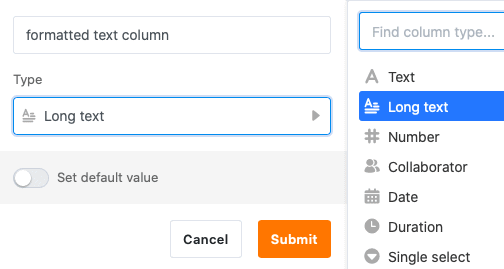
Long text columns are particularly suitable for holding longer texts, for example product descriptions, checklists or social media posts.
You do not write your entries directly in the cell, but in an editor that can be called up with a click, which offers various formatting options. In contrast to the text column, you can also structure longer texts.
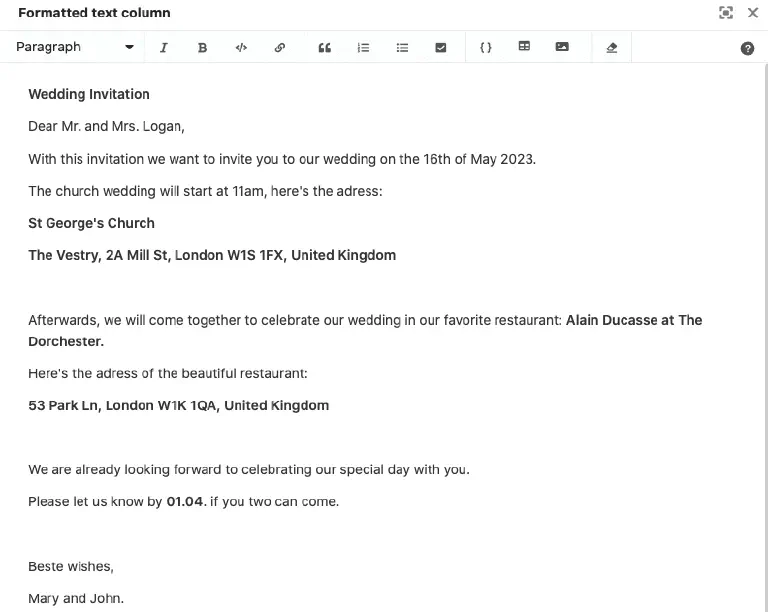
Among other things, you can choose a paragraph format, italicize or bold the font, and insert links, quotes, lists, tables, and images.
Other text-based column types
If you want to capture short strings without formatting (e.g. names, passwords, license plates), you should use the text column.
In addition to the Long text column, there are three other text-based column types in SeaTable for special use cases:
- the email column
- the URL column
- the phone number column
Set default value
You can define a preset default value for each Long text column. This text is automatically entered into the cell of every newly created row.
- Click on the drop-down arrow to the right of the column name.
- Go to Set default value.
- When you click on Edit text, the editor opens, where you can write the text that is to serve as the default value.
Limitations with filters, sorting and grouping
It is not possible to sort or group the entries in a table by Long text columns. With filters, you only have the options “is empty” and “is not empty” available.