Table of Contents
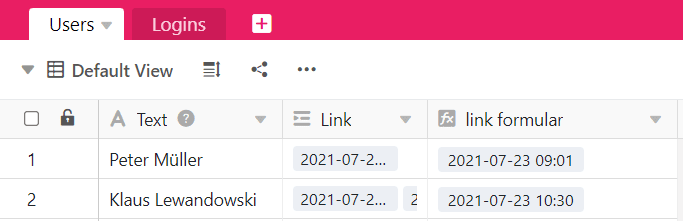
The Findmin formula searches among the entries of the linked column for the minimum value and returns it. This is useful if there are several entries in the linked table that refer to the same record (e.g. of a person or category) in another table.
What you can use the Findmin formula for
You can use the Findmin formula with all alphanumeric values to determine the minimum value. Let’s say you use SeaTable for budget planning, where one table stores the expenses and another table stores the categories. You can then link each expense to a category. To find out what the lowest expense per category was, you can use the Findmin formula to display the smallest value from all linked expenses.
How to use the Findmin formula
Add a table link
See the article about the link column for information on how to create a column of the type Link to other records. This is a basic requirement to be able to use the Findmin formula.
Add a column with Findmin formula
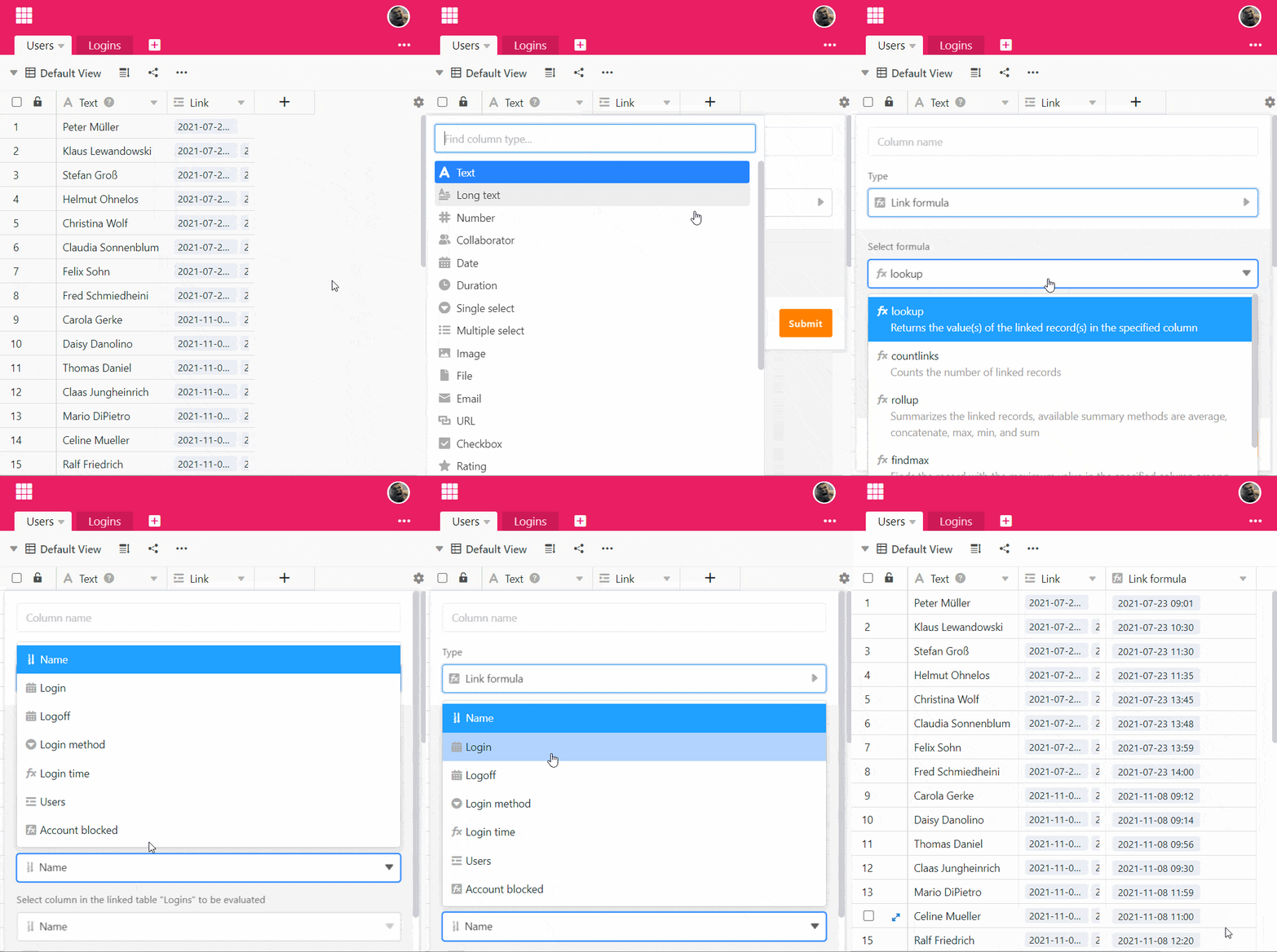
- Create a new column of the type Link formula.
- Set the Findmin option as the formula.
- Select the previously created column of the type Link to other records in this table.
- Now specify the column in the linked table to look up whose record with the minimum value should be displayed in the Findmin column.
- Select the column in the linked table to be evaluated in which you want to determine the minimum value.
- Click Submit.