Table of Contents
The Countlinks formula counts the number of linked records of the column type Link to other records in the respective row.
Scope of the Countlinks Formula
The Countlinks formula should be used whenever you want to display the number of records linked to a row.
For example, when planning a workshop, you can display the number of registered participants from a separate table. The link column would thus hold the names of all participants.
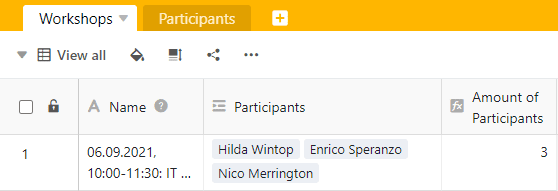
Using the Countlinks formula makes sense only if the Limit links to a maximum of one row option is disabled in the settings of a link column. If the option were enabled, the Countlinks formula field would always show a one (= a single linked row).
Create a Countlinks formula
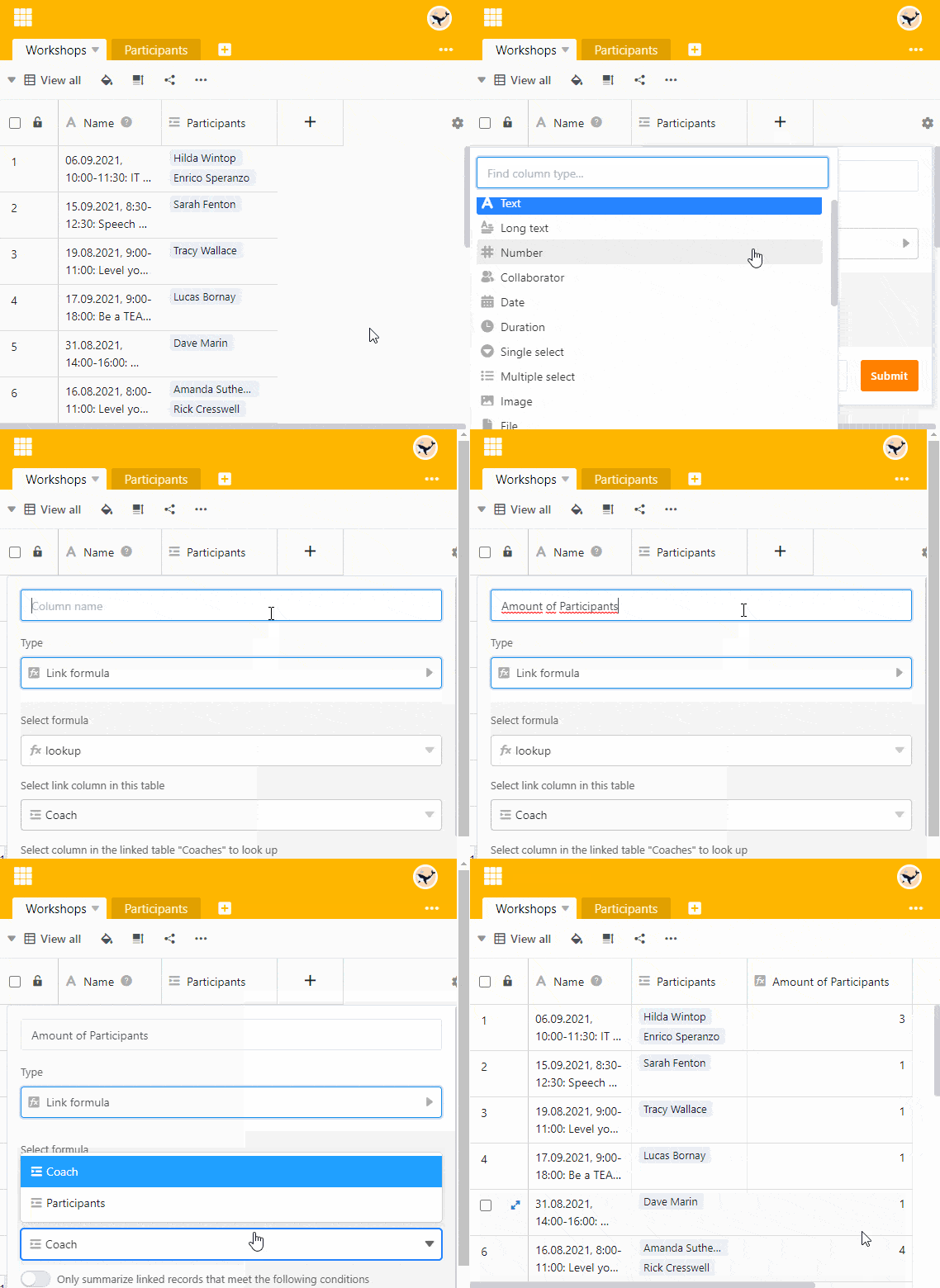
- Create a new column of the type Link formula.
- Give the column an appropriate name.
- Set the Countlinks option as the formula.
- Now select the link column whose records you want to count in the Select link column in this table field.
- Click Submit.