Table of Contents
Available with Enterprise
If you do not want to run automations for a certain period of time, you can pause them instead of deleting them. This has the advantage that you can simply restart paused automations, while you have to create deleted automations from scratch again.
Temporarily stop automations
- Open a Base in which you want to pause an active automation.
- In the base header, click on and then on Automation rules.
- Move the mouse pointer over the corresponding automation rule, click on the three dots and then on Pause rule .
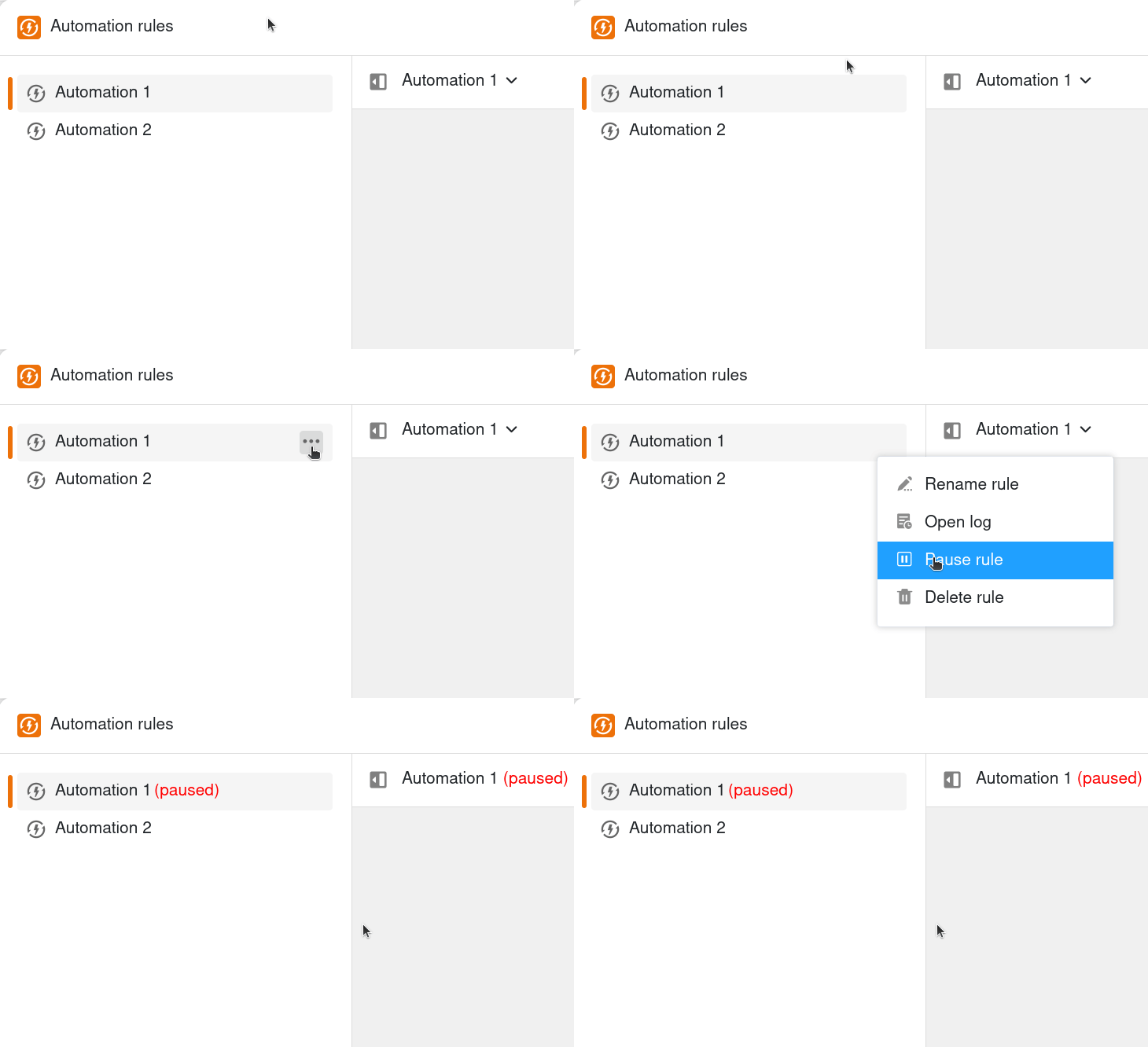
The selected automation rule is then paused. You can recognize this by the note (paused), which is added to the name of the automation in red.
Restart automations
To activate paused automations again, simply follow the steps described above and click Start rule .
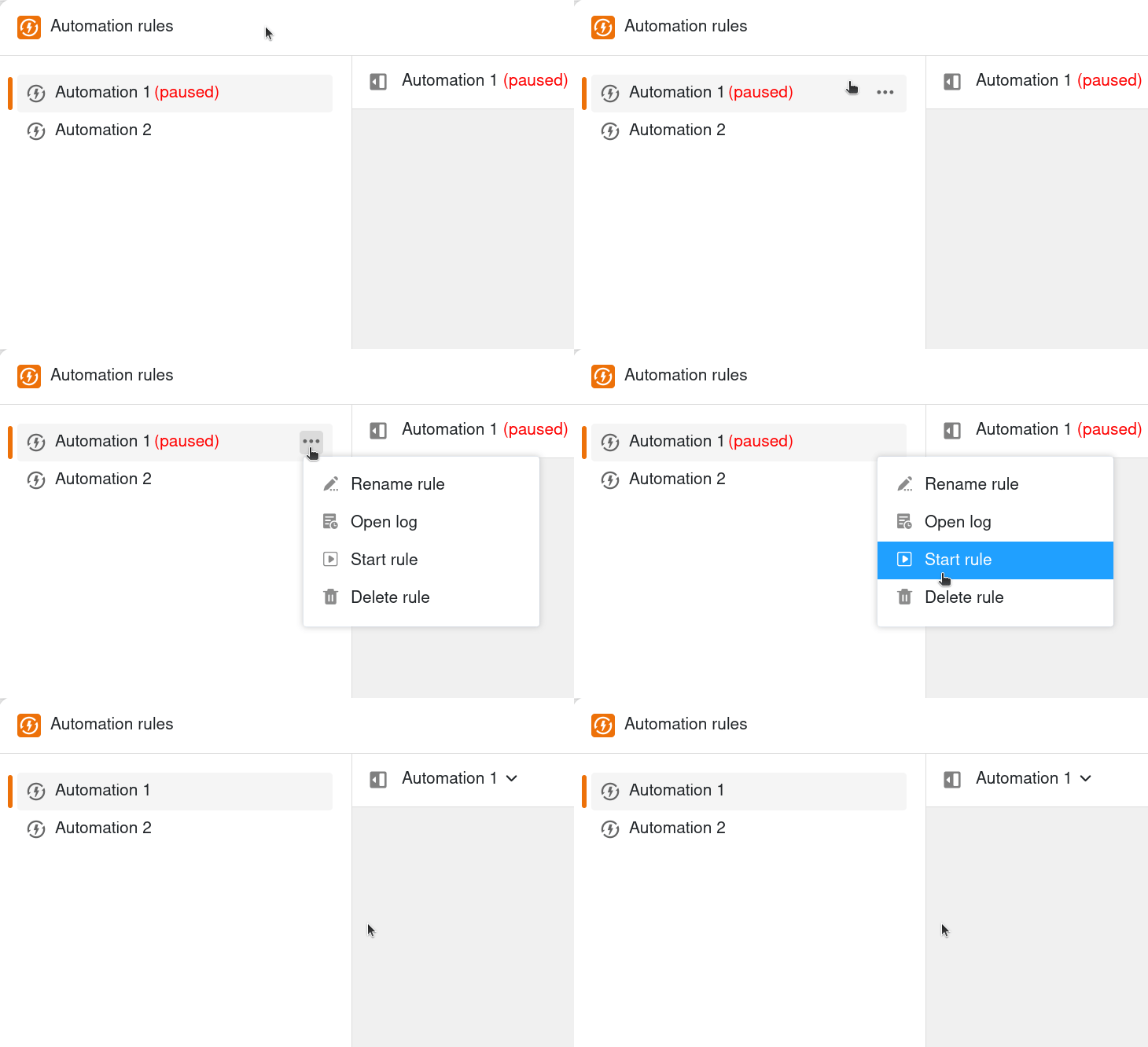
The (paused) note to the right of the automation name then disappears again.