Table of Contents
Available with Plus Enterprise
To share table views with users who are not registered with SeaTable, it is possible to create an external link for a view.
Basically, external links are public and thus accessible without logging in. They provide read-only access to the data that is in the shared view.
In addition, there are several options you can use to secure an external link:
- You have the option to set an automatic expiration date for an external link. After the selected number of days, the external link will lose its validity.
- In addition, you can also set any password for an external link. This must be entered correctly by another user to gain access to the view.
Everything else you should know about external links can be found in the article Create external link for a base.
Create external link for a view
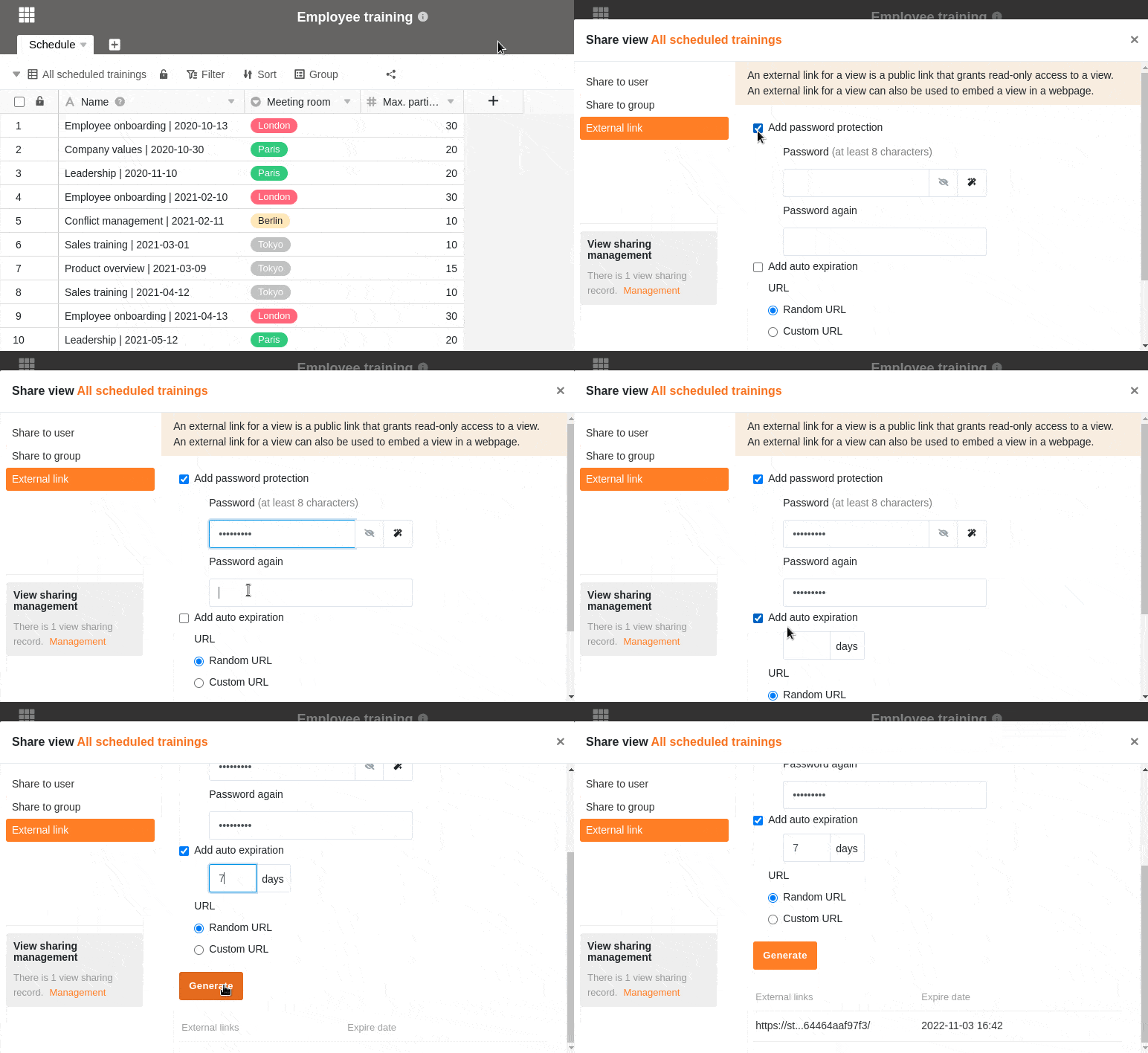
- Open a view you want to share.
- In the view options, click Share View and then External Link.
- If needed, set a custom or randomly generated password, an expiration date and a description for the link.
- Choose whether you want to generate a random URL or set your own custom URL.
- Confirm with Create.
- The created link will be displayed below and can be easily copied.
Embedding in a website
You can also use external links to embed views in a web page. To do this, simply paste the link into the editor of your content management system.
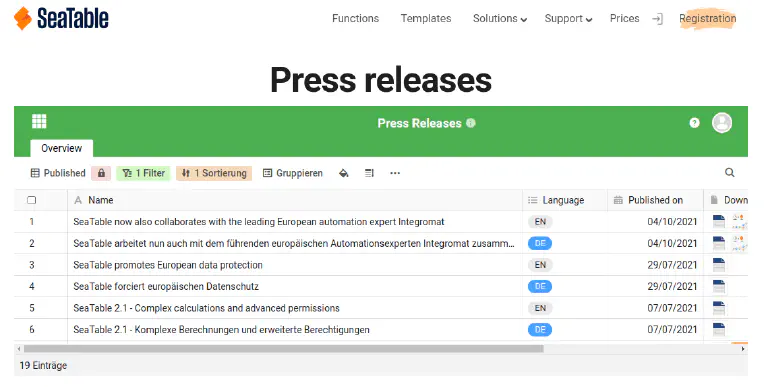
For example, this is what the integration of a table with press releases on a website could look like: