Table of Contents
You do not want to share a whole base, but individual tables? You can do this via a custom sharing permission to specific users.
Share individual tables via the start page
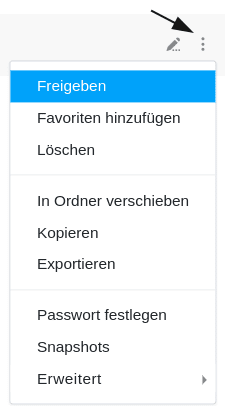
- Switch to the SeaTable home page.
- Move the mouse over the base from which you want to share individual tables.
- Click on the three dots that appeared on the right.
- Select the menu item Share.
- A window will then open in which you can create various shares.
Share from inside a base
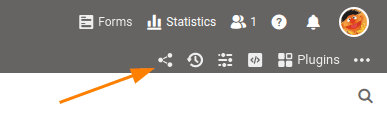
If you are currently in a base, you can also create a share without having to switch to the home page. To do this, click the Share icon at the top right of the base options. The window that opens to create a share is the same as on the home page.
Create custom sharing permission
For a detailed explanation of the necessary steps, see the article Create a Custom Sharing Permission.