Table of Contents
Available with Enterprise
You can delete automation rules that have already been created at any time. Please note what effects the deletion has on the various automated actions.
To delete an automation
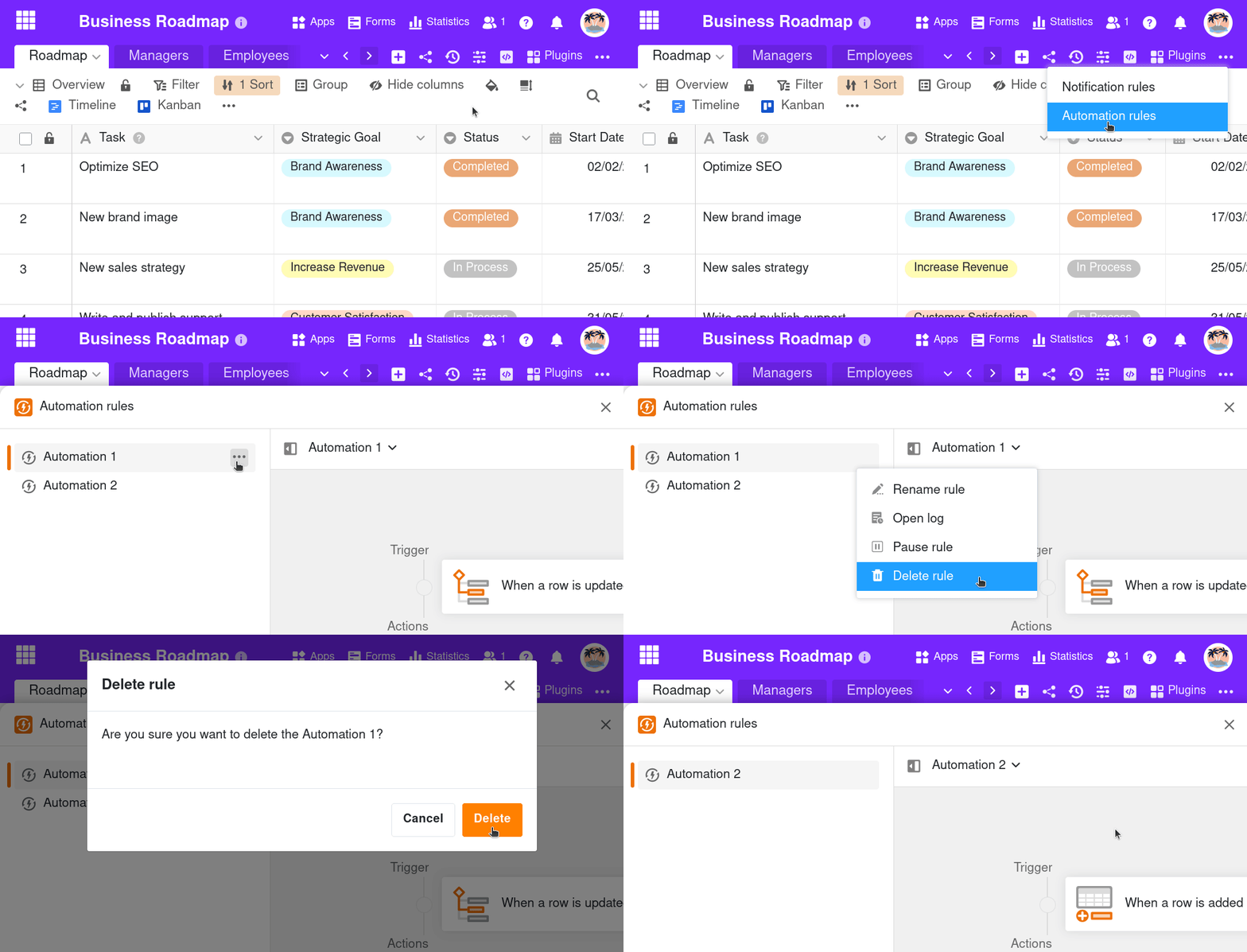
- Open a Base in which you want to delete an automation that has already been created.
- In the base header, click on and then on Automation rules.
- Move the mouse pointer over the corresponding automation rule, click on the three dots and then on Delete rule .
- Confirm with Delete.
Effects
Depending on which actions you had defined for an automation, the deletion of an automation rule can have different consequences. In principle, however, the defined trigger event will no longer trigger any actions after deletion – unless it is still used as a trigger for another existing automation.
Particularly in the case of complex actions such as sending emails, Python scripts or AI functions, you should consider only pausing the automation instead of deleting it permanently.