Table of Contents
The other app page types offer numerous configuration options, but they predefine the structure and behavior of a page. With HTML pages, you can add completely customized pages based on HTML, JavaScript and CSS to your app. This lets you design apps exactly the way you envision them and implement even complex interactions without difficulty. Typical use cases are:
- Individually designed forms, lists and info pages
- Custom chart types or diagrams with clickable elements
- Combined views, e.g. a table and a single record on one page
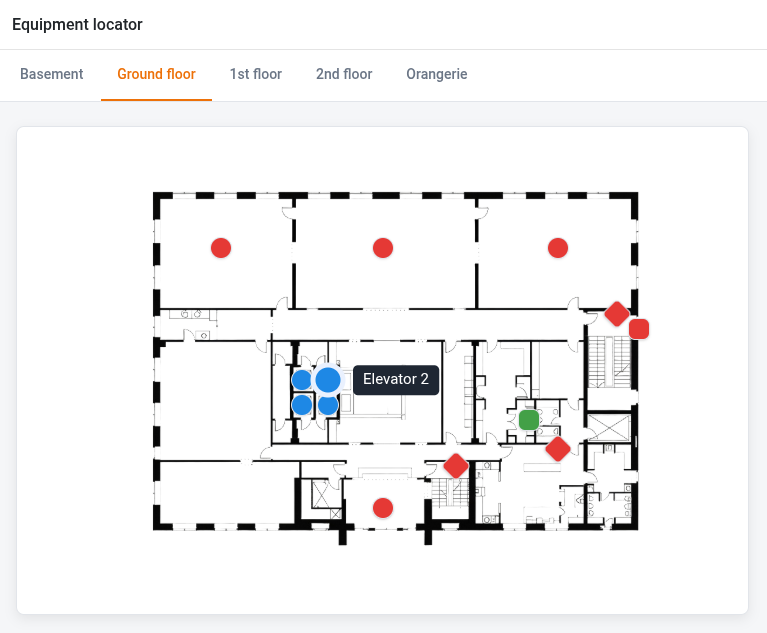
HTML pages can display static content, but they unfold their true potential in combination with the data in a base. Just like the other page types of the app builder, they can retrieve data from a base and modify records in a base. When it comes to designing the user interface, there are almost no limitations. Whatever can be implemented with HTML, CSS and JavaScript can also be built into your app as an HTML page.
How to create an HTML page
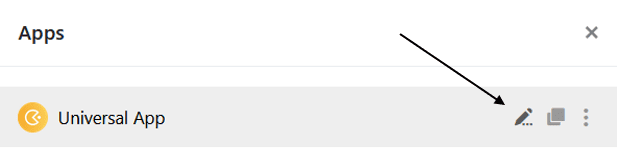
- Open an app in editing mode. To do so, hover your mouse over the app and click the pencil icon .
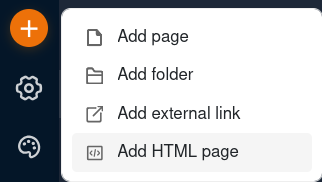
- Click the orange circle with the plus icon in the top left and then select Add HTML page.
- Give the page a name and optionally define an icon for the page.
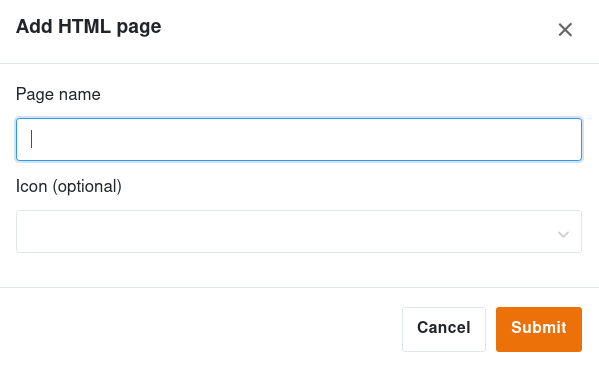
- Confirm with Submit.
- On your device, create a zip file that contains HTML, JavaScript and CSS files.
- Upload the file by clicking in the designated area or dragging the file there.
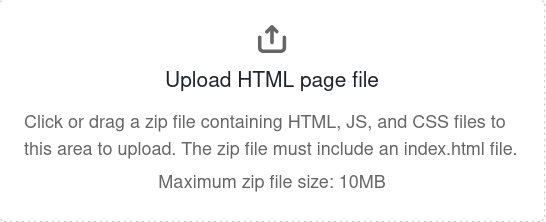
- SeaTable then renders the file as a page in the app.
How to create the required files
There are two ways to build an HTML page and provide it as a zip file:
- The low-code approach: Design the page in a visual HTML editor, connect it to your base using ready-made code snippets, optionally add images and graphics and package everything as a zip file. This approach is ideal for individually designed forms, dashboards and pages with simple read and write operations.
- The developer approach: As soon as you want to create larger HTML pages with more complex logic, e.g. when page elements are supposed to interact with each other, you need the complete JavaScript toolchain. Development requires Node.js and npm, a development server with live reload as well as an API token generated in the base.
You can find further information, examples and templates in our developer manual .