Table of Contents
Welcome to the SeaTable Online Course 4 – Automation & Integration!
In the previous courses you learned the basics (Online Course 1 – Getting Started), built a complete business process (Online Course 2 – Inputs and Outputs), and worked as a team on shared data (Online Course 3 – Collaboration). So far, every action went through your own hands: you typed, you clicked, you updated. This course shifts register: you will learn to make SeaTable work for you, then to connect it to the rest of your tools. That is what this course is all about — automation and integration.
Is this the right course for me?
This course is ideal for you if you:
- spend too much time on repetitive tasks that SeaTable could take care of on its own.
- want to connect SeaTable to your other tools — a management system, a notification service, a storage space.
- are not afraid of a little code: a few Python scripts turn up along the way, but they are always provided for you.
What will I learn in this online course?
The through-line is a warehouse operation: receive a supplier delivery, validate it, update the stock and get notified. You start from a base that already holds your products and a delivery to process, and you equip it step by step.
Throughout the course, you will learn to:
- automate an action without writing a single line of code — a trigger, a condition, an action.
- write a short Python script for what automation alone cannot do.
- let AI read a delivery note and extract its lines on its own.
- send a notification to the outside world with a webhook.
- orchestrate a small workflow with n8n to archive a document.
- call SeaTable’s API, and let an outside tool write to it in turn.
By the end, you will have a complete toolkit to automate your processes and connect them to the outside world.
How the course works
You follow the course here, on the site. The online courses plugin is your companion inside the base: you switch to it at certain moments to put things into practice and have your work checked.
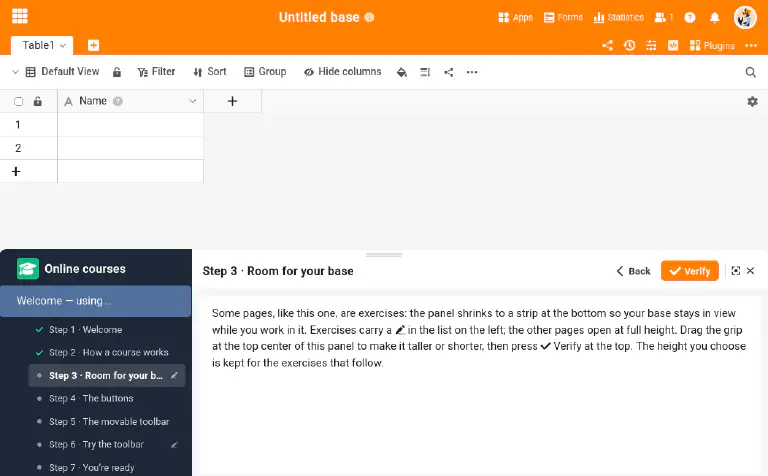
If you have never used the plugin before, start with its Welcome course: a short tour of how a course works, with two small exercises.
Many steps end with a “Going further” section: nothing later depends on it, so you can skip it if you are short on time. The quiz, screenshots and sample data are in English, and we recommend Google Chrome.
At the end, a quiz tests your knowledge. Pass it to receive a badge for your forum profile — for that, you need an account in our community forum.
Before you start
Besides the plugin presented above, a few steps need more than your base. Some reach beyond it — they send an actual notification to your phone or archive an actual file in another service. For those, the plugin checks nothing: you trigger the action, then go and see the result on the other side. Here is what to prepare:
- SeaTable AI (Step 4): the step where SeaTable reads a delivery note needs a system with AI available. On SeaTable Cloud there is nothing to do — it is included and free. On a self-hosted system, an administrator has to install the SeaTable AI component and point it at a model. Without it you can still read that step and carry on with the course, but you will not be able to run the chain it builds.
- ntfy (Step 5, optional): you will send an external notification using ntfy. No account is needed and you can confirm receipt in your browser, but to receive it on your phone you will need to install the ntfy app from your app store.
- n8n (Step 6, optional): this step follows very well as a simple demonstration, with nothing to install. But if you want to carry it out yourself, you will need an n8n account and a Google account (for Google Drive) — n8n offers a free trial with no credit card, and a Google account is one you very likely already have. Nothing to set up in advance: you will open them only if, once there, you decide to get your hands dirty.
Meet your warehouse
Throughout the course, you run a warehouse that receives deliveries from its suppliers. With every delivery, you have to check what arrives, compare it against what was announced, update the stock and alert the right person. An ideal sequence to discover, one building block at a time, everything SeaTable can automate and connect.
What are we waiting for? Let’s go!