Table of Contents
By default, SeaTable displays all rows in table views with a compact row height to show as many records as possible. However, with this default row height, among other things, text, link and multiple select columns are truncated and only small thumbnails of images are displayed.

This row height may be suitable for most of your use cases, but there may be situations when you want to see more content of the respective rows. That’s why SeaTable allows you to adjust the row height in table views.
Specifically, four different row heights are available for this purpose:
- Default (the default value for new table views)
- Double
- Triple
- Quadruple
Adjust row height
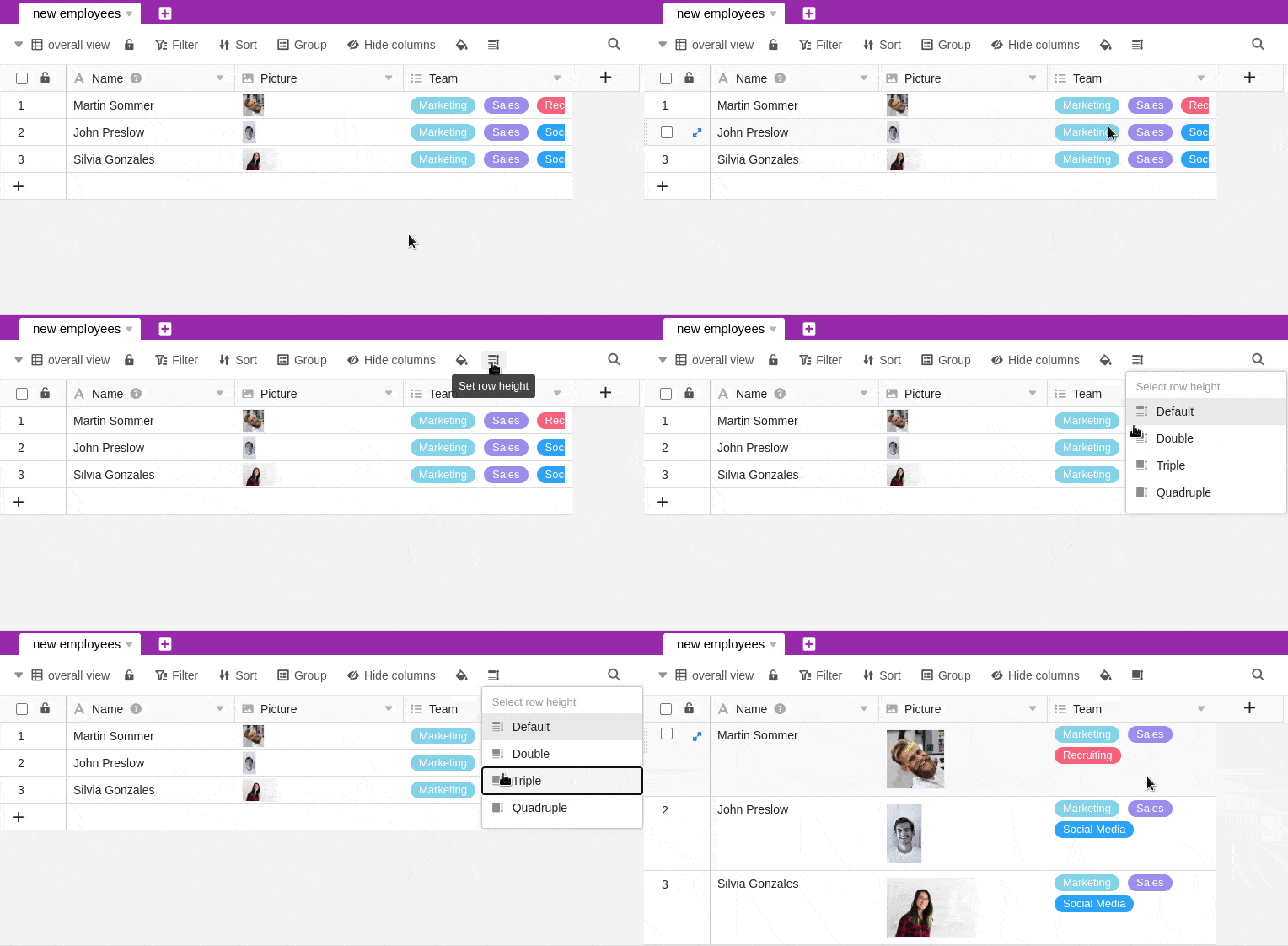
- Click the row height icon in the view options above the table.
- Set the desired row height.