Outgrown Excel? The database that feels like a spreadsheet
When several people maintain the same lists, files split into versions and VLOOKUPs break, a database is the next step. SeaTable looks like a spreadsheet and works like a database underneath: fixed column types, linked tables, real-time collaboration and permissions for your team. No programming required, hosted in Germany or on your own server. Start for free with up to 25 people.
Typical warning signs
Signs that Excel is no longer enough
Excel is an excellent tool for calculating and analysing. It gets difficult when a spreadsheet turns into a team’s shared database. These signs suggest that a database with a spreadsheet interface is a better fit:
-
Version chaos
Several people edit the same file, copies circulate by email, and nobody knows which version is current. In SeaTable, everyone works on the same data at the same time; changes are visible to everyone immediately.
-
Fragile VLOOKUPs
Customers, orders and invoices sit in different sheets and are pulled together with VLOOKUP, until someone inserts a row. In SeaTable, you link records directly to each other; the link does not depend on row numbers.
-
Duplicate and inconsistent data
The same address appears in three lists, sometimes with a postcode, sometimes without. In SeaTable, every column has a fixed type (date, number, single select, collaborator, file and more), and each record is maintained once and linked wherever it is needed.
-
Everyone sees everything
An Excel file is shared in full or not at all. In SeaTable, you decide who can view or edit which tables, views and columns (from the Plus plan).
-
Manual workflows
Reminders, status changes and emails depend on someone remembering them. In SeaTable, automations take over such steps, even on the Free plan with 100 runs per month and user.
-
Data protection
Personal data in files on shared drives and in mailboxes is hard to control. Data in SeaTable Cloud is processed exclusively in data centres in Germany, in line with the GDPR; alternatively, you run SeaTable on your own server.
Try it with your own Excel file
Import an existing XLSX or CSV file and see in a few minutes what your data looks like as a database. The Free plan is free forever.
From file to database
What happens when you move from Excel
Moving is not starting from scratch. You bring your data along, give each column a fixed type and replace cross-references with links.
Import your data
Import XLSX and CSV files as a new base, as a new table or into an existing table (instructions). In SeaTable Cloud, files of up to 100 MB and 50,000 rows per import are possible. Embedded charts and cross-references are not imported (import limitations).
Links instead of VLOOKUP
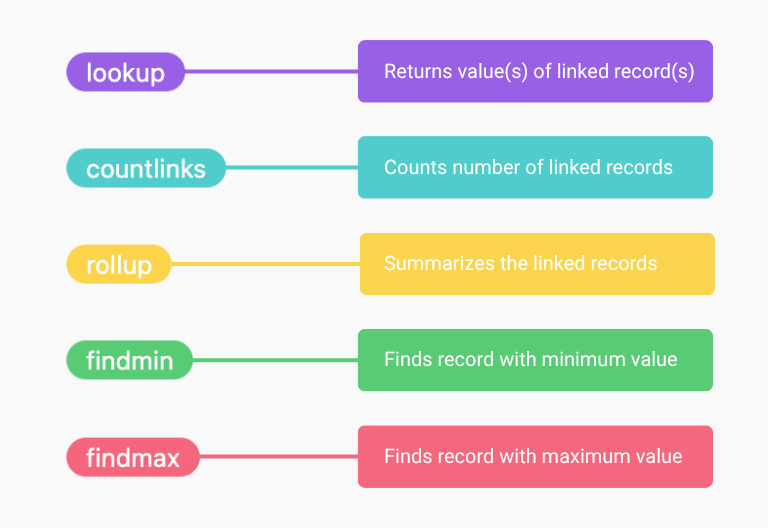
With the link column, an order points to the customer and the products. You fetch and sum values from linked records with the link formula column (lookup, rollup). Existing data can be linked after the import with compare and link.
Formulas, but per column
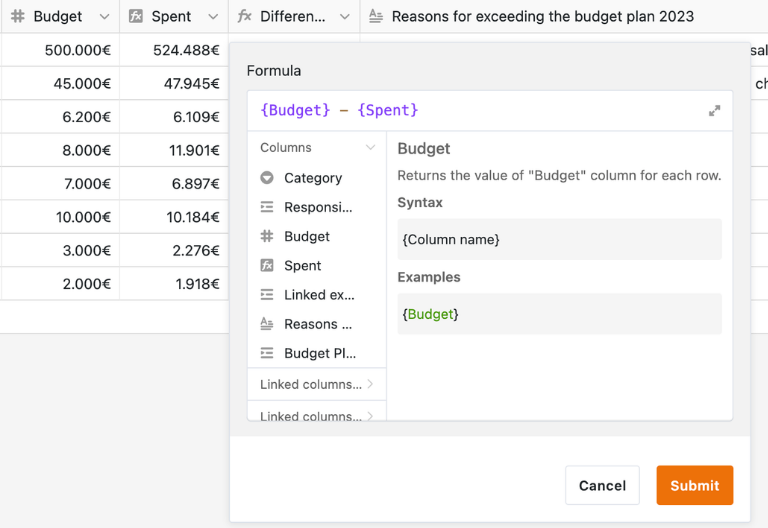
SeaTable has formulas too, but they apply to an entire column rather than to individual cells. This makes them more robust, but it takes some rethinking when you switch. The article Differences between formulas in Excel and SeaTable explains the most important differences.
Views and analysis
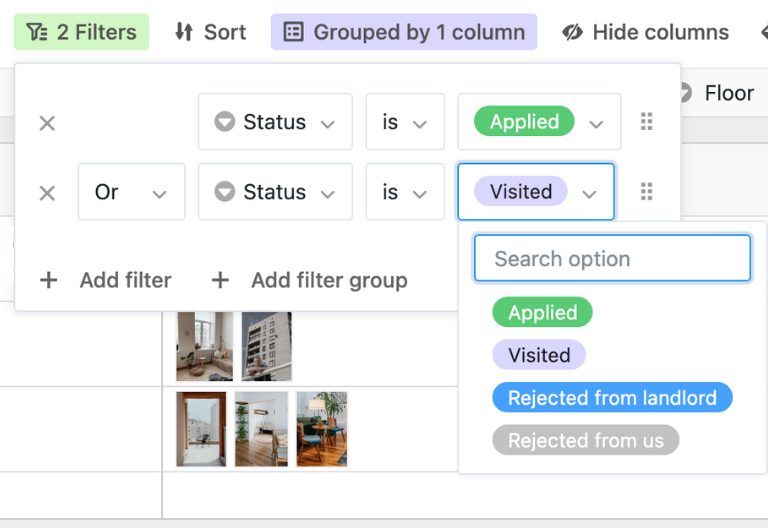
Filter, sort and group as usual and save each perspective as a separate view. Calendar, Kanban, gallery and timeline show the same data from different angles; charts and pivot tables analyse it.
Free templates
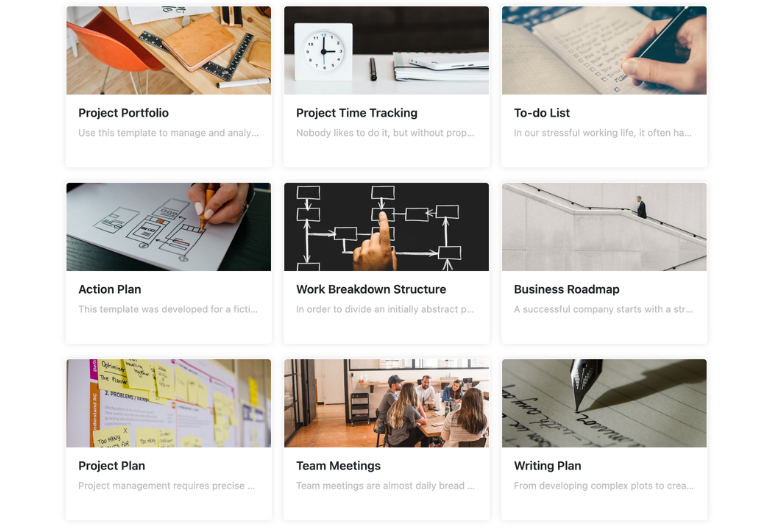
Instead of starting from zero, use one of the free templates for projects, tasks, HR, appointments or finance and adapt it to your data.
Less manual work
Automations and AI
Automations take care of recurring steps: notifications about deadlines, status changes, new records. The Free plan includes 100 runs per month and user, the Plus plan 500 and the Enterprise plan 5,000.
With AI automations, you summarise texts, assign entries to categories, extract details from documents or read text from images. With a custom prompt, the AI can also assess and comment on the key figures of a record. For questions about entire tables, such as “How are requests distributed by category?”, there is the AI chat directly in the base. On top of that, there are Python and JavaScript scripts as well as integrations with Zapier, Make, n8n and the SeaTable API.




See for yourself and try SeaTable for free.
Together instead of one after another
One data source for the whole team
Everyone works on the same data at the same time, in the office or on the go. There are no locked files and no copies drifting apart.
Real-time collaboration
Several people edit the same table at the same time; changes appear for everyone immediately. On the Free plan, up to 25 people can work together; on the other plans, there is no limit.
Comments and notifications
Discuss changes directly on the record and get notified when something important changes.
Permissions for tables, views and columns
Decide who can view or edit which tables, views and columns, and lock rows against changes (from the Plus plan). If people should only see certain records, such as their own, give them an app with preset filters.
Track changes
See who changed what and when in the logs of the base and of each row; individual changes can be undone there. Snapshots also save the state of your base, for between one month and two years depending on the plan.
To be honest
When Excel or another solution is the better choice
SeaTable replaces Excel where a spreadsheet has become a shared database. Not every Excel file belongs in a database.
Calculation models and macros
Financial models with cell references all over the place, scenario calculations or VBA macros are where spreadsheets shine. For these, Excel, LibreOffice Calc or Google Sheets remain the better choice.
Very large data volumes
A base holds 10,000 rows on the Free plan, 50,000 on the Plus plan and 100,000 on the Enterprise plan. For more, the big data storage is available from Enterprise, though with restrictions such as no real-time sync.
Custom software built by developers
If a development team is building its own application, a classic SQL database such as PostgreSQL is often the more suitable foundation. SeaTable is designed for business teams who want to work without programming.
Row-level permissions in the table
Within a base, permissions apply to tables, views and columns, not to individual rows. Anyone who should only see their own records gets an app instead of access to the base.
Stay flexible
Mobile access
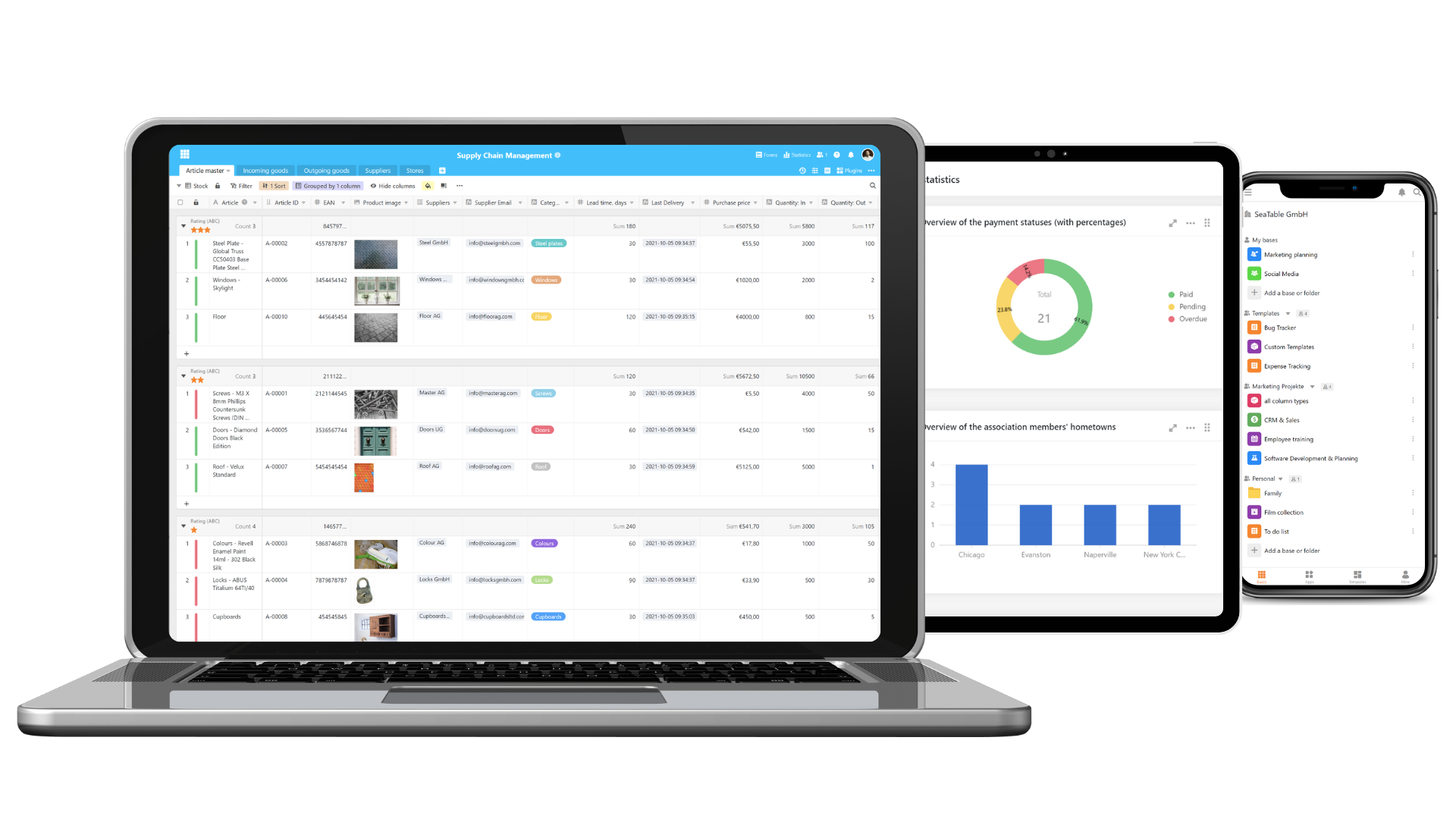
Edit your data from anywhere. SeaTable runs in the browser on smartphones and tablets with its own mobile interface; there is also an app for Android.
Hosting on your terms
In the cloud or on your own server
You decide where your data is stored.

SeaTable Cloud
Ready to go immediately, operated in data centres in Germany, with Free, Plus and Enterprise plans.

SeaTable Server
Full data sovereignty: you run SeaTable yourself, in your own data centre or with a hosting provider of your choice.
Sign up for free and import your first Excel file
FAQ – from Excel to a database
-
When is a database worth it instead of Excel?
-
As soon as several people regularly maintain the same data, data from several lists is combined with VLOOKUP, or not everyone should see everything. For calculations that one person does alone, a spreadsheet usually remains the better tool.
-
Can I bring my Excel files with me?
-
Yes. SeaTable imports XLSX and CSV files, in SeaTable Cloud up to 100 MB and 50,000 rows per import. Embedded charts and cross-references are not imported; you create links between tables after the import, also automatically with “compare and link”. Data from Google Sheets can be brought over the same way.
-
What happens to my formulas and VLOOKUPs?
-
Formulas are not imported. In SeaTable, a formula applies to an entire column, and you replace VLOOKUPs with links: an order points directly to the customer, and the link formula column fetches or sums values from linked records.
-
Can I use SeaTable for free?
-
Yes, the Free plan is free forever: up to 25 people, 10,000 rows, 2 GB of storage and 100 automation runs per month and user. The Plus plan costs €7 per user per month with annual billing, the Enterprise plan €14 (plus VAT). All details are on the pricing page.
-
How much data can SeaTable handle?
-
A base holds 10,000 rows on the Free plan, 50,000 on the Plus plan and 100,000 on the Enterprise plan; the number of bases is not limited. From Enterprise, you can activate the big data storage, which holds millions of rows but does not sync in real time.
-
Can each employee see only their own data?
-
Not within the base, where permissions apply to tables, views and columns. That is what apps are for: with the app builder, you create an interface with preset filters that app users cannot change, and share only this app.
-
Can SeaTable analyse my data with AI?
-
Yes, in two ways. In the AI chat, you ask questions about an entire table in plain language, for example about distributions or deadlines. AI automations process each record individually: they summarise, categorise or, with a custom prompt, comment on the key figures of a record. You create charts and pivot tables yourself in the statistics module.
-
Is SeaTable GDPR compliant?
-
Data in SeaTable Cloud is processed exclusively in data centres in Germany, continuously monitored and backed up regularly. If you prefer to keep your data in-house, you run SeaTable Server yourself. Details can be found in the privacy policy.
-
What Excel alternatives are there besides SeaTable?
-
That depends on what you want to replace. If you are looking for another spreadsheet, LibreOffice Calc, Google Sheets or OnlyOffice are good candidates. If you need a shared database with a spreadsheet interface, no-code databases such as Airtable, SeaTable, Baserow, NocoDB or Grist are worth considering. Our comparison of Airtable alternatives shows how they differ in price, hosting and features.