Projects, applications and research data in one place
The no-code database for universities and research
At universities and research institutions, information is often scattered across Excel lists, emails and isolated tools. SeaTable brings projects, applications, equipment and research data together in one shared database. Your teams build their own forms, workflows and apps – without programming. You decide whether your data resides in German data centers or on your institution’s own server – GDPR-compliant and with fine-grained access rights.
Areas of use
How universities and institutes can use SeaTable
One platform for many tasks: each department adapts its own application while IT keeps an eye on access and permissions.
-
Research projects and funding
Link terms, budgets, participants and reporting deadlines for each project and track them in timelines or calendars.
-
Exam administration
Record responsibilities, deadlines and grading status centrally and notify everyone involved automatically.
-
Equipment and inventory
Document lab equipment, rooms and furnishings with location, condition and contact persons.
-
Literature and sources
Collect and tag sources together and link them to projects or publications.
-
Events
Plan conferences, workshops and lecture series and accept registrations via web form.
-
IT helpdesk
Record requests from staff and students, assign them and track them until they are resolved.
Administration
University administration without Excel lists and email loops
Applications, responsibilities and deadlines usually involve several departments. With the AI no-code platform SeaTable, everyone works with the same up-to-date information.
Web forms: Record applications and reports in a structured way instead of collecting them by email.
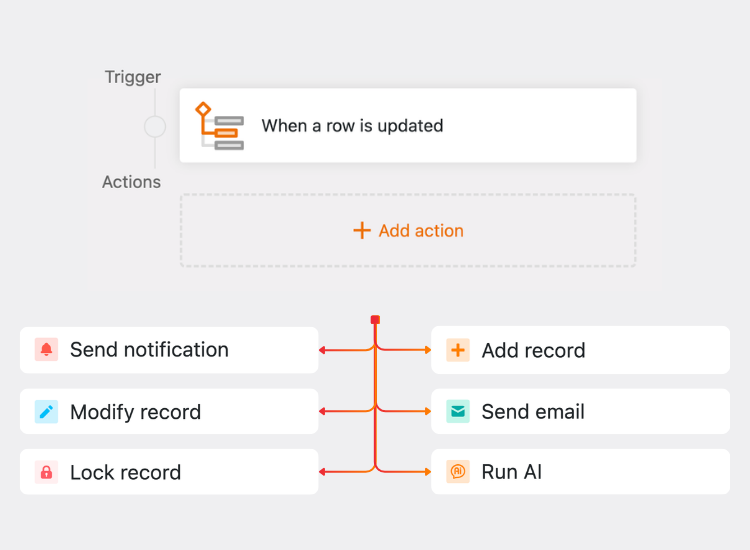
Automations: Notify the people responsible and trigger status changes.
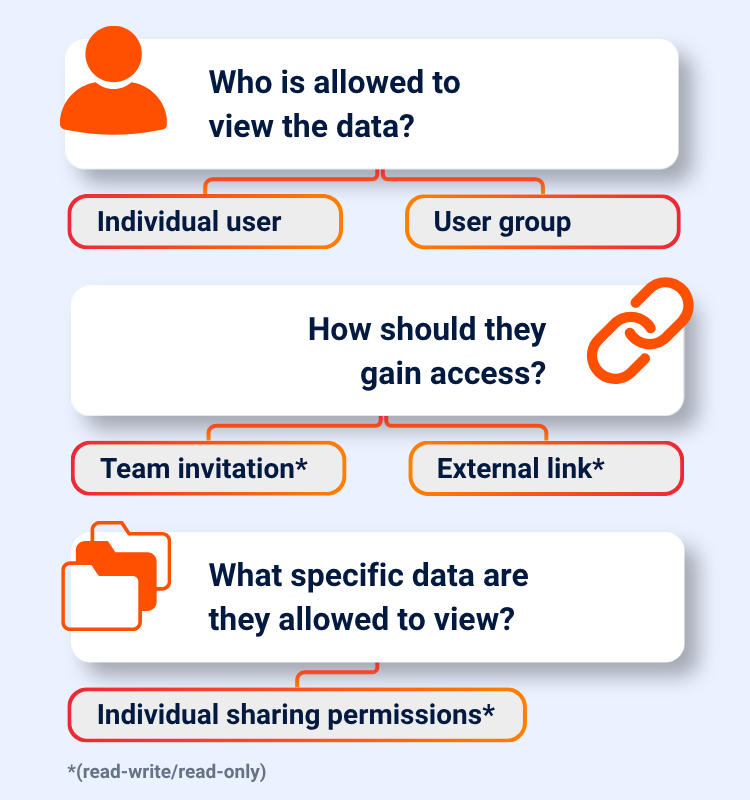
Permissions: Control access down to table, view and column level.
Custom apps: Show each group only the data and functions it needs.
Research
Link research projects and data
Research groups need structures that change with the project. In SeaTable, you can adapt your data model yourself at any time.
Linked tables: Connect projects, people, samples and publications.
Collaboration: Maintain data in real time within the team and with project partners.
Python scripts and API: Process data further and connect existing systems.
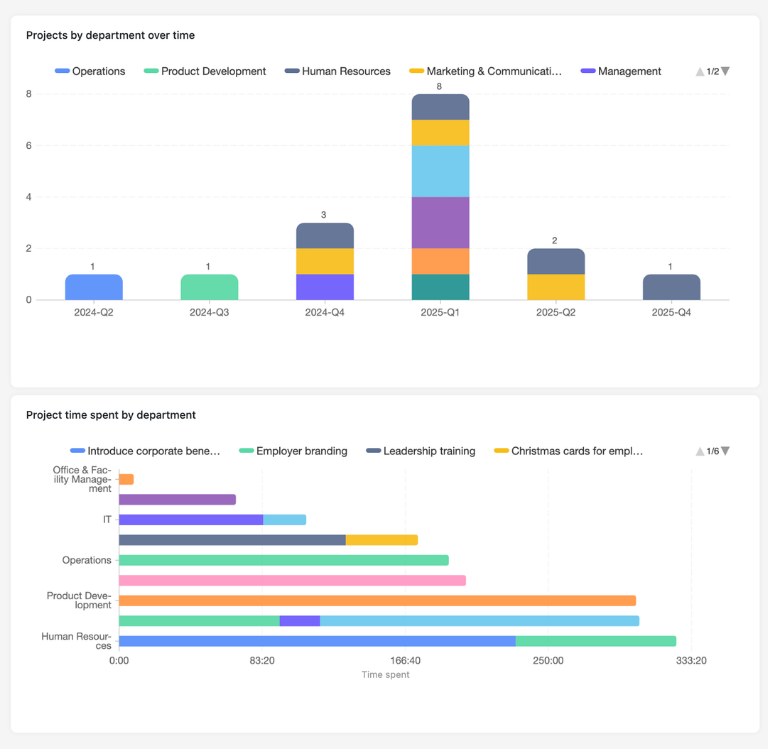
Statistics: Analyze progress and results as charts.
AI in administration and research
With AI: process funding applications faster
An example: a funding application is submitted via web form, the AI prepares it and your team decides. SeaTable AI runs in German data centers. Discover all the options under AI in SeaTable.
Extract and classify
An AI automation extracts relevant information from submitted documents, summarizes it and assigns the application to a category. The responsible department is then notified.
Make the status visible
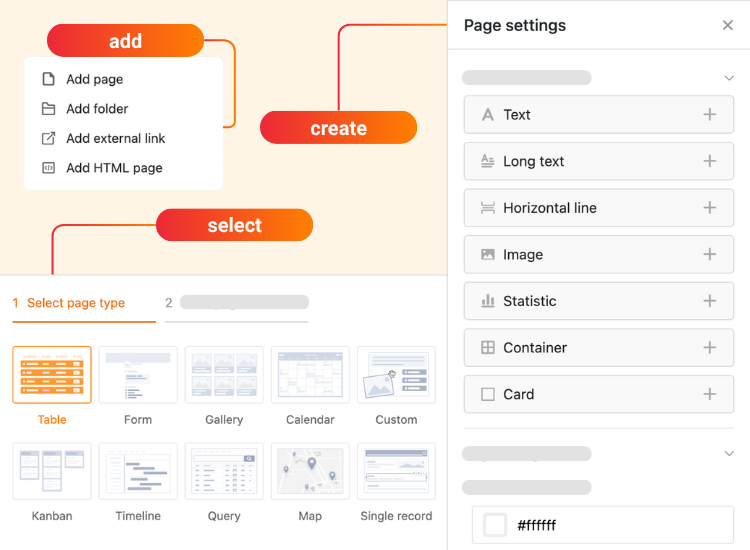
In a custom app, applicants and staff can see the current status. You build the app by drag and drop from your existing data.
Who uses SeaTable?
In use at universities and in research

















Experiences from education and research
SeaTable users include Humboldt University of Berlin and the Max Planck Society. Two institutions report on their practical experience:
Hcéres: evaluation of higher education and research
The French authority Hcéres evaluates higher education and research institutions and has replaced its Excel spreadsheets with SeaTable. Read the Hcéres customer story.
Johannes Fontanus College: digital exam administration
The Dutch secondary school notifies examiners automatically, saving around 250 manual emails. Read about digital exam administration.
Johannes Fontanus College: IT support
The school’s IT department organizes tickets, devices and projects with SeaTable. Read about IT support at Johannes Fontanus College.
Quick start
Templates for universities and research groups
Start with a template and adapt it: project portfolio, inventory list or IT helpdesk. For sources, use the bibliography template.

Project portfolio
Research projects
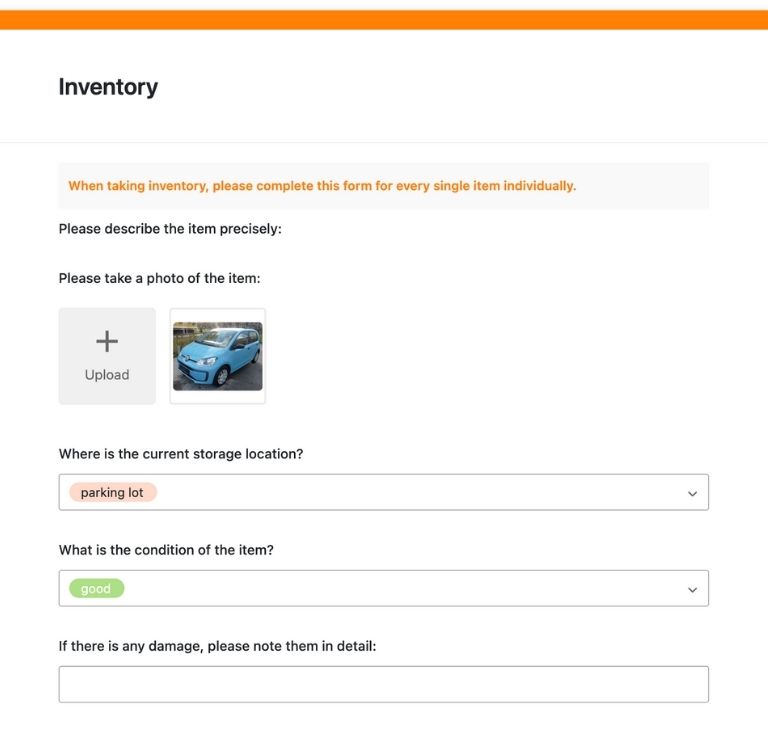
Inventory list
Equipment and furnishings
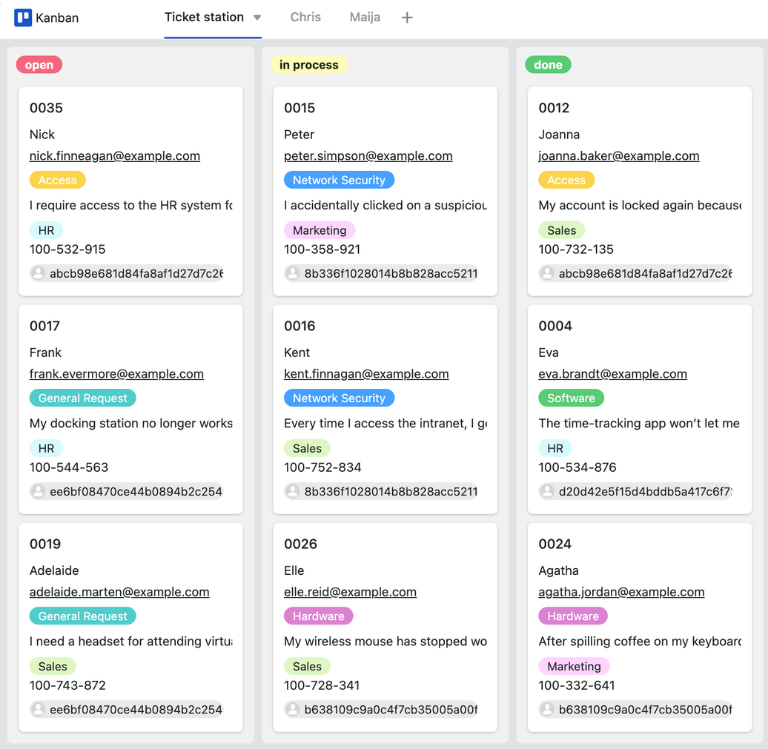
IT helpdesk
University IT
Use case: SeaTable and R
Collect research data and analyze it with R
An example: an institute surveys several sites over two years. The data is maintained in SeaTable, while the statistics are produced in R as usual. The SeaTable REST API connects the two.
1. Collect data consistently
All sites enter their surveys via the same web form. Fixed column types and selection fields ensure comparable values, and participants are recorded only by an identifier.
2. Load data into R
The R script connects using an access key (API token) that is valid for this one base only. It retrieves exactly the data needed for the analysis, always up to date. Manual CSV exports are no longer necessary.
3. Analyze in R
Data preparation, models and charts are created in R, for example with dplyr and ggplot2. The script runs in the institute’s own environment and can be run again with new data at any time.
4. Write results back
The script writes key figures such as means or effect sizes to a separate results table. This requires an API token with write permission; read access is sufficient for retrieving data only.
5. Share results
Project partners see the key figures in a SeaTable app as a table or chart, without using R themselves and without access to the raw data.
Data sovereignty
Data protection and IT requirements
SeaTable can be adapted to the requirements of your institution.
Servers in Germany
SeaTable Cloud runs in ISO 27001 certified data centers in Germany.
Special conditions
Discounts for education and research
Educational institutions and public institutions may be eligible for discounted rates. Get in touch and we will advise you on your use case.
Frequently asked questions about SeaTable in higher education and research
-
What can universities use SeaTable for?
-
SeaTable is a no-code database suited to research projects, applications, exam administration, inventory, events and IT support. Departments build their own applications without programming.
-
Does SeaTable replace a campus management system?
-
No. SeaTable is not a campus management system for enrollment or academic records. It complements existing systems where Excel lists and emails are used today and can be connected via the API.
-
Can universities use SeaTable in compliance with the GDPR?
-
Yes. SeaTable Cloud runs with the Swiss provider Exoscale in certified data centers in Germany. Alternatively, with SeaTable Server you run the platform on your own infrastructure.
-
Can SeaTable be connected to the university's central login?
-
Yes. SeaTable Cloud supports SAML 2.0 in the Enterprise subscription. SeaTable Server supports SAML, OAuth, Shibboleth, Active Directory and LDAP, among others.
-
Can SeaTable be connected to R?
-
Yes, via the SeaTable REST API. R scripts can retrieve data over HTTP and write results back. There is no official R package; an HTTP package such as httr2 is sufficient. The scripts run in your own R environment, not in SeaTable.
-
Are there discounts for universities and research institutions?
-
Educational institutions and public institutions may receive discounts on paid subscriptions. Here is how the discount application works.
-
Is SeaTable suitable as literature management software?
-
Yes, for shared source collections that are linked to projects. Our comparison of literature management programs shows which specialized programs are available.
Planning to use SeaTable at your university?
Tell us about your requirements. We will answer your questions about features, operation and conditions.