Table of Contents
To retrieve rows from the big data storage, you need a big data view. In this view, you can select the desired rows and move them back to a normal view.
- Open a big data view.
- Make a right click on an archived row.
- Select the option Unarchive row.
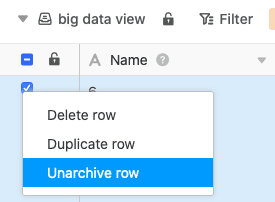
Within a few seconds, the selected rows are written back from the big data memory to the normal view and thus lose their gray triangle , which identifies the rows as big data entries.