Table of Contents
In each table, you have the option of permanently displaying all available views in a navigation bar on the left-hand side. This is particularly useful if you often switch between views and quick access makes this more efficient.
Pinned view navigation remains visible even if you scroll to the right within a table. This allows you to easily compare entries in different views.
To show and hide the view navigation
- Click on the name of the current view.
- Click on the pin in the top right corner.
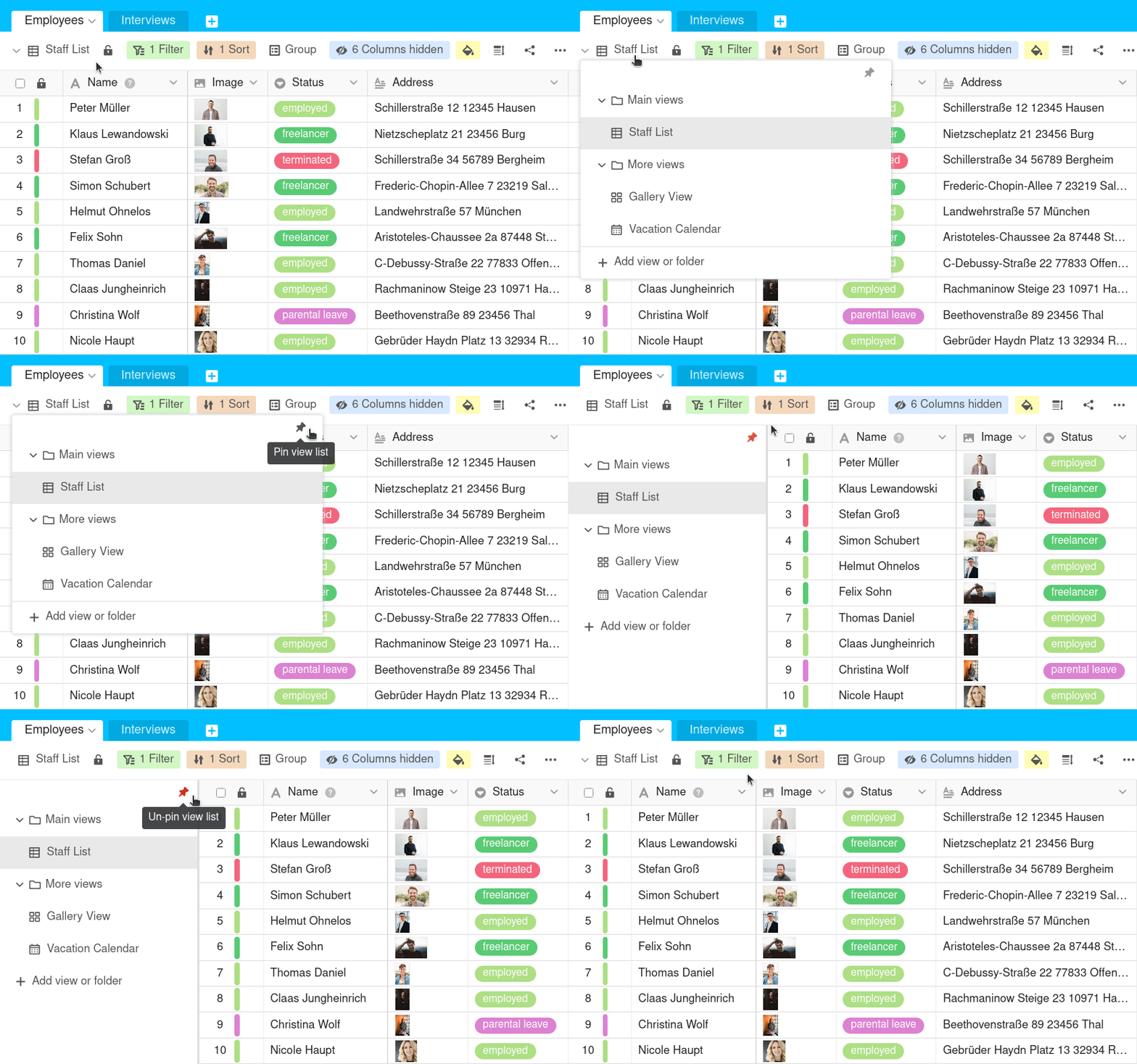
As long as the pin is highlighted in red, the available table views are pinned to the left-hand side of the page. To hide the view navigation, click on the pin again.