Table of Contents
Available with Enterprise
In SeaTable there is the possibility to create both normal and private views of tables. Private views are, as the name suggests, only visible to the creator and cannot be shared with other people. Otherwise, private views do not differ from normal views.
Personal data analysis with private views
A view in SeaTable is the sum of many settings, including filters, sorting, grouping, color highlighting and row height. In other words, each view offers an individual perspective on the data in your table.
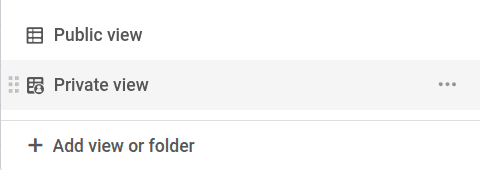
The special feature of private views is that they are not visible to other users. Only the user who created the private view can see it.
Because changes to settings in a private view have no effect on other users, they are particularly suitable for your personal data analysis, where you want to change the settings according to your wishes.
Private views cannot be shared
Another difference between normal and private views is that private views cannot be shared with other people. The corresponding icon for sharing this view is not available.
Create a private view

- Click on the Name of the current view.
- Click on Add view or folder and select the desired View type.
- Give the new view a name.
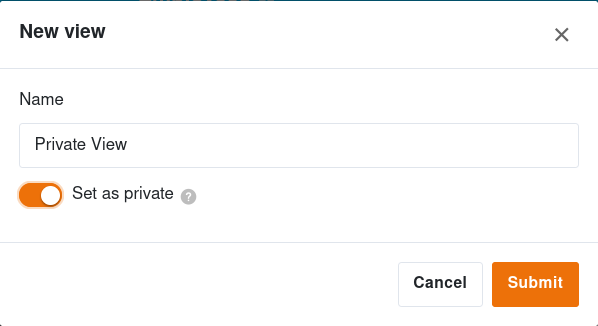
- Activate the slider to make the new view private.
- Confirm with Submit.
Duplicate normal views as private views
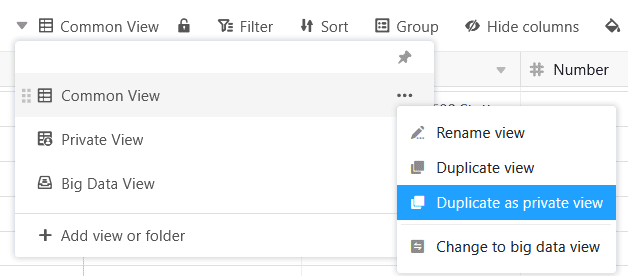
If you want to customize a normal view that is visible to others, you can simply duplicate it as a private view. The original view remains unchanged.
Convert private views to normal views
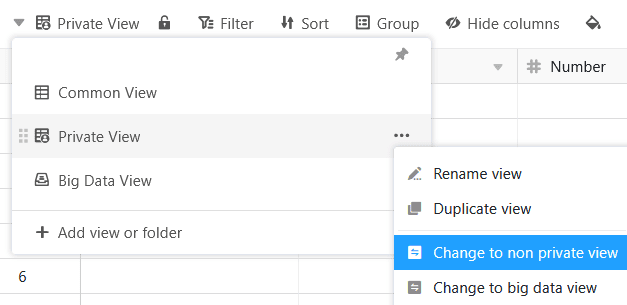
On the other hand, you can also convert your private views into non-private, normal views that are visible to others. However, this does not duplicate the view so that it is no longer available as a private view, but only as a normal view.