Table of Contents
In SeaTable, you can create different views for your tables and thus view the same data in different ways. For example, if you want to filter for a specific value in a table, you can save the filtered view of the table and thus access it more quickly in the future without having to filter again.
How to create a new view in SeaTable
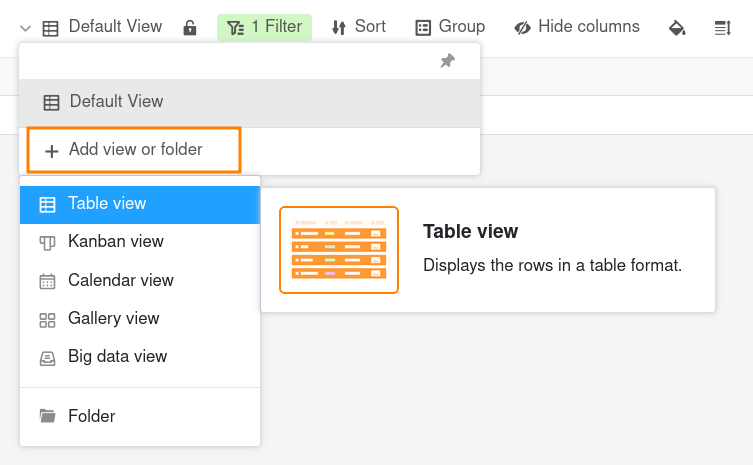
- Click on the name of the current view.
- Click on Add view or folder and select the desired view type.
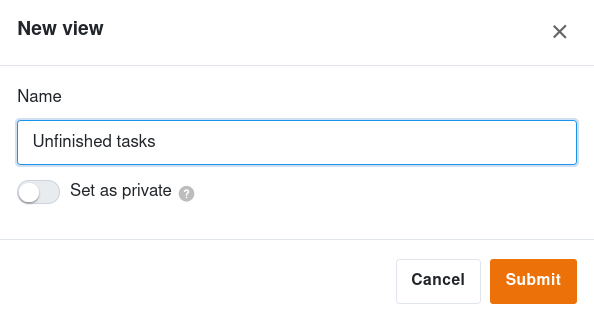
- Give the new view a name.
- Activate the slider if the new view should not be visible to everyone but private.
- Confirm with Submit.
The newly created view then opens automatically and you can filter, sort or group it according to any values, for example.
Additionally, you have the option to create private views. In which points private views differ from normal views, you will learn in this article .