Table of Contents
Available with Enterprise
Rows that are stored in the big data storage are not immediately visible to every user. A special view is required to access the data in the big data storage. But don’t worry: creating a big data view is just as easy as creating a normal view.
Add a big data view
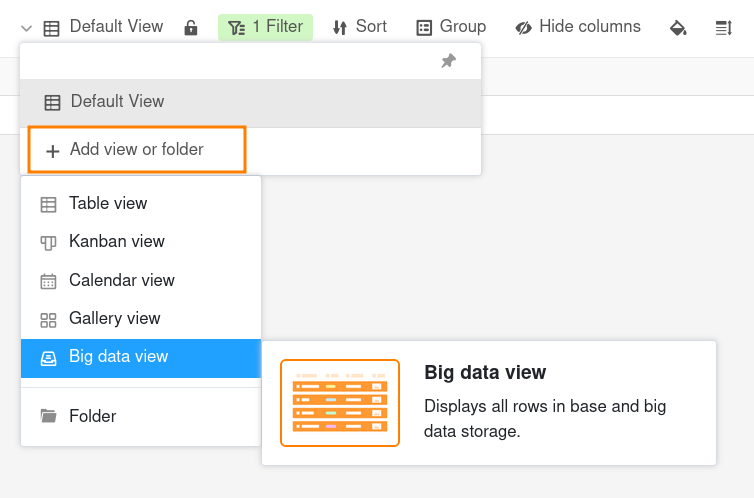
- Click on the name of the current view.
- Click on Add view or folder and select the desired Big data view.
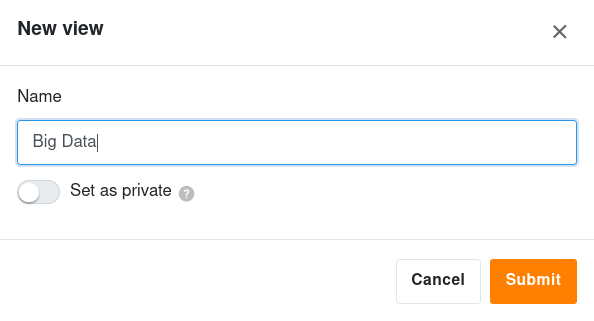
- Give the new view a name.
- Activate the slider if the new view should not be visible to everyone but private.
- Confirm with Submit.
Differences between a normal and a private view
When creating new views, you can define them as private. Private views are only visible to you and are not displayed to any other user. Since you can define the filters, sorting and grouping in a private view individually, a private view is primarily used for your own data analysis.