
Key Take-aways #
- No-code tools enable you to implement digital applications, automations, and internal processes without programming knowledge—using visual interfaces instead of traditional code.
- The key advantages of no-code are high development speed, lower costs, easy adaptability, and low barriers to entry for both beginners and experienced users.
- Choosing the right no-code tool depends heavily on the intended use: scalability, integrations, data protection, cost model, governance, and data export are key criteria.
Introduction to the world of no-code tools #
If you are thinking about simplifying workflows, digitizing internal processes, or developing your first applications, no-code tools open up new possibilities for you. You don’t need any programming knowledge, because instead of code, you work with an intuitive interface and simply implement your ideas step by step.
No-code platforms have emerged because companies need digital solutions faster and faster, while traditional IT teams are often stretched thin. This is exactly where your role as a citizen developer comes in. You can take action on your own and make an important contribution to digital transformation without having to delve deeply into technical details.

The possible applications are wide-ranging. You can automate recurring processes, develop internal applications, or test initial prototypes. The available platforms support you in various areas. Some tools focus on user-friendly interfaces, while others help you manage data or serve as the basis for background functions. Whether you are looking for a Projectmanagement Tool or Marketing Management Tool - you can find exactly the right tool for your project.
Advantages of using no-code tools #
No-code tools offer a range of advantages that make it significantly easier to get started with digital work. You can develop solutions much faster because you don’t have to rely on time-consuming programming. This not only reduces the effort involved, but in many cases also the costs, as external development teams are needed less often.

Another advantage is the new independence you gain. You can design and customize your own solutions without having to wait for IT support. The technical barriers to entry are low, so both beginners and experienced developers can work productively.
The high degree of flexibility is particularly helpful. You can adapt processes to new requirements at any time and easily expand your applications as needed. Many platforms also offer seamless integration with other systems. This allows you to easily integrate your no-code solutions into existing structures and create workflows that really work end-to-end.
How do no-code platforms work? #
No-code platforms follow an approach that combines technological possibilities with astonishing simplicity. Instead of diving into complex development environments, you design your applications directly in the browser by visually arranging modules and combining them into a functioning whole using drag and drop. This creates a clear, intuitive development process that still offers a high degree of freedom.
The structure of many solutions is based on table-like data models that allow you to organize and link information precisely. This data is then used to create views, forms, and interactive areas that fit seamlessly into your workflows.
To ensure that your applications do not just display static information, you have access to powerful workflow management and logic. You define conditions, sequences, and responses that automatically trigger your processes, creating a reliable basis for recurring tasks.

At the same time, modern platforms pay attention to the necessary organizational framework conditions. Roles and permissions can be finely tuned so that you can control who can edit content, who can only read it, and how sensitive data is protected at all times.
An application becomes particularly valuable when it integrates harmoniously into existing systems. That’s exactly why no-code platforms offer extensive options for connecting external services. Your solutions exchange data with other tools via interfaces and API connections, thereby expanding your digital ecosystem.
Once you’ve completed your work, you can publish the application in just a few simple steps. Deployment takes place directly via the platform, allowing you to immediately put new functions or entire projects into productive use or make them accessible to your team.
Tips for choosing the right no-code tool #
The best way to choose the right no-code tool is to decide early on what purpose your future solution should serve and what requirements this entails. A platform that is ideal for simple forms is not necessarily the right choice for a project that is intended to grow in the long term or map entire business processes. That’s why it’s worth considering the issue of scalability right from the start.
Equally important is the ability of a tool to connect to your existing work environment. The smoother the integrations work, the better the new solution can be embedded into existing systems. It is also useful to take a close look at the underlying data model. Not only does the flexibility of the data structure play a role here, but also the question of where your stored information is located and how it is protected.
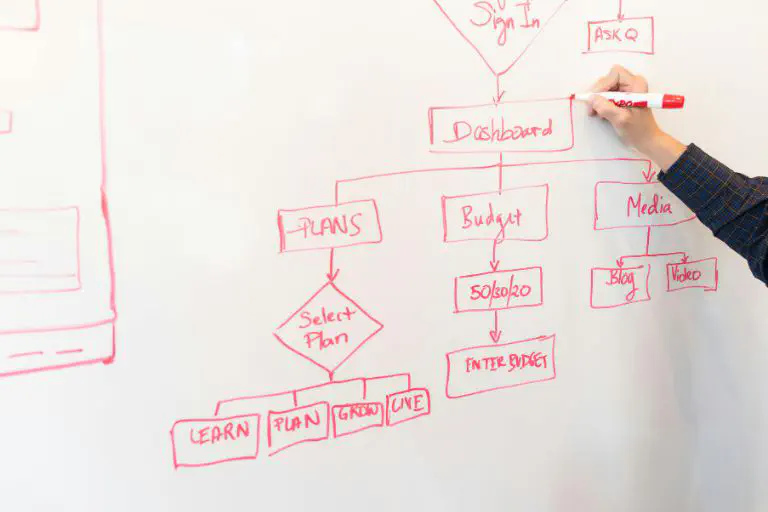
Since no-code platforms appeal to a broad target group, they vary greatly. Some solutions open up impressive possibilities, but require a higher level of training, while others deliberately focus on simplicity. The cost model should also be taken into account in your decision, as the pricing structure can vary considerably depending on the platform.
Companies are also paying increasing attention to governance and how well a tool fits into existing IT guidelines. A platform that offers clear control mechanisms and transparent management functions is much easier to operate professionally. A vibrant ecosystem and an active community are also valuable indicators of a provider’s future viability. You benefit from examples, enhancements, and the experiences of other users, which helps you gain confidence in using the solution much more quickly.
One point deserves special attention. You should always be able to export your data. This option prevents you from becoming completely dependent on a single provider and gives you the freedom you need to further develop your digital infrastructure in the long term.
10 popular no-code tools compared #
No-code tools differ not only in their range of functions, but also in how well they perform in practical use. In this comparison, we compare ten popular no-code tools based on clearly defined criteria: user-friendliness, integrations, data protection, scalability, and cost. This makes it easy to see which tool suits your needs.
Baserow #
Baserow is an open-source, no-code database that allows tables, relations, and various views such as grids, Kanban, galleries, calendars, or forms to be modeled and used in a team without any programming knowledge. The software’s servers are located in Amsterdam (Netherlands). Integrations can be implemented via a REST API and webhooks, and several templates are also available. Data can also be imported and exported.
| results | |
|---|---|
| user-friendliness | high |
| integration | medium |
| data protection | high (self-hosting possible) |
| scalability | high (no row limit) |
| expenses | Free basic version, advanced features starting at $10 |
AirTable #
Airtable combines the flexibility of a spreadsheet with the functions of a relational database and is particularly suitable for teams that want to organize projects, content, and processes visually. It is a cloud-based, no-code tool from the US that is primarily used as a flexible database and as a project and process platform. CSV and Excel exports as well as API access are available for data exchange.
| results | |
|---|---|
| user-friendliness | high |
| integration | high |
| data protection | medium (US Cloud) |
| scalability | high (no row limit) |
| expenses | Free basic version, advanced features starting at $20 |
Google AppSheet #
Google AppSheet is particularly well suited for converting existing tables such as Google Sheets, Excel files, or SQL databases into fully-fledged business apps with mobile use and integrated workflow logic without any programming. The focus is on internal processes, forms, and data-driven applications. The data remains in the respective connected sources, which are also used for export, for example as CSV, Excel, or directly from the database.
| results | |
|---|---|
| user-friendliness | medium-high |
| integration | high |
| data protection | medium (US Cloud) |
| scalability | high |
| expenses | Free basic version, advanced features starting at $5 |
Glide #
When it comes to creating appealing web and mobile apps from spreadsheets in a short amount of time, Glide really comes into its own. Without in-depth knowledge of databases or deployment, applications can be implemented based on Glide Tables, Google Sheets, Excel, or Airtable. The focus is on internal tools, portals, and simple CRM and project apps. As a cloud-based product from a US startup, Glide supports data export via CSV or the respective connected data source.
| results | |
|---|---|
| user-friendliness | high |
| integration | medium-high |
| data protection | medium (US Cloud) |
| scalability | medium-high |
| expenses | Free basic version, advanced features starting at $19 |
smapOne #
smapOne is primarily aimed at scenarios in which teams need mobile access to structured forms and checklists without the need for individual app development by IT. The focus is on mobile business apps and workflows for specialist areas, such as inspection, auditing, maintenance, or data collection. The provider specifically targets companies in the DACH region and hosts its solution within the EU. Data can be exported as Excel or CSV files as well as PDFs and connected to third-party systems.
| results | |
|---|---|
| user-friendliness | high |
| integration | medium |
| data protection | high (GDPR compliant) |
| scalability | high |
| expenses | No free basic version, price on request |
NocoDB #
NocoDB enables existing SQL databases to be transferred to a no-code interface similar to Airtable, allowing teams to conveniently manage their data without changing the existing IT landscape. The open-source project is aimed at organizations that value self-hosting, full data control, and flexible expansion options. NocoDB is supported by a global community and is available both as a self-hosted solution and in the cloud.
| results | |
|---|---|
| user-friendliness | medium-high |
| integration | medium-high |
| data protection | high (self-hosting possible) |
| scalability | high |
| expenses | Free basic version, advanced features starting at $12 |
n8n #
n8n stands out in particular for its open-source approach, enabling users to visually create complex, branched data and API workflows and host them themselves if required. The platform serves as a no-code/low-code solution for automation, integration, data pipelines, and backend logic. Unlike traditional databases, the data model is based on workflows in the form of node diagrams that transform data objects between systems. Founded in Germany, n8n allows data to be exported via the connected systems, while workflows are stored as JSON files.
| results | |
|---|---|
| user-friendliness | medium |
| integration | very high |
| data protection | high (self-hosting possible) |
| scalability | high |
| expenses | Free version, advanced features starting at 20 euros |
Softr #
Softr really comes into its own when you need to quickly create customer- or employee-oriented portals, member areas, or internal tools with login and rights management from Airtable or similar data sources. The platform focuses on a no-code front end and offers ready-made blocks for lists, detail pages, authentication, and simple logic. Airtable, Google Sheets, or other tables are used as data sources, while pages, blocks, and rules are defined in Softr. The provider operates internationally and runs its solution in the cloud; data is usually exported via the underlying source.
| results | |
|---|---|
| user-friendliness | high |
| integration | high |
| data protection | medium-high |
| scalability | high |
| expenses | Free version, advanced features starting at $49 |
Zapier #
Zapier is particularly impressive when it comes to connecting as many SaaS tools as possible without any programming effort using simple if-then rules and automating workflows. With thousands of connectors, it acts as a universally applicable integration layer between cloud applications. Workflows (“Zaps”) consist of triggers and actions; there is no primary database of its own. The provider is a US SaaS company that operates purely in the cloud, while data is exported via the connected tools, such as Sheets or CRMs.
| results | |
|---|---|
| user-friendliness | high |
| integration | very high |
| data protection | medium (US Cloud) |
| scalability | high |
| expenses | Free version, advanced features starting at $19.99 |
SeaTable #
As a table-based no-code platform, SeaTable stands out in particular for its EU hosting, self-hosting options, and GDPR compliance, which clearly sets it apart from many US alternatives. The platform is suitable for teams that want to use an Airtable-like interface but also need full data control, on-premise options, and a sovereign IT architecture.
In addition to tables with relations, various views, and classic automations, SeaTable offers AI-supported automations that can be operated via a self-hosted AI server if desired. This allows AI functions such as text generation, classification, or analysis to be integrated directly into workflows without outsourcing sensitive data to external cloud AI services.
Another key component is the integrated App Builder, which can be used to create customized web apps and internal applications from existing tables without any programming—including logic, user guidance, and permissions. This is complemented by a dedicated storage backend and flexible integrations via automations, Skripte und APIs.
Data can be exported at any time via CSV/Excel, API, or backup functions. Register for free and discover the possibilities of the platform.
| results | |
|---|---|
| user-friendliness | high |
| integration | high |
| data protection | very high |
| scalability | high |
| expenses | Free basic version, advanced features starting at 7 euros |
Fazit #
With the right no-code software, you can turn your ideas into working digital solutions without having to code. This gives you the freedom to drive innovation and efficiently expand your digital infrastructure without relying on outside help.

By comparing different no-code platforms, you can choose the one that best suits your workflows, your team, and your future requirements. This will help you avoid frustration due to missing features, complicated integrations, or inflexible data structures. With the right tool, you can ensure that your projects run smoothly, that you can make adjustments at any time, and that your solutions will continue to grow in the long term.
FAQs #
What is the difference between no-code tools and low-code platforms?
What are the advantages of no-code tools?
How do I find the right no-code provider for me?
Can I also create invoices with a no-code tool?
TAGS: Tools & Plugins Digital Transformation No Code & Low Code