SeaTable – intelligent Excel Alternative with AI Power
As simple as Excel, combined with the intelligence of an AI database and the flexibility of an intuitive no-code app builder! SeaTable – the intelligent alternative to Excel!
Advantages of SeaTable
SeaTable is the Perfect Excel Alternative
In fields like software development, project management, or marketing, the demands for modern data management are constantly growing. Traditional spreadsheets like Excel often reach their limits with large data volumes, complex team collaboration, and necessary process automation. Expand your possibilities and increase your productivity with our intuitive no-code platform that intelligently processes your data through integrated AI functions.
Flexibility with AI Integration
While Excel is operated purely manually, SeaTable automates your data maintenance. Use AI functions to generate text, classify data, or summarize complex content in seconds.
Cost Efficiency
Save on high license fees for Microsoft Office and additional AI tools. Even in the free version, SeaTable offers a powerful Excel alternative including smart automations for your team.
Collaboration
Forget version conflicts in Excel when sending files. SeaTable enables your team to collaborate in real-time on a central, intelligent data source.
Start Today with SeaTable Free as Your No-Cost Excel Alternative
Experience the benefits of modern, flexible, and efficient data management
Simplify Your Data Management
Create Custom Databases
SeaTable allows you to create intelligent databases that go far beyond the static functions of traditional Excel spreadsheets.
Structure your data models as dynamically as your projects. From simple lists to relational databases with AI support – SeaTable makes it possible.
Organize Data Intelligently
Utilize over 20 different column types, including checkboxes, buttons, files, and images.
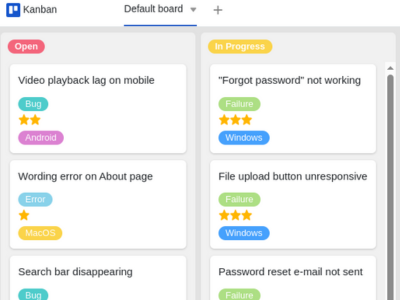
Intuitive Visualization
Create various individual views of your data to gain insights from different perspectives, and switch effortlessly between calendar, Kanban, and gallery views.
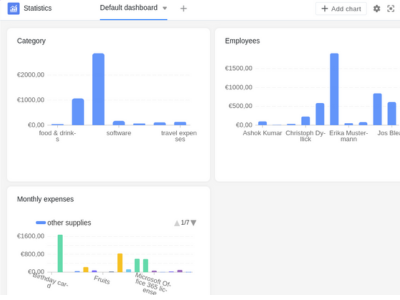
Advanced Data Processing
Perform complex analyses and let AI assist you in identifying trends in your pivot tables and charts.
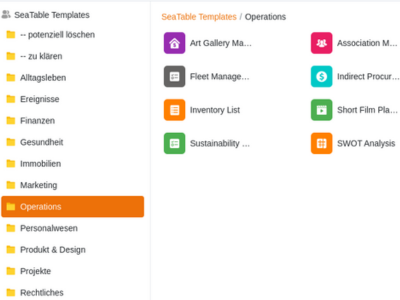
Free Templates
Access numerous free templates that you can optimize with AI workflows and digitize your processes in minutes.
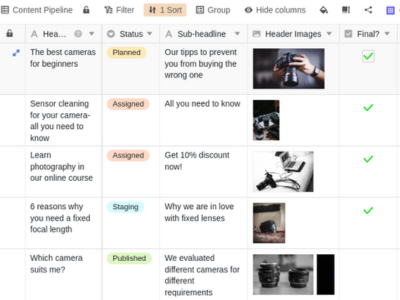
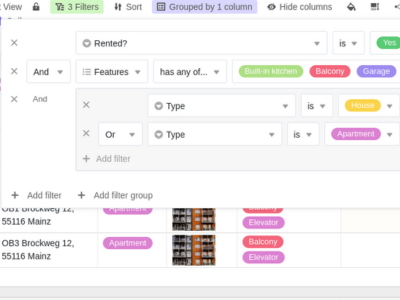
Filter and Sort Functions
Keep track of everything at all times thanks to powerful filter and sort functions as well as automatic calculations.
Integration & Intelligence
Automate Your Workflows with AI
Combine **powerful automations with AI logic** to finally eliminate manual routine tasks. Integrate your existing tools or use **Python scripts and AI queries** directly in your base.
In the Enterprise version, you can define complex rules that don’t just manage data but work proactively for you.




See for Yourself and Test SeaTable for Free.
Finally, Real-Time Collaboration
Collaborate in Real-Time
Work synchronously with your entire team on your projects, whether in the office or remote. SeaTable ensures that all participants always access the most up-to-date, AI-optimized data pool.
Through intelligent links and automated notifications, you create a dynamic work environment where information flows instead of gathering dust in Excel files.
Easy Real-Time Collaboration
With SeaTable, multiple users can work on a table simultaneously without conflicts or version issues.
Comments and Notifications
Discuss data directly within SeaTable and receive instant notifications of changes.
Individual Permissions
Individual Permissions: Define who is allowed to see or edit specific tables, columns, and rows to ensure maximum control and security over your data.
Why SeaTable is the Ideal Replacement for Excel
Excel Alternative with Nearly Limitless Flexibility
SeaTable offers flexibility that goes far beyond what you are used to with Excel. Different data types and advanced features make it the ideal choice for complex data projects. Organize and analyze your data with a whole new level of flexibility that you would search for in vain in an Excel program.
Intuitive Operation
Thanks to the intuitive user interface, you can get started without extensive training. Create your first tables and databases easily with just a few clicks. Thanks to the clear menu structure, even beginners find their way quickly.
Use our numerous templates to get started quickly and easily, or let our online course guide you step-by-step through your first data project.
Powerful Automation
Gain more time and use SeaTable’s extensive automation features to optimize your workflows and automate recurring tasks.
With SeaTable, you can, for example, set up automatic notifications for missed deadlines or perform complex calculations.
Real-Time Collaboration
Benefit from comprehensive collaboration options in SeaTable. Work in real-time with your team, keep everyone up to date, and share your tables and databases with colleagues to work on the same data simultaneously.
Scalability
SeaTable grows with your business. Flexibly adapt your databases and applications to your company’s changing requirements – SeaTable offers you the necessary flexibility.
Be Flexible
Mobile Access
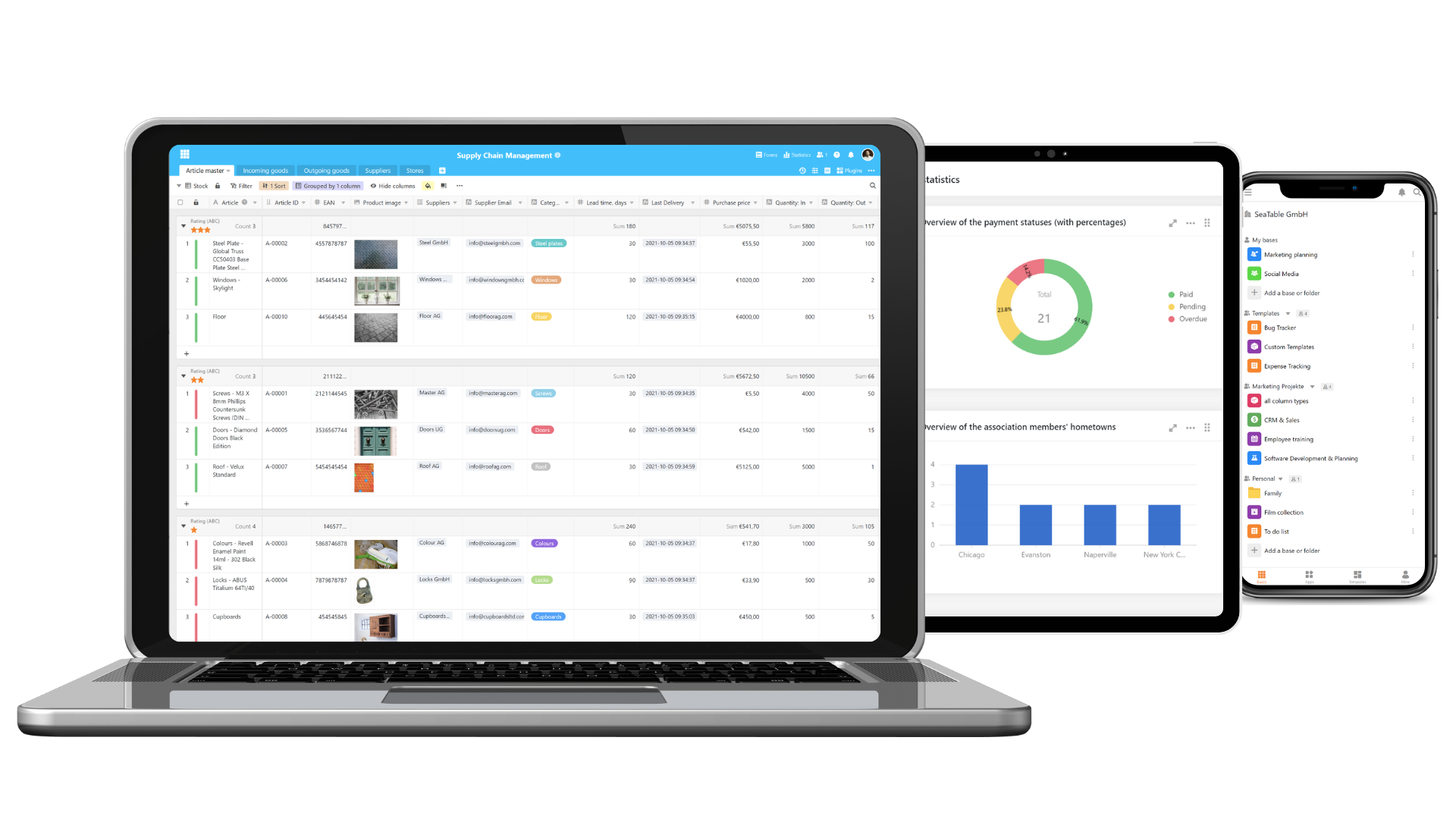
Edit your data from anywhere. SeaTable offers mobile access so you can access your projects even while on the go.
Create and Organize Tables
Excel Alternative with Intuitive User Interface
SeaTable offers an intuitive user interface specifically designed for ease of use.
Easy to Use
The familiar table view and SeaTable’s drag-and-drop functionality make getting started easy, even for Excel users.
Versatile Views
Use individual views and the Kanban, Timeline, or Gallery plugin to structure your data.
Notifications
Define triggers that notify you or your colleagues or update task statuses automatically.
Color Coding
Define rules to highlight individual or multiple columns in color to ensure a better overview.
What is SeaTable?
Jumpstart Your Projects with Our Free Templates
Creating tables in Excel is a thing of the past – SeaTable combines spreadsheets, databases, and an app builder in one platform, offering you comprehensive possibilities for your data management. Use the numerous templates SeaTable provides to start your projects quickly and efficiently. Based on these templates, you can easily create individual dashboards to visualize your data for further analysis or reporting.
The New Tool for ...
Task Management
Our task planning template replaces the traditional to-do list in Excel and helps you manage your daily tasks efficiently and increase your productivity. SeaTable offers a user-friendly interface that you can easily adapt to your specific requirements. Decide whether you want to use our practical to-do list template as a table, Kanban, or timeline.
Project Management
Use our templates to organize projects efficiently. With SeaTable, you can replace complex project management templates from Excel and create custom project plans perfectly tailored to your requirements.
HR and Leave Planning
Manage your human resources more efficiently with SeaTable than with traditional HR planning in Excel. Our templates allow for dynamic management of working hours and absences, offering a more flexible solution for leave planning than Excel.
Appointment Scheduling
With SeaTable, you can replace the Excel appointment planner with a more flexible solution that helps you reliably manage appointments and deadlines and keep track of all important dates.
Accounting
Our accounting templates provide an effective alternative to Excel accounting templates and allow for easy management of your financial data, saving you time and optimizing your accounting processes.
Financial Planning
Replace the Excel financial plan with our powerful templates in this area, which help you precisely plan and manage your finances and always keep them in view via dashboard visualization. These financial planners are ideal for optimizing your financial processes and offer more flexibility than traditional Excel financial planner templates.
Cloud or Dedicated Server
A No-Code Solution You Can Trust Long-Term
With SeaTable, you have the choice between two powerful deployment options for your workflow management .

SeaTable Cloud
Take advantage of SeaTable Cloud and benefit from the flexibility and security of a modern cloud infrastructure. SeaTable Cloud is hosted in certified German data centers provided by a Swiss provider.

SeaTable Server
With SeaTable Server, you decide where your data is stored. You have full data sovereignty. With the on-premises version, SeaTable integrates completely into your existing IT infrastructure.
Register for SeaTable for Free to Take Your Processes to a New Level
FAQ – SeaTable as an Excel Alternative
-
Can I use SeaTable for free?
-
Yes, SeaTable offers a free version with extensive basic functions. You can create tables for free, use templates, and benefit from the intuitive user interface. For advanced features, higher API limits, and the use of AI credits, there are paid subscriptions that offer additional value.
-
Can I migrate my data from Excel or Google Sheets to SeaTable?
-
Yes, you can easily migrate your data to SeaTable. SeaTable supports the import of .xlsx and .csv files, so you can seamlessly take over your existing data. Once imported, you can immediately enhance and automate your static lists with intelligent AI functions.
-
Why do I need an Excel alternative?
-
Whether in software development, administration, or marketing – in all departments, the demands for intelligent data management are constantly increasing. Data volumes and the need for process automation often exceed the possibilities of traditional spreadsheets, such as Excel or Google Sheets . Expand your possibilities and increase your productivity with our AI-powered no-code platform.
SeaTable offers you more than just a spreadsheet. As a comprehensive solution, it allows you to create complex data models, automate workflows via AI, and collaborate with your team in real-time. Simplify your workflows and gain valuable time through smart algorithms that handle routine tasks for you. Start today with our free version and experience the benefits of modern, flexible, and efficient data management. -
Is SeaTable better suited for project management than Excel?
-
Yes, definitely. For your next project plan, don’t use Excel – use the AI-powered possibilities of SeaTable. While Excel project management templates quickly become confusing for complex projects, SeaTable offers a dynamic project plan that goes far beyond traditional tables. Thanks to automatic notifications, AI-based task assignment, and real-time dashboards, you can manage tasks, schedules, and resources much more efficiently than in any spreadsheet.
-
Can I use SeaTable as an Excel alternative in the HR department?
-
HR planning with traditional spreadsheet programs is often tedious and error-prone. Especially with leave planning or recruiting, companies quickly reach the functional limits of classic Excel. SeaTable offers an efficient and AI-powered Excel alternative for modern HR planning:
- Effortlessly create a frontend for your HR administration with the App Builder
- Use AI support to draft job descriptions or pre-sort applications
- Create automated HR and leave plans that update in real-time when changes occur
- Define who has access to sensitive data through granular permission management, which is not possible in Excel in this way -
Can I also use SeaTable as a data analysis tool?
-
Yes, SeaTable is also a strong alternative to Excel here. While Excel often becomes slow when analyzing large amounts of data, SeaTable provides a high-performance environment for structuring and analyzing data via AI. Use SeaTable to transform data with just a few clicks and let the integrated AI help you identify patterns or trends in your statistics. Experience intuitive data analysis that goes significantly beyond the classic features of a spreadsheet, even in the basic version.