
For many, writing a book is a fascinating but also challenging process. From the initial idea to the finished manuscript, there are numerous hurdles to overcome and decisions to make. At a time when digital tools and software solutions are playing an ever-increasing role in the creative process, it is crucial for authors to find the right software to bring their visions to life. This article takes a closer look at 7 tools to help you write your book.

Writing a book takes time and dedication.
The Writing Process: How to Write a Book #
A writing process can be divided into five decisive phases:
- It all starts with brainstorming, a creative act in which you collect thoughts and discover inspiration.
- After finding ideas comes the research phase. This is where you look for relevant information and sources to support your book with well-founded facts and arguments.
- As soon as you have collected enough material, the structuring phase comes to the fore. Now it’s about organizing the ideas you have collected and developing a clear central theme for your book.
- With the structure as a guide, the actual writing begins. In this phase, you put your ideas into words and develop the book further.
- The final step is revision. This is where the book is carefully checked to correct errors, improve the writing style and ensure that the text reaches the desired standard.
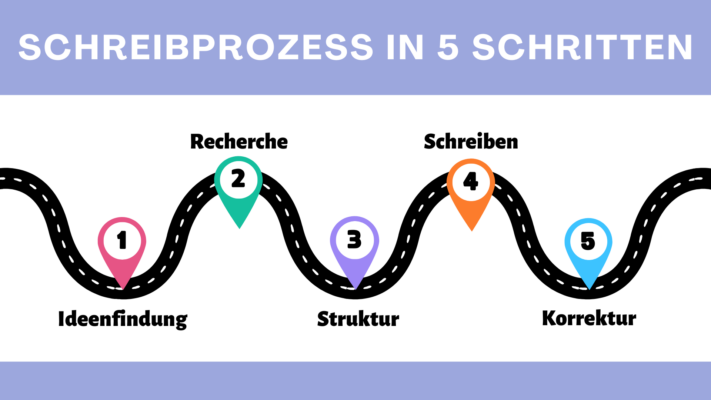
Writing process in 5 steps
Why planning makes sense when writing a book #
The importance of thorough planning should not be underestimated when writing a book with a program. By getting to grips with fundamental questions such as genre, narrative perspective, narrative devices, structure, and goals at the outset, you establish a solid framework that will guide and structure your writing project.
Planning is not only advantageous in terms of content, but also in terms of organization. Writing a book is a daunting project that is easier to accomplish if you break it down into manageable chunks. Not only does this breakdown make the writing process easier for you, but it also helps you keep an overview of the overall project and track your progress more easily.

Even fictional stories often require thorough research to provide realistic details.
Important Factors When Writing a Book #
Even for experienced writers, writing a book can be a complex and demanding task. Numerous factors play a crucial role in creating a work that leaves a lasting impression on the reader. In this context, it is important to consider the following aspects that can significantly influence the writing process:
- Plot: A well-thought-out plot is the backbone of any story. It needs a conflict that moves the story forward in order to provide an engaging reading experience.
- Characters: Characters need to evolve over the course of the plot to give readers an emotional connection.
- Writing style: An author’s writing style is crucial to the atmosphere and impact of the book. Narrative devices should achieve the desired effects.
- Routine: Sticking with it and working on the project continuously is essential to maintain the flow of the story and ensure the quality of the text.
- Feedback: Feedback from professional editors or beta readers helps you identify weak points and further improve the work.
Authoring software put to the test #
For the following evaluation of seven selected book writing tools, we will compare the key criteria of ease of use, range of functions, customization options, and cost for each program.
Papyrus Author #
Getting up to speed with Papyrus requires time to grasp the full range of functions, as the program offers a variety of book-writing features that are usually spread across multiple applications. It allows not only the management of characters, places and objects, but also the structuring of storylines and research results. A thinking board with templates lets you visualize relationships. Despite its outdated design, this tool scores with plenty of bonus features like a synonym finder, text analyses, and the ability to highlight direct speech.
Ease of use: mediocre
Range of functions: very high
Customization options: high
Cost: 199 euros
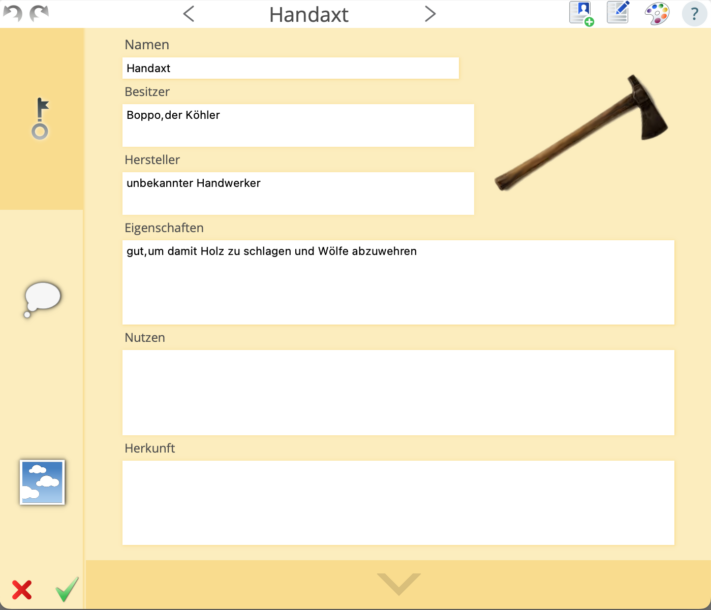
In Papyrus you can create detailed databases.
Scrivener #
If you want to write a book with Scrivener, you can choose between non-fiction, novel and script right at the beginning. The clearly arranged directory allows authors to effortlessly navigate between different aspects of their book project, such as the manuscript, characters, and locations. Especially for non-fiction authors who prefer a focused work environment and don’t need visual inspiration, Scrivener offers a suitable solution. In addition, the software allows the selection of different manuscript formats and the direct integration of book covers.
Ease of use: good
Range of functions: high
Customization options: very high
Cost: 69.99 euros
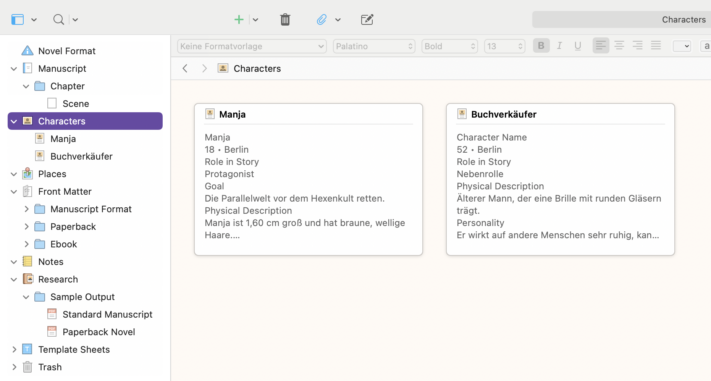
Scrivener allows for clearly arranged character sheets.
Plottr #
The core function of Plottr is a schedule that allows authors to plan the chronological course of their plot in a clear and intuitive way. This schedule can be divided into several plots and chapters and marked with different colors. In addition to scheduling, Plottr also offers the ability to record characters, locations, and other important notes. Especially helpful are the character templates, which help authors capture their personalities better. Keywords can also be assigned to each category to enable an efficient search for relevant information.
Ease of use: very high
Range of functions: very high
Customization options: very high
Cost: $149 – $299
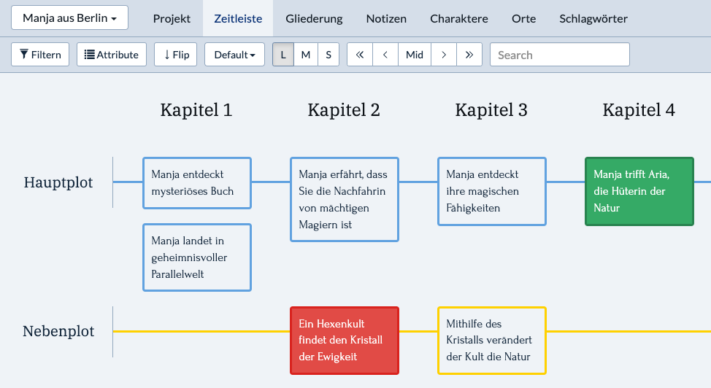
Plottr makes it easy to visualize storylines.
DramaQueen #
Although the DramaQueen software is primarily designed for screenplays and book series, it is also suitable for various other stories. Although the program is not particularly intuitive at first, authors can achieve good results with a little practice and the excellent help resources. A standout feature of DramaQueen is the ability to visualize plotlines. As a result, even before writing their book, authors can see in the program where the dramaturgy of their story may have weaknesses.
Ease of use: mediocre
Range of functions: very high
Customization options: good
Cost: free basic version
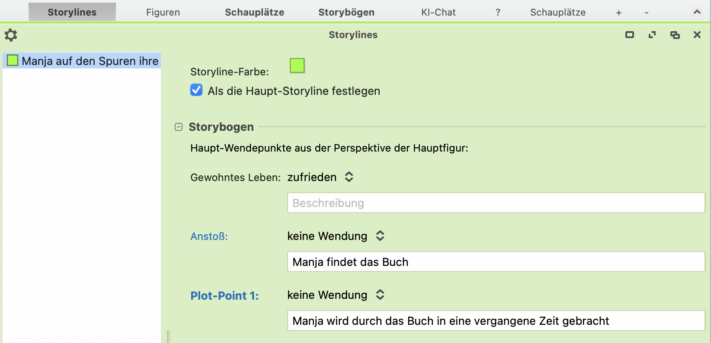
With DramaQueen, you can find out where your dramaturgy is weak.
Patchwork #
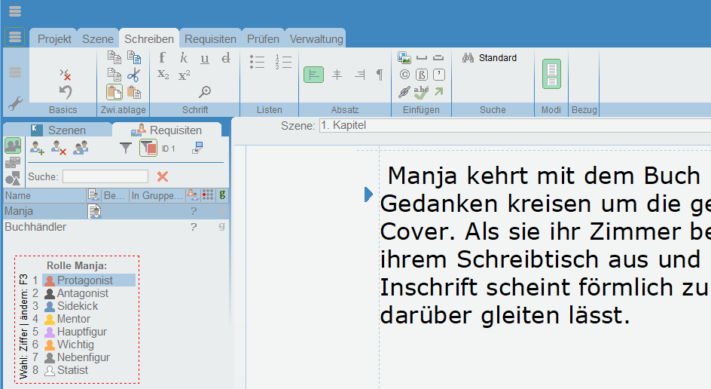
Patchwork provides extensive support for authors through numerous examples and suggestions. The software allows you to record characters, places, objects, a timeline, and much more. The story building assistant also makes it easier to create the plot. For authors who want to write a book together, the program offers the option of using a team account. A useful addition is the direct integration of the Duden spelling aid, which can be purchased separately.
Ease of use: high
Range of functions: very high
Customization options: high
Cost: 154 – 189 euros
Campfire Pro #
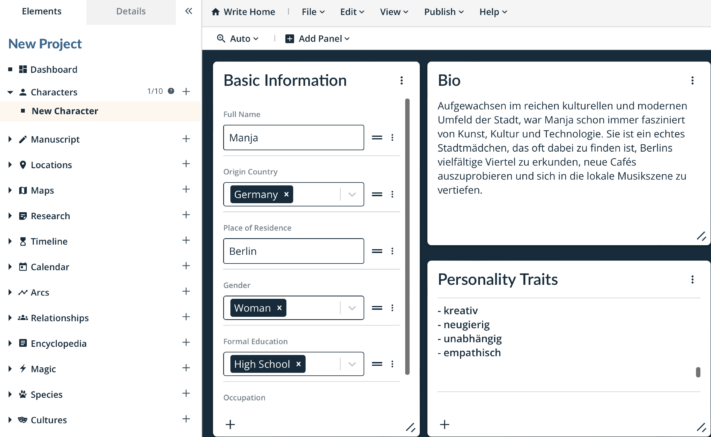
Campfire Pro is characterized by a simple design with panels that result in a clear and user-friendly view. The panels are individually adaptable and can be moved freely. In addition to the usual notes, information about magic, culture, religion and even languages or philosophies can also be recorded here. A handy feature is the direct link to Unsplash, which allows you to easily insert images for inspiration. Overall, Campfire offers an extensive and clear platform, but it is mainly intended for the direct publication of works on this website.
Ease of use: very high
Range of functions: very high
Customization options: very high
Cost: partly free of charge
SeaTable #
SeaTable’s writing plan is extremely handy for authors who want to develop a plot before writing a book. Since the program is free, it’s great for planning book projects. In addition to the main table, where you can record the plot, SeaTable provides additional tables that let you elaborate on characters, places, symbolic elements, or relationships. These tables can be freely managed and supplemented, while you can group and sort the content as you wish. The timeline view also allows you to visualize the plot on a timeline. An added bonus is the page design plugin, which allows you to create custom profiles for each character.
Ease of use: very high
Range of functions: high
Customization options: very high
Cost: free of charge
Conclusion: How to Write Your Book #
The authoring software tools presented here offer a variety of features and capabilities to support you at every stage of the writing process. Ultimately, choosing the right software depends on your individual needs and preferences when writing a book. With the right program, you can streamline your writing process and successfully realize your creative visions.
If you’d like to use SeaTable’s template for your book project, simply register for free with your email address. That way, you can start on your personal writing plan in just a few minutes.