Outline Template for Content, Books, and Academic Writing
Say goodbye to Word chaos, lost ideas, and a lack of structure! With our digital writing plan template, you can organize your writing projects from the first note to the finished manuscript. Use this template for your writing plan to centrally manage chapters, research, deadlines, and writing progress. When you create a writing plan, you’ll stay on track, identify roadblocks early, and immediately see which sections are still missing. Whether you’re a content manager, author, writer, or a student working on a bachelor’s thesis—with this writing plan template, you’ll work in a structured, flexible, and efficient way.
Digital Writing Planning
Writing Plan Template: A Structured Solution for Your Writing Projects
-
Digital Writing Structure
Use the writing plan template to digitally organize your ideas, chapters, sections, and writing goals. This allows you to replace cluttered Word documents with a centralized workspace where your writing process remains clearly structured and easy to follow at all times
-
Link chapters and sources
Link your chapter outline, research sources, and deadlines directly to one another. When you create a writing plan, you’ll immediately see which sources belong to which section, which arguments are still missing, and where the central theme of your text needs to be strengthened.
-
Track progress in real time
Keep track of word count, writing status, deadlines, and pending tasks at all times. With filters, groupings, and reports, you can quickly see which sections are complete, where you’re getting stuck, and how far along your writing project is.
-
Manage research securely
Keep your notes, bibliography, citations, and chapter ideas in one secure place instead of scattered across multiple files. This allows you to work in a more organized manner, reduces the time spent searching for information, and creates a solid foundation for GDPR-compliant, professional content creation.
-
Fully customizable for text
Flexibly adapt the writing plan template to suit a blog post, novel, bachelor’s thesis, or editorial process. Add columns for storytelling, status, target audience, or word count, and tailor your writing plan to fit your project perfectly.
-
Update status on mobile
Update your writing progress, ideas, and research on the go using your smartphone or tablet. This way, your writing plan template will always be up to date, you won’t lose track of deadlines, and you can easily continue collaborative writing projects from anywhere.
Who uses SeaTable?
Leading companies around the world rely on SeaTable

















100.000+
Downloads in Docker Hub's first year
1.500+
Daily users on SeaTable Cloud
4.6
Review on Capterra
Your benefits at a glance
Use the writing plan template online
Discover the perfect solution for creating your writing plan and clearly structuring complex texts. With SeaTable’s digital writing plan template, you can say goodbye to static Word files and scattered notes. The template is ideal for content creation, novel projects, academic papers, or bachelor’s theses, and can be easily combined with the project plan template. This way, you can plan not only the introduction, main body, and conclusion, but also the resources, milestones, and deadlines for your writing project within a single, integrated system. Use flexible views such as Kanban for writing status, Gallery for image research, and Tables for chapter planning, bibliography, and deadlines. This way, you can keep track of the introduction, main body, and conclusion at all times and work faster with a clear thread running through your work.
Clear Structure: The writing plan template provides a solid framework for your writing process, with sections for the introduction, main body, conclusion, chapter outline, and research—helping you get started faster and avoid writer’s block.
Full transparency: When you create a writing plan, you can see at any time which sections are complete, where sources are still missing, and what the next deadline is.
Flexible Views: Switch between table, Kanban, calendar, or gallery views and use this template for your writing plan in whatever way best suits your content creation, novel, or thesis.
Central Research: Gather ideas, images, notes, sources, and summaries in one place and link everything directly to the relevant sections of your text.
Sample Writing Schedule from Real-World Practice
How to use the writing plan template
Plot and chapter outline for the text structure
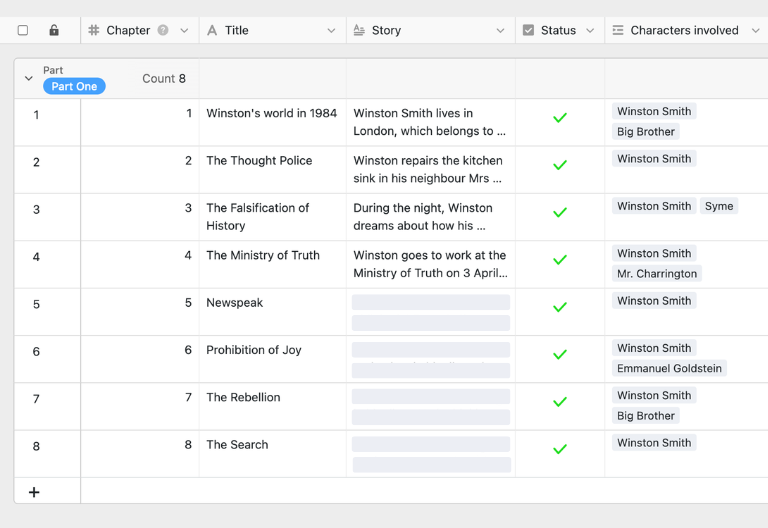
In the “Plot” table, you can plan the structure of your text or book project chapter by chapter. You can record summaries, content, the purpose of each section, and your current writing progress. When you create a writing plan, you can see at a glance which chapters are already drafted, which are still in the planning stages, and where you need to further refine your central theme.
Character or theme overview for content
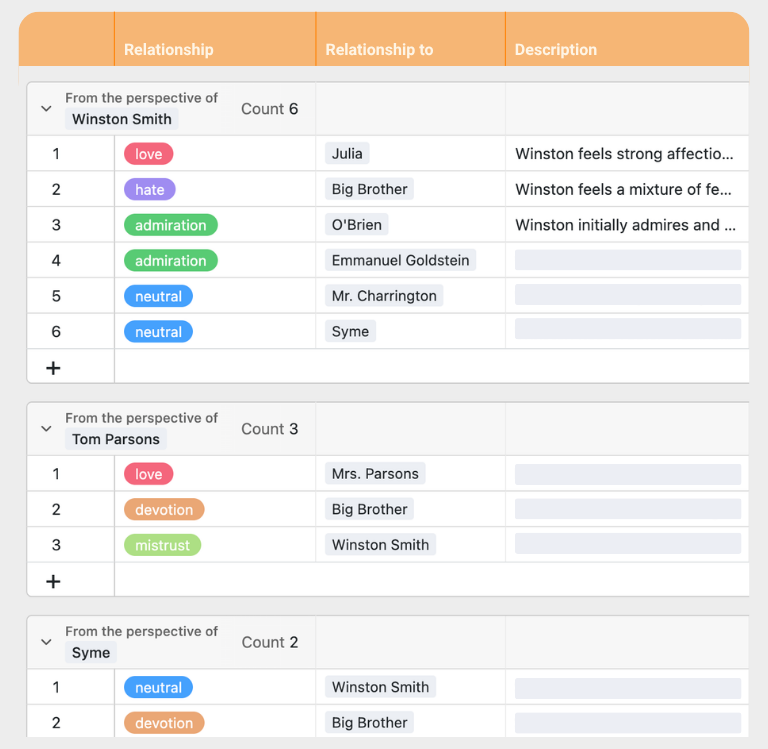
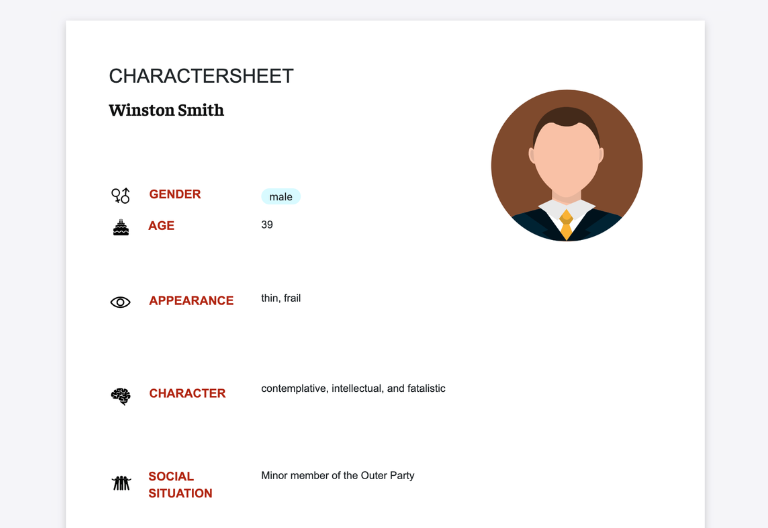
In the “Characters” table or a customized topic overview, you can record key characters, themes, arguments, or personas in detail. This ensures you don’t overlook any relevant characteristics, relationships, or core messages, and helps you establish a solid foundation for storytelling, content creation, or academic lines of argumentation
Schedule with deadlines and milestones
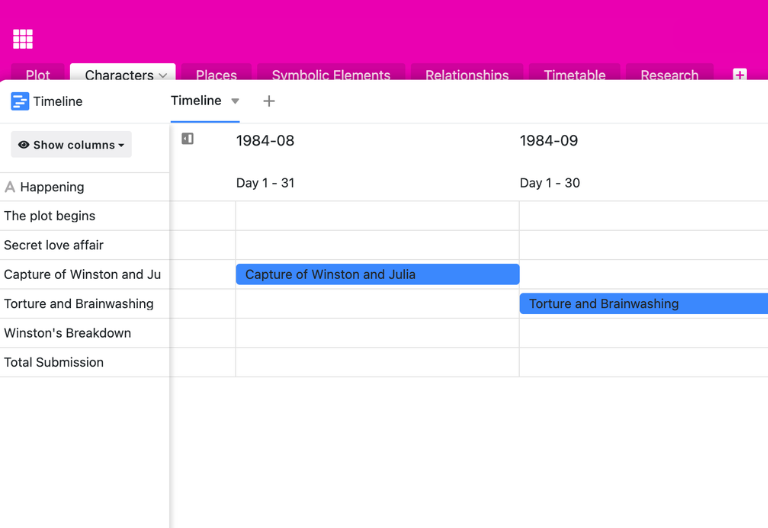
In the “Timetable” table, you can plan submission deadlines, writing phases, review dates, and milestones for your project. The writing schedule template helps you reliably meet deadlines, identify bottlenecks early on, and link the progress of individual sections to your chapter plan.
Research Table for Sources and Notes
In the “Research” table, you can centrally organize all background information, sources, citations, links, and research findings. Instead of having scattered documents, you can link each source directly to the appropriate chapter or section. This keeps your bibliography organized, and you won’t have to search for important information again later.
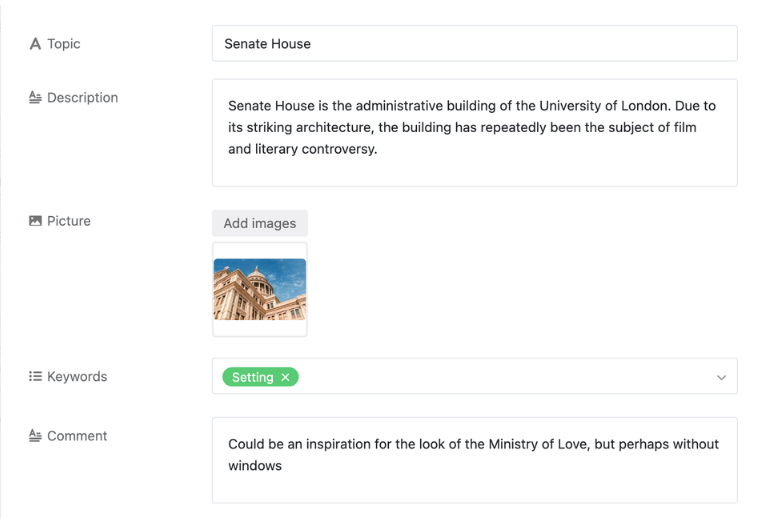
Your interactive writing planner app
Redesign your writing process with the customizable writing plan template! Perfect for content managers, authors, writers, and students. Turn the writing plan template into an interactive app that combines chapter planning, source management, image research, and deadlines all in one system. Use Kanban views for writing status, gallery views for inspiration, and focused views for individual chapters or sections of text. This allows you to create your writing plan, maintain a clear thread, and share specific sections with co-authors, editors, or team members. With custom permissions, you control who can view, add to, or edit content.
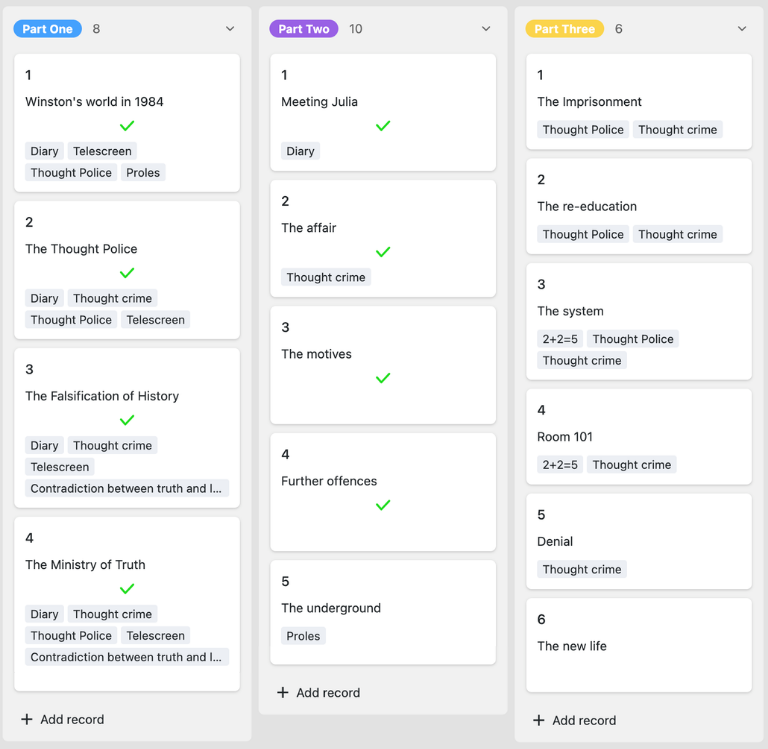
Organize chapters, sources, and deadlines digitally—with SeaTable’s writing plan template
Smart automation for content and manuscripts
AI-powered writing planning
With SeaTable, your writing process gets a major upgrade! Powerful AI automations turning your writing plan template into a smart hub for research, text structure, and progress tracking. Instead of struggling with Word files, sticky notes, or Excel spreadsheets, you can create your writing plan, organize your content more effectively, and complete writing projects more efficiently. Ideal for anyone who wants to write faster while still staying on track.
Assign chapters automatically
With Classify, you can automatically assign ideas, notes, or text passages to the appropriate chapters, topics, or writing phases. The AI analyzes titles and descriptions and enters the appropriate category directly into your writing plan template, ensuring that your structure remains consistent and searchable..
Extract specific sources
With Extract, you can transfer content from research, documents, or notes into your writing outline in a structured way. The AI identifies key points, source references, people, or topics and automatically fills in the appropriate fields, bringing your research and chapter planning closer together.
OCR for notes and scans
With OCR, you can extract content from photos, screenshots, or scanned documents and transfer it directly into your Schreibplan template. This allows you to make handwritten notes, book pages, or archival material usable more quickly and link them directly to your research and chapters.
Summarize sections concisely
With Summarize, AI generates short summaries from lengthy research, draft chapters, or collections of notes. This helps you identify the key points of a section more quickly, maintain a clear thread of thought, and prepare revisions, synopses, or proposals much more efficiently.
Define your own formatting rules
With Custom Prompt, you can define custom AI rules for your writing plan template—such as style guidelines, storytelling guidelines, checks for missing arguments, or suggestions for an outline. This allows you to tailor the automation precisely to your blog post, novel, or bachelor’s thesis.
Generate status reports using AI
With AI-powered status reports, you can see at a glance which chapters are complete, in progress, or on hold. The analysis highlights delays, outstanding sources, and critical deadlines, allowing you to create, monitor, and optimize your writing schedule.
Transparency and real-time collaboration
Transparent and flexible writing plan template
SeaTable is a modern AI-powered no-code database solution with automation features and an app builder, offering all the functionality you need for a professional writing outline template. It focuses on clear text structure, collaboration, and flexible customization—from simple outlines for introductions, main bodies, and conclusions to scalable solutions for content creation, novel projects, or academic papers—serving as a modern alternative to static Word, Excel, or note files.
An alternative to rigid writing schedules
Organize your writing process with SeaTable much more efficiently than in Word or Excel—thanks to linked tables, custom views, Kanban boards, and flexible workflows for every writing plan template.
Combining Research and Planning
Link your writing plan template to the editorial plan template or with project-based structures. This allows you to consolidate ideas, text production, sources, and deadlines into a single system.
GDPR-compliant
If you use SeaTable Cloud or the built-in AI, all project-related data remains in Europe—the infrastructure is hosted exclusively on servers in Germany.
2FA and SSO
SeaTable supports two-factor authentication and single sign-on, allowing you to precisely control who has access to writing projects, research, and manuscript drafts.
FAQ – Frequently Asked Questions About SeaTable's Writing Plan Template
-
Can I use the SeaTable writing plan template for free?
-
Yes, you can use the writing plan template for free in the SeaTable Cloud. All you need is a free account to start planning your texts, chapters, sources, and deadlines right away.
-
Why is a writing schedule so important?
-
A good writing plan provides structure, saves time, and reduces the risk of writer’s block. With a digital writing plan template, you can stay on track, organize your outline, and see at any time which sections still need to be worked on.
-
What is the structure of a traditional writing plan?
-
A classic writing outline consists of an introduction, main body, and conclusion, and is often supplemented with chapters, subheadings, research sources, milestones, and deadlines. With SeaTable, you can flexibly expand this structure and tailor it precisely to your project.
-
Can I use the writing plan template for my bachelor's thesis?
-
Yes, this template is ideal for bachelor’s theses, term papers, and other academic texts. It allows you to manage your table of contents, bibliography, argument structure, and deadlines all in one place.
-
How does the template help me stay on track?
-
The outline template links chapters, topics, sources, and status updates together. This allows you to quickly see if any arguments are missing, if sections seem disconnected, or if important parts of your text structure haven’t been fleshed out yet.
-
Can I adapt the template to different types of text?
-
Yes, you can easily adapt this template to suit your writing plan for blog posts, e-books, novels, white papers, or academic papers. Columns, views, and workflows can be customized to meet your needs.
-
Can I use the writing plan template to collaborate with a team?
-
Yes, SeaTable is also suitable for collaborative work. Content teams, co-authors, or editors can work together on the writing process, use comments, and transparently track the status of individual sections.
-
Is SeaTable also a viable alternative to Word and Excel?
-
Yes, beyond the writing plan template, SeaTable can be used as a flexible alternative to Word notes and Excel lists. Combine writing planning, editorial workflows, research, and progress tracking all in one system.