SeaTable – Event Planning Template for Professional Event Planning
Experience stress-free event planning with our event planning template! Say goodbye to Excel chaos and scattered emails. Use the powerful event planning checklist in SeaTable to centrally organize trade shows, festivals, concerts, and exhibitions. Our template offers everything you need: budget planning, vendor management, scheduling, attendee lists, and event technology—all in a single, centralized relational database. This way, you always have a clear overview of timelines, tasks, and costs. Enjoy the freedom to organize your events more efficiently and professionally. Trust our digital solution and make every event a success!
Digital Event Planning
Event Planning Template for Your Event Management
-
Eliminate Excel Chaos
Say goodbye to confusing Excel spreadsheets, outdated versions and missing change history in your event files. The Event Planning Template consolidates your budget plan, attendee list, vendors and tasks into one structured, central database for your entire team.
-
Checklists Under Control
Use a centralized checklist to track every task, deadline and responsibility in one place. Whether you are planning a trade show, festival or concert, your event planning checklist stays complete, up to date and easy for the whole team to follow and update at any time.
-
Budget Clarity for Events
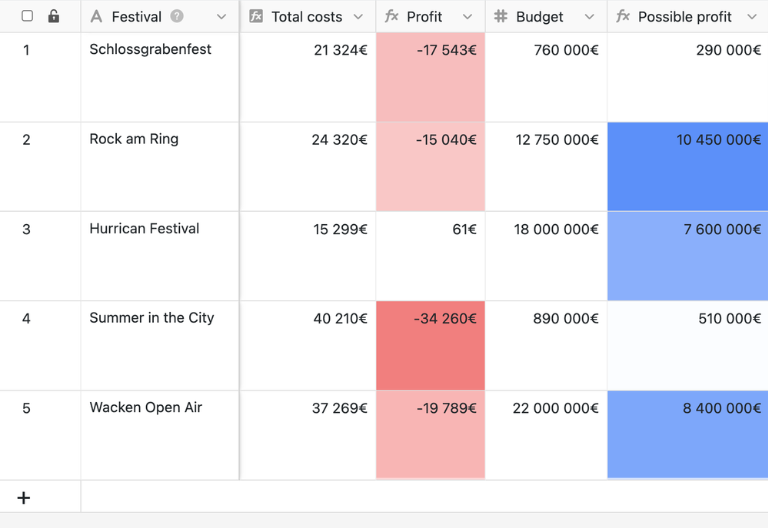
Link budgets, cost centers, invoices and expenses directly to each event in your workspace. This allows you to spot variances early, monitor your budget plan continuously and keep financial control, instead of rebuilding scattered Excel files for every new project.
-
Secure Team Collaboration
Collaborate as a team without losing information through staff turnover, sick leave or chaotic email threads. Fine-grained permissions define exactly who can view, edit or approve budgets, attendee lists, contracts and tasks, so responsibilities remain clear and auditable.
-
Flexible Event Processes
Customize the template so your event planning matches your real processes instead of rigid spreadsheets. Add fields for sponsors, exhibitors, technical requirements, setups or schedule slots and connect your event planning with broader project management workflows.
-
Powerful Visual Views
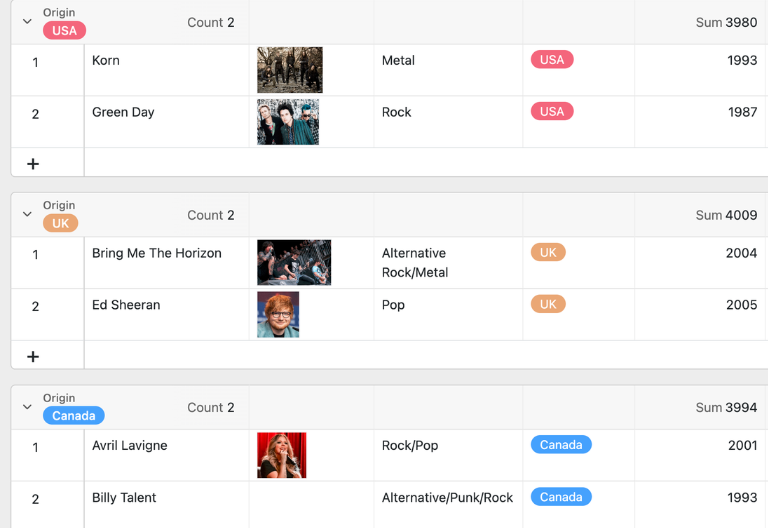
Use Kanban boards for tasks, Calendars for timelines, Galleries for venue photos and Gantt charts for setup and teardown schedules. These visual views make coordination clearer and help you plan trade shows, festivals, concerts and exhibitions in a more structured way.
Who uses SeaTable?
Leading companies around the world rely on SeaTable

















100.000+
Downloads in Docker Hub's first year
1.500+
Daily users on SeaTable Cloud
4.6
Review on Capterra
Your benefits at a glance
Use the online event planning template
With our event planning template, event management becomes a breeze! You’ll enjoy the flexibility of a modern, AI-powered no-code platform that revolutionizes your event planning. Instead of cumbersome Excel spreadsheets, you’ll use a smart relational database that brings everything together: budget planning, schedules, checklists, vendors, attendee lists, and event technology. This template offers you an efficient and robust alternative to traditional event planning tools. Plan your event effortlessly and stay on top of everything—all in one place for maximum success!
All event data in one place: Collect contracts, PDFs, briefings, contacts, and checklists in a central database. Thanks to the event planning template, all information for trade shows, festivals, or concerts is easily accessible and consistent at all times.
Clear Schedules: Visualize your schedule using the Gantt chart, calendar, and timeline to manage setup, the event day, and teardown in a structured way. Make the template your central tool for managing timelines and dependencies.
Event Planning Checklist Always Up to Date: Tasks, deadlines, and assigned personnel are centrally managed and updated in the event planning checklist. Changes are visible to the entire team, ensuring that no to-do list on individual computers becomes outdated.
On-site mobile access: Access your event data directly from the exhibition grounds, backstage area, or festival grounds via a browser or app. This way, you’ll always have your budget plan, vendor contacts, schedule, and attendee list with you, even when you’re on the go.
Automated & integrated: Combine your event planning with automations, notifications, and email workflows—for example, for deadlines, approvals, or schedule changes. Use APIs and integrations to connect SeaTable to your project management tool and other systems.
Best practice example
How the Event Planning Template Works
Plan events, tasks and schedules centrally
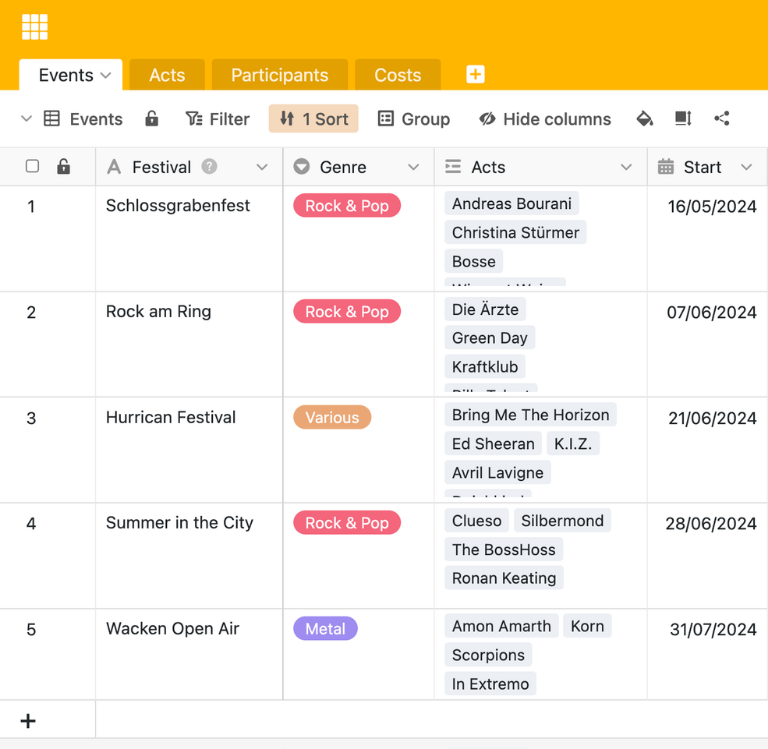
In the first table of the event planning template, you can enter all events—from trade shows to festivals and concerts—including the date, location, budget plan, status, and linked files. Using linked tables, you can pull information about vendors, performers, schedules, and costs directly into the event overview, allowing you to manage your event planning from a central dashboard.
Structure schedules with Gantt and timelines
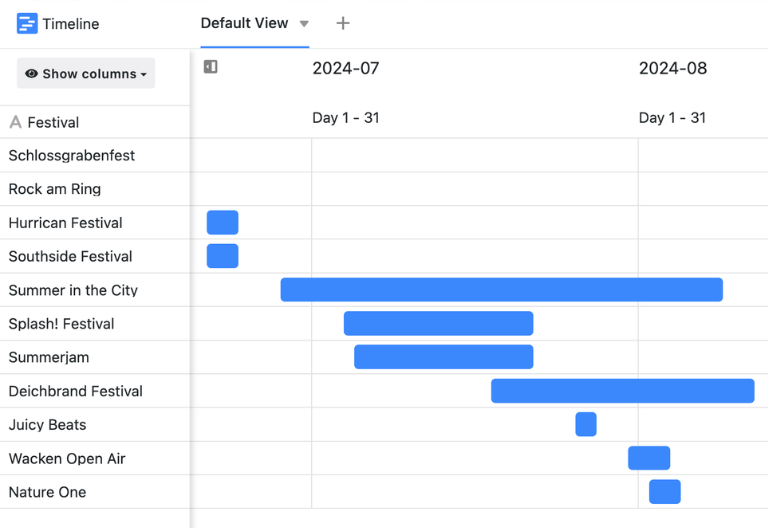
In special views, you can visualize setup, event day, and teardown using a Gantt chart and timeline. This allows you to see at a glance when stage setup, soundcheck, door opening, or trade show setup takes place, which tasks depend on one another, and how delays affect the rest of the schedule.
Event planning checklist for all tasks
A dedicated view for the event planning checklist displays all tasks along with their priority, assigned personnel, and status—in either a Kanban board, list view, or calendar format. This ensures that nothing is overlooked during a trade show, festival, or concert, and that everyone involved knows exactly what to do next at all times.
Participants, speakers and service providers
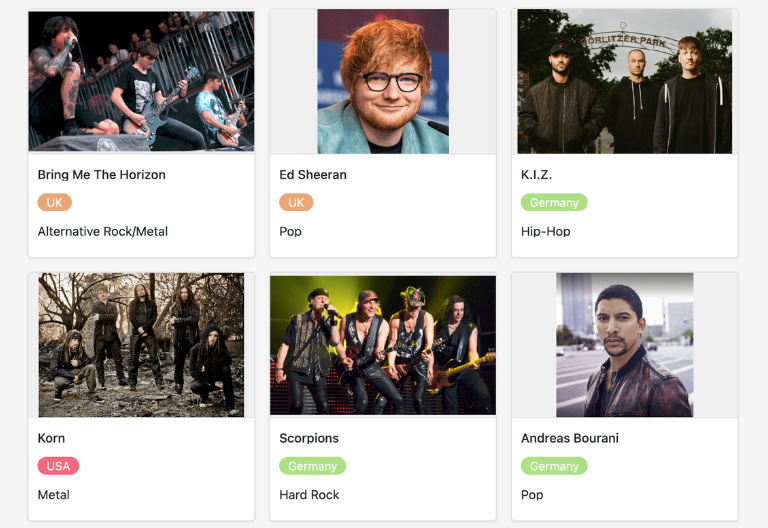
You can use custom tables to manage attendee lists, speakers, exhibitors, and service providers, and link them to your events. Registrations submitted via web forms are automatically added to the event planning template, while custom views let you filter attendee groups, manage tickets, or coordinate speaker slots.
Your Custom Event Management App
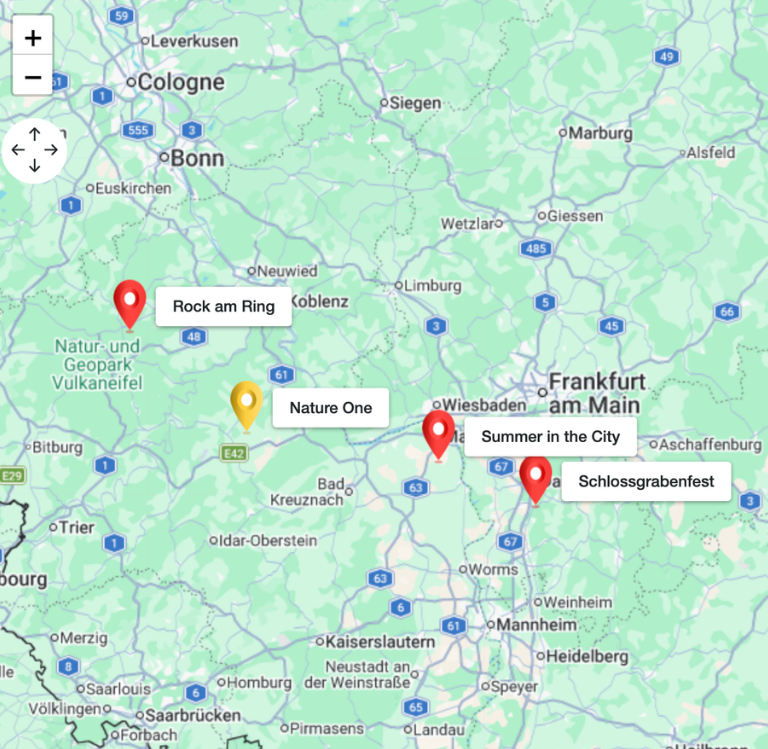
With the built-in no-code app builder, you can easily use drag-and-drop to create a custom event management app for event managers, trade show planners, and concert organizers based on the event planning template. Combine event planning checklists, schedules, budget plans, attendee lists, and vendor overviews with dashboards, map views, and galleries—all the way up to specialized apps for festivals, trade shows, or exhibitions. Share specific sections with the respective roles, such as technical, security, or sponsorship, and use permissions to control who can edit data, approve costs, or export attendees.
Plan events professionally – with the SeaTable Event Planning Template
Smart automation for your event management
AI-powered event planning
With SeaTable’s event planning template, you can turn your event planning into a true masterpiece! Take advantage of powerful AI features , which automate your checklists and budget tracking. Your event planning template becomes a smart hub for task management, cost control, scheduling, and attendee management. Experience flexibility that goes far beyond what a traditional Excel spreadsheet or a rigid drag-and-drop tool can offer. Streamline your processes and make every event a success!
AI Categorization of Data
With Classify, AI automatically assigns tasks, expenses and records to categories such as stage, catering, security, marketing or event technology. This gives you a clear overview of budgets, responsibilities and priorities in your event planning, helping you detect bottlenecks and risks at an early stage.
Extract Data from Documents
With Extract, you automatically pull information from quotes, contracts, briefings and emails into your event planning template. Contacts, amounts, dates and services are captured in a structured way, so your event management becomes faster, less error-prone and easier for the whole team to keep consistent over time.
OCR for Contracts and Lists
With OCR, you read content from PDFs, scans and photos and link it directly to events, vendors or attendees. This lets you digitize contracts, technical documents and participant lists cleanly, keeping your event planning complete, searchable and always up to date without manual retyping or copy‑and‑paste effort.
Automatic Event Reporting
With Summarize, AI generates compact reports on budget usage, open tasks, attendee numbers and overall project status from your data. This simplifies internal coordination, enables quick status updates for clients and supports structured debriefs after trade shows, festivals, concerts or exhibitions in your portfolio.
Define Custom AI Rules
With Custom Prompt, you design AI workflows that warn you about missing details, conflicting dates or budget deviations. In this way, the Event Planning Template extends your event planning checklist with intelligent alerts and automations that protect you from costly mistakes and overlooked tasks in complex projects.
Status Overviews on Demand
With AI-based status overviews, you create reports on planning progress, remaining tasks and budget trends at the click of a button. Teams, clients and decision-makers receive clear, easy-to-scan dashboards, improving transparency, speeding up decisions and keeping every stakeholder aligned around your events.
Transparency and Collaboration in Event Management
Event Planning Template: Transparent and Secure
SeaTable is a modern AI-powered no-code database solution with automation features and an app builder, offering all the functionality you need for a professional event planning template. The focus is on traceability, teamwork, and flexible customization—from simple event planning checklists and attendee lists to integrated budget planning and time tracking as a scalable alternative to Excel .
Alternative to Excel
Organize your event planning with SeaTable much more efficiently than in Excel—thanks to linked tables, personalized views, forms, and automations for budget planning, scheduling, attendee lists, and tasks.
Connecting Projects & Events
Link your event planning template to other project structures and use SeaTable as a project management tool . This allows you to integrate event management, campaign planning, and internal projects into a single platform.
GDPR-compliant
If you use SeaTable Cloud or the integrated AI, all personal data regarding participants, service providers, and employees remains in Europe—the infrastructure is hosted exclusively on servers in Germany.
2FA and SSO
SeaTable supports two-factor authentication and single sign-on, allowing you to precisely control who has access to budget plans, event planning checklists, and sensitive attendee data.
FAQs on the Event Planning Template by SeaTable
-
Can I import my existing Excel lists for event planning?
-
Yes, you can import existing event lists, budget plans, or checklists from Excel into the event planning template via CSV import. After importing, you can customize fields, views, and your event planning checklist, and take advantage of the flexible, relational database instead of rigid tables.
-
Is this template also suitable for large events such as festivals or trade shows?
-
Yes, the template is just as suitable for small events as it is for large-scale trade shows, festivals, or concert series. Thanks to linked spreadsheets, Gantt charts, calendar views, a budget plan, and an event planning checklist, you can keep track of everything—even when dealing with multiple vendors, stages, and participants.
-
How does the event planning checklist help me avoid missing deadlines?
-
The event planning checklist consolidates all tasks, along with their assigned responsibilities and due dates, into a single, centralized view. With reminders, status fields, and calendar or Kanban views, the event planning template ensures that critical deadlines in your event project management don’t fall through the cracks.
-
Can I customize the template to meet my specific needs?
-
Yes, you can add additional columns, tables, views, or automations at any time—for example, for sponsors, safety plans, or technical riders. This allows you to flexibly customize the template to suit your event management needs, your industry, and your internal processes.
-
Is it possible to work together as a team?
-
Multiple users can work on the same template simultaneously, update tasks, manage attendees, or review budget figures. You can use permissions to control who can view and edit which parts of the event planning—ideal for agencies, internal event teams, and external partners.