Attendance Sheet Template for Courses, Seminars, and Events
Say goodbye to paper lists and illegible scribbles! With our digital attendance list template, you have the perfect solution for centrally managing participants, absences, and feedback. The attendance list template offers automatic timestamps, real-time tracking, and comprehensive reports. Whether you’re a marketing specialist, work in educational administration, are an HR manager, or part of a project team—you’ll always have a clear overview of attendance. Perfect for seminars, lectures, training sessions, or internal events! Make your life easier and save time through efficient organization.
Digital Attendance Tracking
Attendance Sheet Template for Education, HR, and Events
-
Digital Attendance Sheet
Use a centralized template to digitally track attendees, dates, and absences. This allows you to replace handwritten lists, siloed systems, and error-prone Excel forms with a structured, collaborative platform for professional attendance management.
-
Link Participants & Events
Link your attendee list template directly to courses, lectures, seminars, or events. Attendees select the date and name in the web form, confirm their attendance via a digital check-in process, and are automatically added to your central template
-
Real-time overviews
With just a few clicks, generate reports on attendance rates, no-shows, and participation frequency. Dashboards and filters provide real-time insights into who attended which sessions—ideal for seminar management, event planning, HR reporting, or certificate issuance.
-
GDPR-compliant
Say goodbye to paper lists left out in the open and unprotected Excel files. Track attendance using a platform hosted on European servers that controls access through roles and permissions, thereby laying the foundation for data-protection-compliant attendance management.
-
Customizable
Add fields such as course, company, status, certificate eligibility, or feedback to your template. Flexibly customize columns, views, and web forms, and use SeaTable as an alternative to Excel for attendee lists in schools, colleges, companies, or event agencies.
-
Mobile data collection
Let participants confirm their attendance on-site via a web form using their smartphones, or have your team track attendance simultaneously across multiple devices. This turns your attendance template into a collaborative platform with real-time collaboration, ideal for larger events, training sessions, or lecture series.
Who uses SeaTable?
Leading companies around the world rely on SeaTable

















100.000+
Downloads in Docker Hub's first year
1.500+
Daily users on SeaTable Cloud
4.6
Review on Capterra
Your benefits at a glance
Use the online attendance sheet template
Discover the ultimate solution for your attendance management! With SeaTable’s digital attendance sheet template, you can say goodbye to PDF lists and static Excel spreadsheets. The template is perfect for education, HR, and event planning, and adapts to your specific processes. Take advantage of interactive features such as web forms, calendar views, and detailed reports. Whether it’s lectures, seminars, or internal training sessions—you’ll have everything under control at all times with this template. Give it a try and see how easy and time-saving attendance management can be!
Real-time data: Every attendance confirmation is automatically time-stamped and linked to the event—so you can always see who was actually present.
True collaboration: Education administration, HR teams, faculty, and organizers work together in a shared database—with clearly defined responsibilities, comments, and status fields.
Interactive Template: Combine course lists, schedules, participant lists, and feedback forms into a single system, and switch between calendar, table, and report views.
Centralized Storage: All participant data, attendance confirmations, signatures, and feedback forms are stored in one central location—no more scattered Excel files or manual imports.
Real-world example
How to use the attendance list template
Lecture and Seminar Schedule
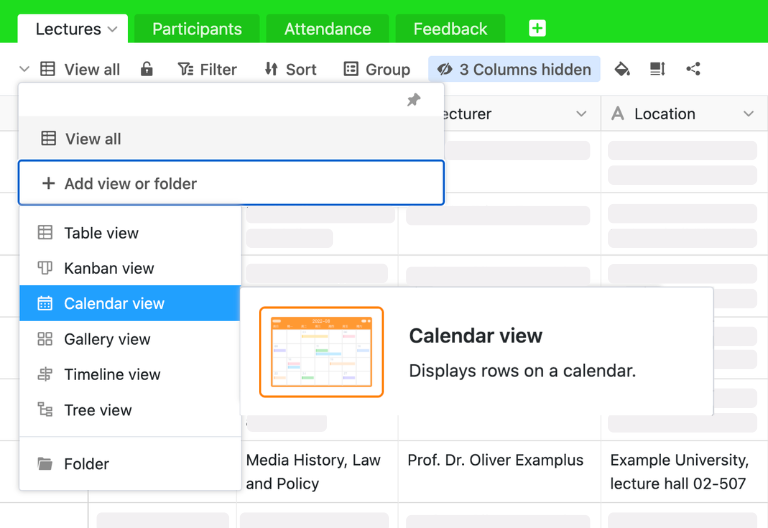
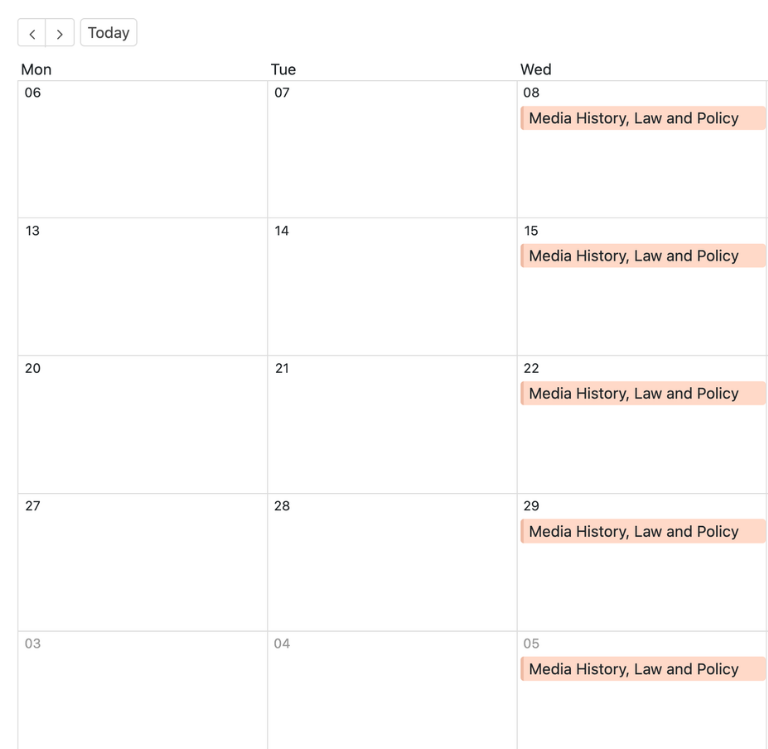
In the “Lectures” table, you can enter all the dates for your courses, lectures, seminars, or training sessions—including the title, instructor, location, and duration. You can upload presentations and handouts as files. The table is linked to the attendance list template, so you can automatically determine the number of participants for each session and clearly display your event schedule in the calendar.
Participant Table for Personal Master Data
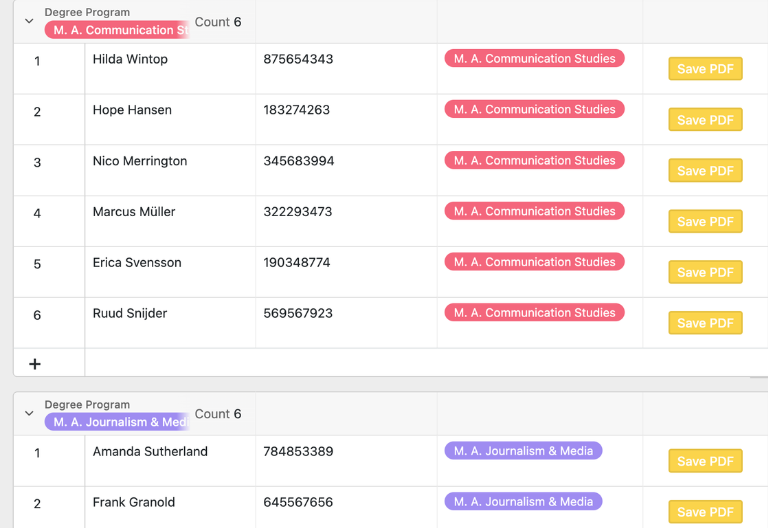
In the “Participants” table, you can manage the information for people attending your events—such as students, staff, or guests. In addition to name, contact information, and other basic details, you can see at a glance how many sessions a person has attended. Linking tables allows you to analyze attendance rates and serves as the basis for certificates or HR reports.
Attendance Sheet with Web Form Check-in
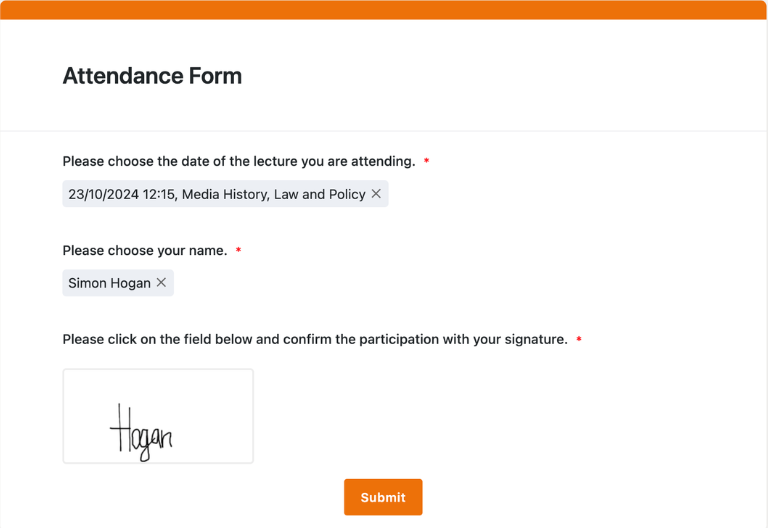
In the “Attendance” table, each attendance record is automatically saved as soon as the web form is submitted. Participants select the event and their name and confirm their attendance with a digital signature. The template assigns sequential numbers and timestamps, allowing you to document attendance in a traceable manner and make the check-in process transparent.
Feedback Form for Continuous Improvement
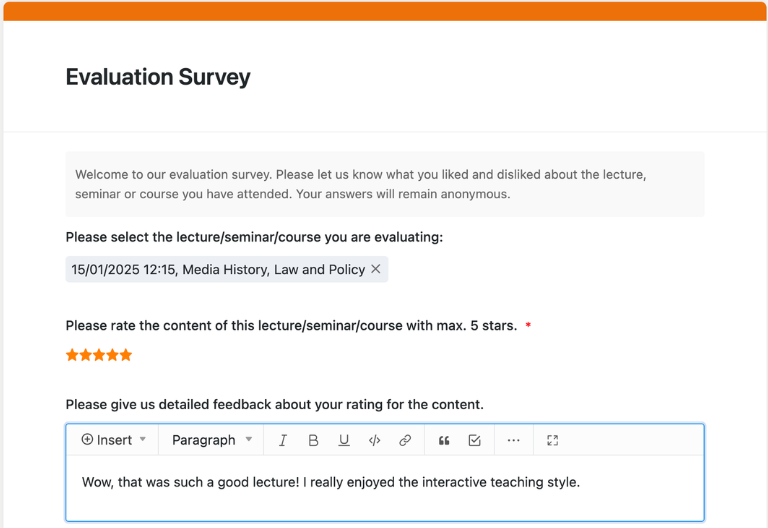
The “Feedback” table is where you collect feedback on courses, seminars, or events. Participants use a web form to submit ratings and comments, which are automatically assigned to your event. This provides you with valuable insights for program planning and quality management.
Your interactive attendance tracking app
Revamp your attendance tracking with the customizable attendance list template! Perfect for schools, universities, businesses, and event teams. Turn the template into an interactive app that combines web forms for the check-in process with views for course and participant lists. Visualize attendance data in a clear dashboard and receive valuable feedback. Designed specifically for training sessions, lecture series, or events, you can share specific sections with instructors, HR, or the organizing team. With customizable permissions, you decide who can view, record, or analyze attendance data.
Organize attendance, participants, and feedback digitally—with SeaTable
Smart Automation for Education, HR, and Events
AI-powered attendance management
With SeaTable, your attendance management gets a major upgrade! Powerful AI automations turning your attendance list template into a smart hub for attendance management, real-time tracking, and data analysis. Say goodbye to PDFs, Word documents, and Excel spreadsheets. With SeaTable, you’ll save time and always have all attendee data at your fingertips. Perfect for anyone who values efficiency!
Automatic categorization of events
With Classify, you can automatically assign events to categories such as course type, location, or target audience. The AI analyzes existing text fields—such as the title or description—and enters the determined category into a designated field, keeping calendars and course lists organized and filterable.
Data extraction from registrations and lists
With Extract, you can transfer content from registration lists, emails, or existing documents into your participant list template in a structured format. The AI recognizes names, contact information, and course assignments, and automatically fills in the appropriate columns.
OCR for signatures & ID cards
With OCR, you can extract content from photos—such as signed attendance sheets, ID information, or participant badges. The AI recognizes names, ID numbers, or course assignments directly from image files and transfers them to your attendance list template, so that even analog check-ins and access controls are seamlessly integrated into your digital attendance management system.
Summaries for reports and documentation
With Summarize, you can automatically generate brief summaries from your attendance data—for example, attendance rates by course, department, or event. The AI aggregates table values and provides concise reports that you can use for seminar management, HR reporting, or certificate overviews.
Personalized Automation with Custom Prompt
With Custom Prompt, you can define your own AI rules tailored to your attendance list template—such as reminders about upcoming appointments, notifications about missing required fields, or suggestions for follow-up emails.
Status overviews at the click of a button
With AI-powered status views, you can automatically see which events have already taken place, where attendance is lacking, or which participants have not yet met certain thresholds.
Transparency and real-time collaboration
Attendance Sheet Template: Transparent and Flexible
SeaTable is a modern AI-powered no-code database solution with automation features and an app builder, offering all the functionality you need for a professional digital attendance sheet template. The focus is on traceability, collaboration, and flexible customization—from a simple attendance sheet with course name and date to an integrated participant list template with feedback, certificate, and reporting overviews—as a scalable alternative to static PDF, Excel, or Word lists and traditional standalone solutions.
An alternative to static attendance lists
Organize your attendance with SeaTable, a powerful Excel alternative significantly more efficient—thanks to linked tables, personalized views, web forms, and automations for educational institutions, HR teams, and event organizers.
Uniting Education, HR and Events
Link your attendance list template to the Event Planning Template or other HR processes and use SeaTable as your go-to alternative to Excel. This way, you can consolidate dates, participants, feedback, and documentation into a single system.
GDPR-compliant
If you use SeaTable Cloud or the built-in AI, all participant-related data remains in Europe—the infrastructure is hosted exclusively on servers in Germany.
2FA and SSO
SeaTable supports two-factor authentication and single sign-on, allowing you to precisely control who can access your attendance list, including participant data and reports.
FAQ – Frequently Asked Questions About the SeaTable Attendance Sheet Template
-
Can I use the SeaTable attendance sheet template for free?
-
Yes, you can use the attendance list template for free in the SeaTable Cloud. All you need is a free account to start digitally tracking attendance for your seminars, lectures, training sessions, or events right away.
-
How does the SeaTable solution differ from an Excel attendance sheet?
-
Unlike a traditional Excel attendance sheet, SeaTable uses linked tables, web forms, timestamps, and real-time analytics. Multiple people can work on the attendance sheet template at the same time without version conflicts or manual imports.
-
What are the benefits of a digital attendee list template?
-
A digital attendee list template reduces errors caused by manual data entry, enables real-time tracking and centralized data analysis, and makes attendee management straightforward even for large groups. With SeaTable, you can also use automations and custom views to streamline your processes.
-
Is my data stored in SeaTable in compliance with the GDPR?
-
Yes, SeaTable stores your attendance data on servers located in Germany, thereby meeting the highest standards for data protection and data security. Role-based access controls ensure that only authorized individuals have access to your attendance template and participant lists.
-
Can I import existing attendance lists into SeaTable?
-
Yes, you can import existing Excel or CSV lists into your attendee list template. You can then record additional attendance via web forms and take advantage of the digital, collaborative platform for attendance management.
-
Is the attendance sheet template also suitable for certificates?
-
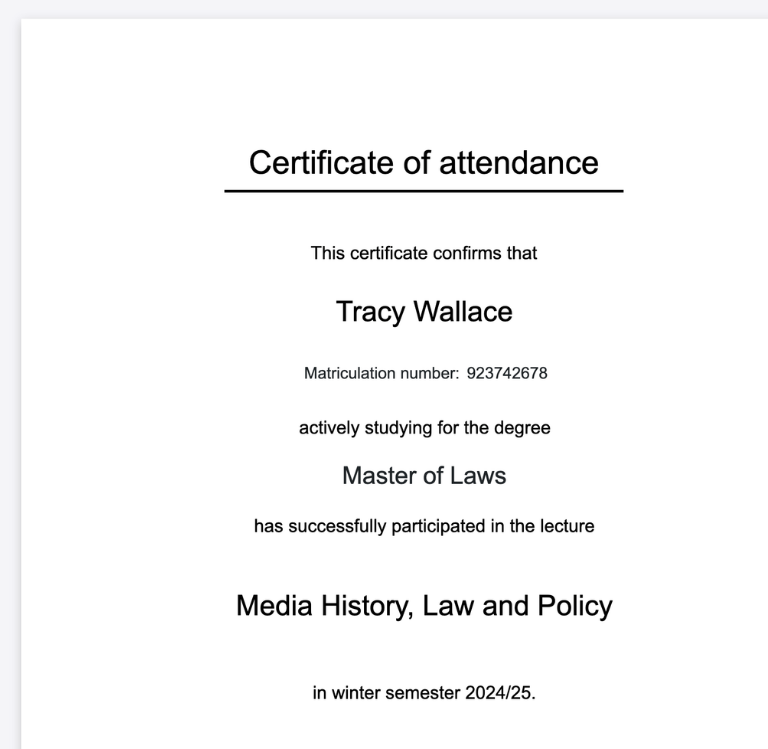
Yes, using linked tables and reports, you can quickly see who has attended enough sessions. Based on this information, you can create attendance or training certificates and automatically generate them as documents using SeaTable.
-
Can I use the attendance sheet template on my mobile device?
-
Yes, participants can use a web form to record their attendance on the go using a smartphone or tablet. This makes your attendance list template a flexible solution for events, external seminars, or mobile training sessions.
-
Is SeaTable also a good alternative to Excel?
-
Yes, beyond the attendance list template, SeaTable can be used as a flexible alternative to Excel. Combine attendance management with event planning, course administration, and reporting to handle every step—from registration to analysis—within a single system.