The most flexible solution among project management tools
Plan and manage your projects efficiently with SeaTable. Work collaboratively in real time as a team and use AI-powered workflows for smart processes. Enjoy all the benefits of a modern, dynamic project management tool.
Advantages of SeaTable
SeaTable is the perfect solution for your project management
-
Flexible and intuitive
SeaTable offers an intuitive interface, easy-to-use templates, and instant accessibility. Develop customized solutions that are tailored precisely to your needs.
-
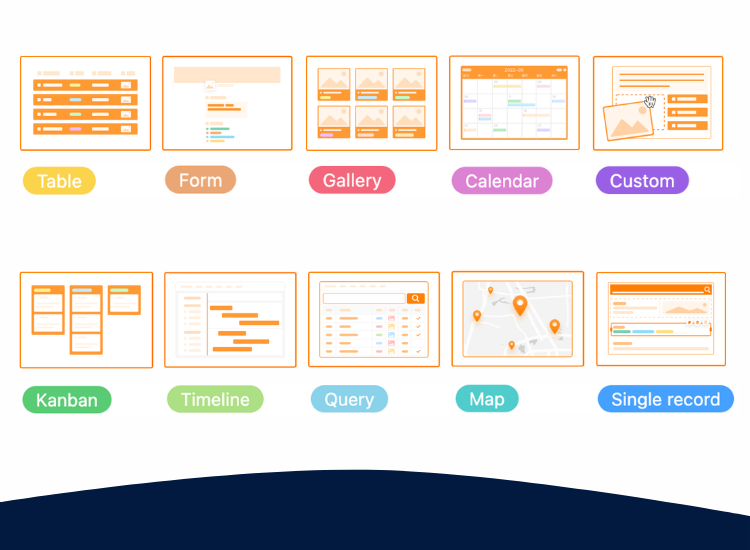
Kanban, Gantt, and more
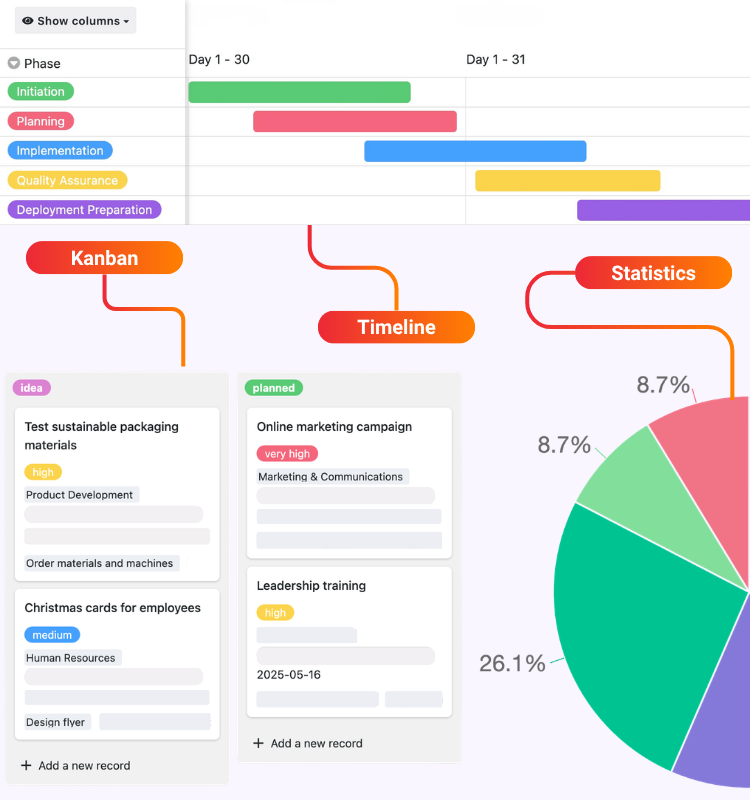
Enter all data into clearly structured tables and generate clear, customizable Gantt charts, Kanban boards, project structure plans, or dashboards with just a few clicks.
-
Real-time collaboration
Thanks to comprehensive collaboration features, you can create transparent projects – with chat functionality, automated notifications, and real-time changes.
-
AI-supported automation
Use the integrated AI-supported automations for streamlined workflows and intelligent data processing. This will reduce the amount of manual work required.
-
Scalable
ASeaTable grows with you. Flexibly adapt your project management tool to your project. SeaTable Free is permanently free—you only scale up when necessary.
-
GDPR compliant
Protecting sensitive project data is important. SeaTable offers SSO and hosts SeaTable Cloud and the SeaTable AI server exclusively on European servers in Germany.

Managing project teams
Project management for any team size
With the AI no-code platform , SeaTable provides you with a flexible project management tool for customizing processes . Use the integrated automations and granular access rights for agile projects and effective stakeholder management.
Improved team collaboration thanks to comment functions and notifications
AI-supported workflows for lean projects
Easy implementation without programming knowledge
Clear project management app thanks to drag-and-drop app builder
As a scalable cloud solution or on-premises
Project management tools
SeaTable is flexible and user-friendly
A lot of creative freedom
The AI no-code platform SeaTable allows you to customize your processes. You get all the tools you need to develop your project according to your ideas and use various project management methods .
Transparency and data protection
With SeaTable, you can consolidate all information in one place, collaborate on projects, and synchronize changes in real time. This creates transparency for everyone involved in the project.
Inexpensive solution
With SeaTable, you can customize your project management software. You only pay for the features you really need, or you can use the free version, which you can upgrade if necessary—transparent and fair.
Get started now
Templates to get your next project started
Get started with our free templates designed specifically for project management. Import templates into your SeaTable account with just one click.
Project plan
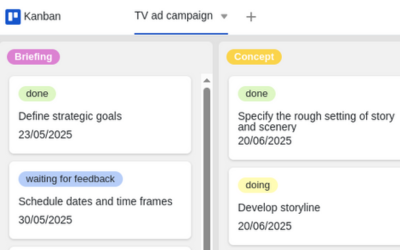
Project portfolio management
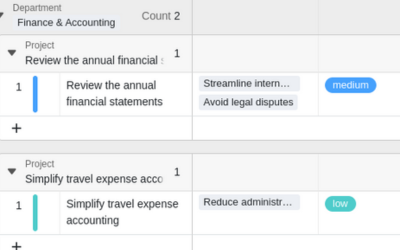
Action plan
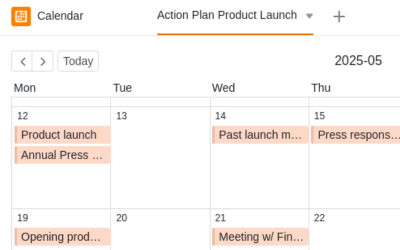
Agile project management
3 tips for successful projects
SeaTable offers you a completely new way to organize your project management and use agile project methods : you can use a software construction kit and put together your project plan, milestone planning, or resource management according to your own preferences.
Set goals
Clarify all project goals in advance and document them using project management tools such as SeaTable so that everyone can see them. A project structure plan, for example, is a good way to present the information clearly.
Clear Communication
Communicate transparently with project participants and stakeholders to avoid misunderstandings. In SeaTable, you can grant external parties restricted access—ensuring efficient stakeholder management.
Flexible schedules
Rely on customizable project management tools that can map agile methods. With SeaTable, you can flexibly adjust your schedule, respond to resource bottlenecks, redistribute tasks, and still keep your eye on the goal.
Realize your project with SeaTable
Jira Project Management Alternative
Flexible alternative to Jira
Jira is a powerful but complex tool that requires prior knowledge or guided onboarding. As an alternative project management tool to Jira, SeaTable allows you to map complex processes without a lengthy learning curve.
Monday Project Management Alternative
Intuitive alternative to the Monday project tool
SeaTable is an impressive alternative project management solution with a more intuitive user interface and well-designed features. Unlike Monday.com, SeaTable also offers various views such as Kanban, Gantt, or calendar in all plans.
Asana Alternative Project Management
More affordable project alternative to Asana
As an alternative to Asana , SeaTable scores points for its greater flexibility, more intuitive usability, and lower price. SeaTable offers a comprehensive range of features even in its free subscription plan and is also more affordable in its higher subscription tiers while offering the same range of features.
More flexible than project management with Monday and Co.
A project management tool – numerous use cases
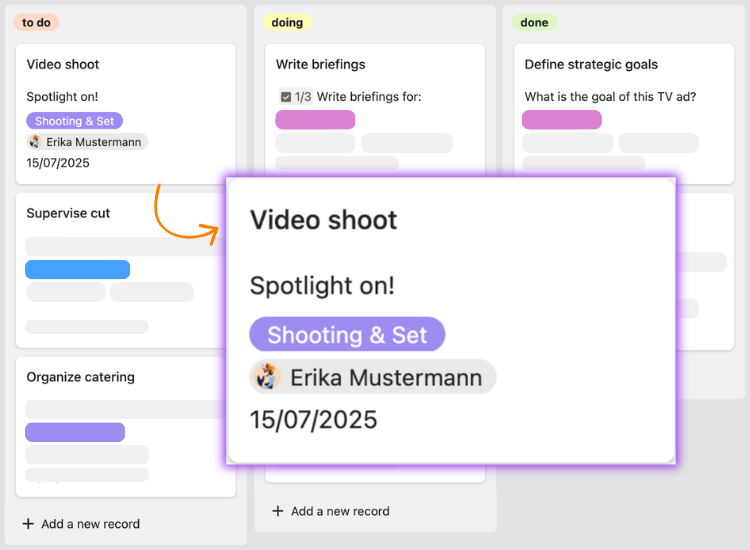
Project plans
Manage every activity of your next project with a clear project planner. With SeaTable’s project plan template, you have the perfect project planning tool for large and small projects alike.
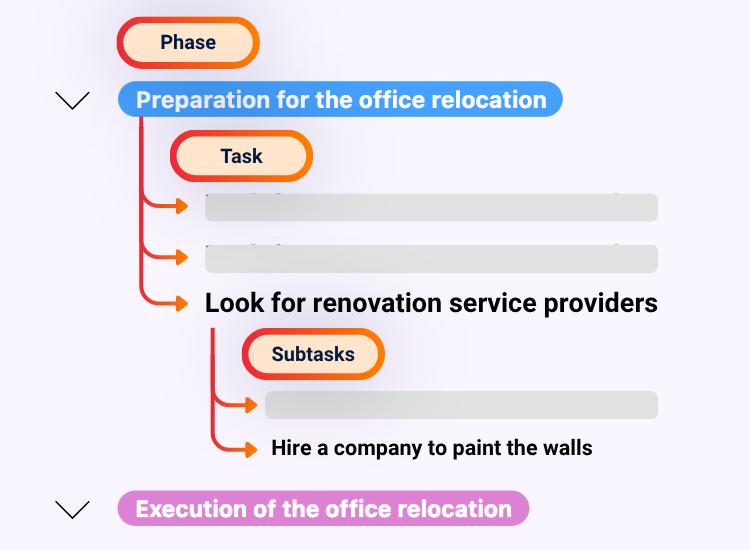
Project structure plan
With a project structure plan, you can divide your project into manageable subtasks and work packages. Thanks to SeaTable’s project structure planning template , this is a breeze.
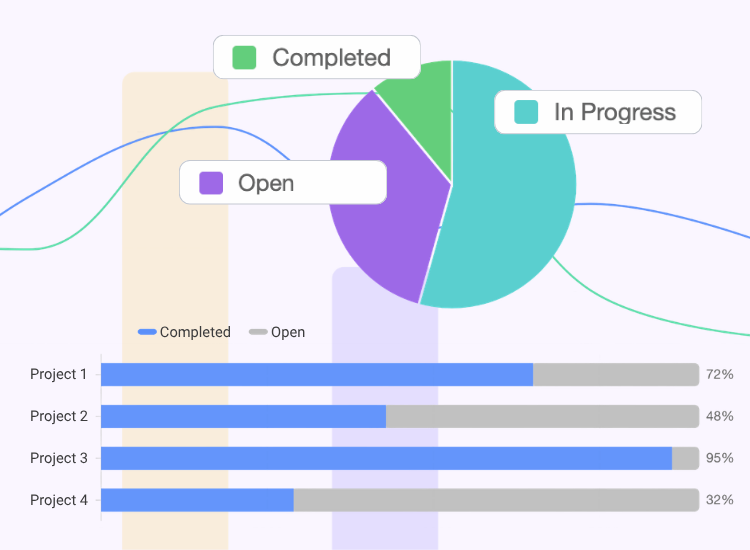
Project portfolio management
Project portfolio management (PPM) encompasses the management of all projects within an organization. Project portfolio management is data-intensive and requires the evaluation of many projects.
Project management app
With SeaTable’s no-code app builder, you can create web-based apps without any programming knowledge. In a project management app or project planning app, you can control exactly who can see which data and how it is visualized.
Your new project management program
Switch to SeaTable now – it's that easy!
Easy transition
Switching to SeaTable is child’s play: simply register with your email address and get started right away—no credit card, no hidden costs! SeaTable offers numerous import options that make it easy to migrate your data and switch from your previous project management tools.
Free templates
Start with a free project management template and see for yourself how powerful and flexible SeaTable is! You will quickly notice how SeaTable can take your project management to a whole new level. Upload your own data and your new project management system will be up and running in no time.
Comprehensive support
We are here to assist you from the very beginning if you have any questions about our free project management tool: Take advantage of over 350 help articles, the online course for beginners, YouTube tutorials, or our community forum.
Inexpensive solution
Manage your projects with the free version of SeaTable at no cost—or scale SeaTable to meet your needs: If you require advanced features or more storage capacity for your projects, you can easily upgrade to an affordable premium version.
SeaTable paves the way for successful project management
FAQ – Project management with SeaTable
-
What projects can I use SeaTable for?
-
You can use SeaTable for all your projects, such as software projects, construction projects , or product development. Thanks to its flexible column types and diverse visualization options, SeaTable is the perfect solution for any challenge a project manager faces and offers all the features you’ve come to expect from agile project management tools.
-
Can I share my project plan with external parties?
-
Absolutely. Many project teams collaborate with external stakeholders either via a project management app or directly in SeaTable. In both cases, you use sharing and permissions to determine who can access which content.
-
Which subscription do I need for efficient project management?
-
That depends on your requirements. With the free subscription, you already get the most important features for smaller teams that other project management tools don’t offer. With the Plus subscription, collaboration with external stakeholders becomes much easier thanks to the advanced sharing options, and the higher storage limits allow you to manage even large-scale projects. Finally, the Enterprise subscription adds automations, advanced customization, and big data storage for data-intensive projects.
-
How can I migrate my data to SeaTable?
-
SeaTable offers numerous import options that make it easy to migrate your data and switch from your previous project management tools. Upload your existing data and your new project management system will be up and running in no time. Thanks to the intuitive, graphical user interface, you’ll quickly find your way around.
-
Is SeaTable an alternative to Monday, Jira, or Asana?
-
Yes, absolutely. Many teams use these project management tools because they are well known. However, each one has specific weaknesses that you don’t have with SeaTable due to its great flexibility. In addition, Asana, Monday, and Jira do not offer free versions, except for versions with severely limited functionality. Unlike SeaTable, you therefore have to accept high costs, especially for larger teams. SeaTable, on the other hand, can be used free of charge as a fully-fledged project management software. Another advantage is that SeaTable can also be used self-hosted, for example as an alternative to Jira."
-
Can I also use SeaTable to map out my project planning?
-
Yes, absolutely. SeaTable is suitable as a project planning tool for teams of all sizes. You can plan all steps of your project individually with greater flexibility than with conventional project management tools. Thanks to its numerous features, SeaTable can be used to implement a wide variety of project management methods, such as Kanban , a project structure plan , or even Scrum.