
Software for the self-employed: from CRM to invoicing tools #
On average, freelancers invest 20-30 percent of their time in administration rather than client projects. This is an enormous amount of time and effort, which many new freelancers underestimate. After all, it is not enough to simply issue an invoice at the end of the month or project. You have to do all the bookkeeping, settle taxes, comply with any documentation obligations and write offers, invoices and possibly payment reminders. This does not yet include measures to publicize your own offer and acquire new customers, e.g. creating content for social media channels , setting up your own newsletter or taking care of SEO for your own website. Finally, there is also relationship management with current or former customers, project, time and contract management.
Specialist software usually costs money and self-employed people have to weigh up investments very carefully, especially at the beginning. As a result, various free software for freelancers is often used or as much as possible is mapped in spreadsheets. A high level of manual data maintenance, unstructured data, duplicates and lack of transparency are a burden on efficiency and make it difficult to gain a holistic overview of the operational situation. No-code or low-code is a cost-effective, scalable solution that opens up many possibilities, especially for the self-employed and small businesses.

What are no-code solutions? #
But let’s start from the beginning: What does no-code actually mean? Simply “without code”. With corresponding platforms such as SeaTable, users create flexible, individual applications without the need for programming knowledge. This opens up completely new options for freelancers to independently design software and databases that are precisely tailored to their specific needs. Many of these tools offer a table-based database structure with integrated app builder and AI-supported automations. Instead of endless lines of code, you work with visual interfaces and create workflows and apps intuitively via drag-and-drop.
If you have basic programming skills, low-code solutions are also an option. With low-code, you can customize and extend your no-code software with individual code.
Why should you use no-code instead of Excel? #
Excel is still widely used as software for freelancers and small businesses, but it quickly reaches its limits. Automated workflows, e.g. for automatic payment reminders in accounting software for small businesses and the self-employed, are practically impossible without an automation platform. Collaboration with partners or customers in a database becomes cumbersome as soon as multiple versions or approvals are required. Most importantly for your office organization, Excel doesn’t give you real-time insights into your processes, data has to be maintained manually and the more complex the system becomes, the more error-prone it becomes. No-code solutions offer true process automation, better data transparency and integrity, and transparent collaboration with customers.
What are the benefits of no-code for freelancers? #
We have already mentioned some of the advantages:
-
User-friendliness and intuitive operation
-
Flexibly customizable and scalable without developer costs
-
Smooth integration, e.g. of payment service providers
-
real-time collaboration with customers and partners
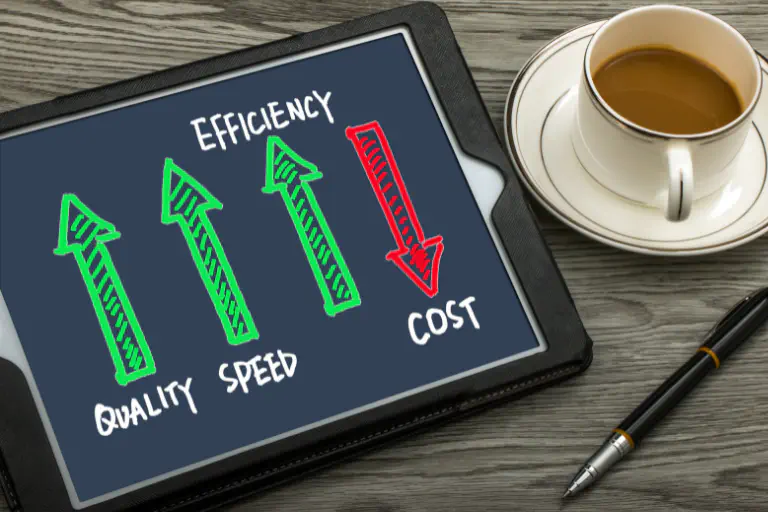
In addition, the use of appropriate software for freelancers also results in very tangible benefits that will drive your business forward:
Speed and efficiency #
Any administrative work done manually is time you can’t invest in customer projects and business growth. With no-code automations, you can automate tasks such as payment reminders, project status updates, invoicing and document entry. And you’ll have 20 percent of your time available for new projects - or for more time with friends and family.
Cost efficiency and scalability #
Investments in software or external management support can quickly add up to several thousand or ten thousand euros a year. Money that you first have to earn. No-code solutions are much cheaper. Some tools, such as SeaTable, also offer very comprehensive free accounts. These solutions are also scalable indefinitely. Is your business growing and you need more storage capacity or additional functions? No problem, you can simply switch to a different tariff. You can create professional workflows and systems on a small budget or even for free.
Which workflows can no-code software optimize? #
In addition to administrative tasks, you can also optimize project processes if you use No-Code to independently create software tailored to your business. Let’s take a look at the specific added value of tasks that all freelancers have to perform, regardless of their specific activity. We will outline the benefits based on the functional scope of the AI no-code platform SeaTable. Other tools may offer reduced functionality.
- Financial management: Integrate your payment service provider to automatically post cash receipts. Live dashboards provide up-to-date figures on sales, expenses, cash flow and profitability. Receipts are recorded automatically and reports are generated at the touch of a button. Simply use the numerous free financial templates.
- Invoicing: Create invoices by template and send them automatically. Set up **automatic payment reminders.
- Customer management: Record all customer data, communication history and projects centrally in one place. Define rules for follow-ups and set up automatic notifications and reminders. In just a few minutes, you can create a simple CRM that can be easily expanded and adapted as required.
- Project organization: Active projects are transparent at all times and progress can be tracked. Automations take over routine steps, collaboration with customers and any partners becomes easier.
- System integration: Connect your independently created software with your social media channels and post new content automatically. Or link your CRM with your email provider or messenger services and document every contact neatly in your customer file.
Efficient office organization with SeaTable #
Administrative tasks are part of self-employment and cannot be avoided. However, you can use efficient, lean processes and a transparent, reliable database to reduce the time you spend. By introducing no-code software, you gain more time for projects and a clear, up-to-date overview of your business figures.
With the AI no-code platform SeaTable you can visualize your business model, plan sales and costs, create invoices and manage incoming payments, monitor your most important key figures in appealing dashboards and work efficiently and with meaningful data right from the start. With AI-supported automation, you can create efficient workflows and reduce your manual workload.
SeaTable grows with your business. Initially, you may only use it for accounting and invoicing, but you can later expand it into a fully-fledged CRM or analysis tool at no extra cost or effort. Try it out!
FAQ - No-code for freelancers #
What should I look out for when choosing a no-code or low-code tool?
Aren't no-code solutions primarily for IT professionals?
I process sensitive customer data. Are cloud solutions secure?
Can I create a CRM, for example, with no-code solutions?
TAGS: No Code & Low Code