Table of Contents
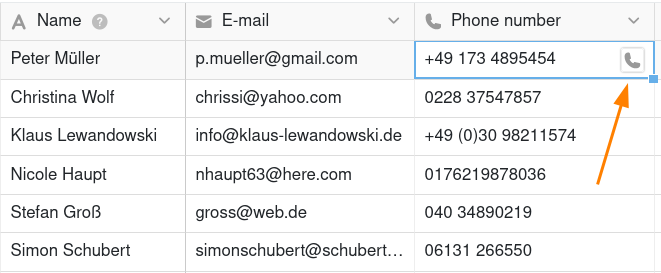
There is a separate column type in SeaTable for entering phone numbers. Compared to a normal text column, the phone number column offers the advantage that you can call a phone number with a mouse click.
Create a phone number column
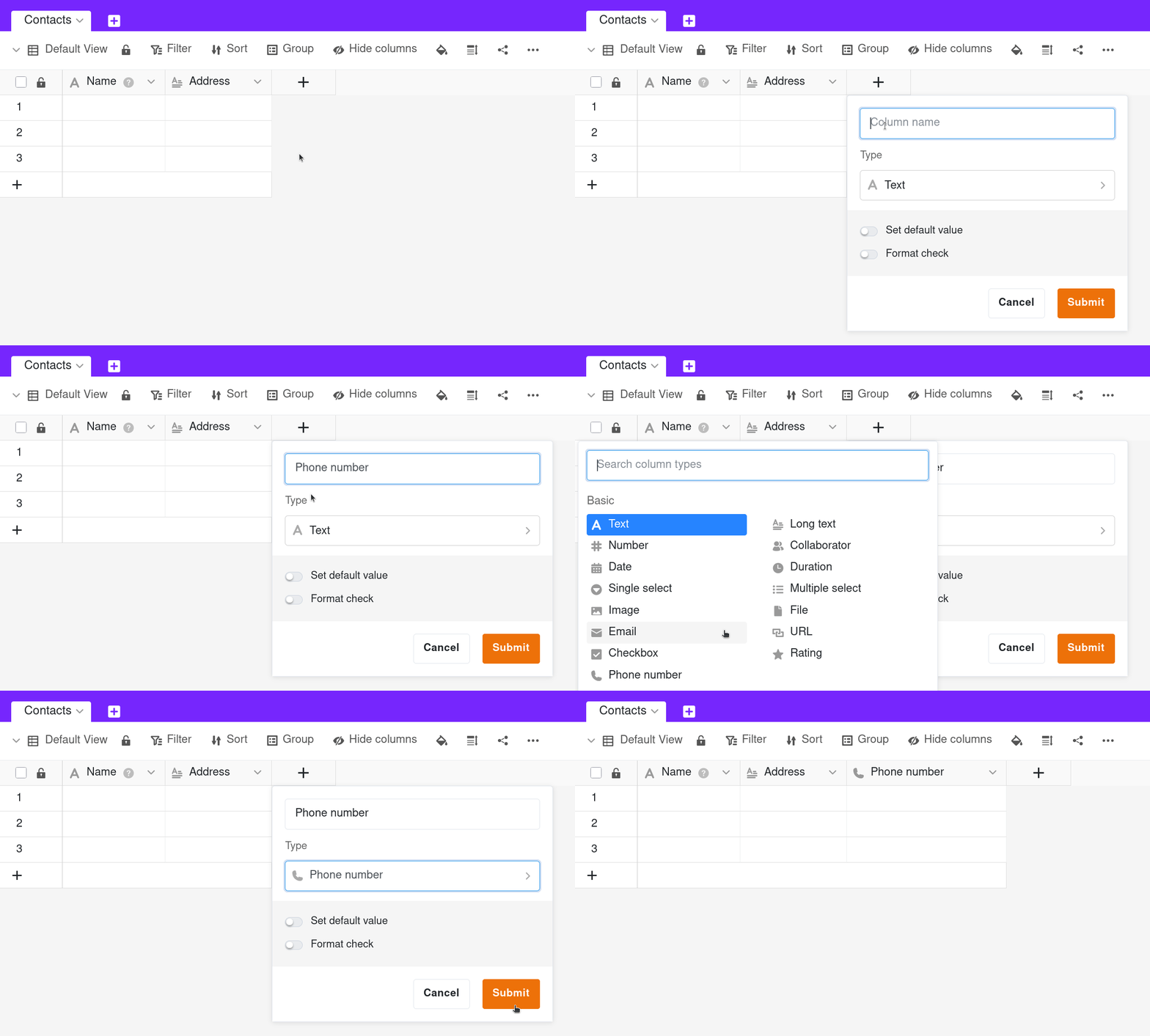
- Click on the Plus symbol to the right of the last column in the table header.
- Give the column a name.
- Select the column type Phone number.
- Confirm with Submit.
Set default value
You can define a preset default value for each phone number column. This is automatically entered in each new row of the table.
Validate input
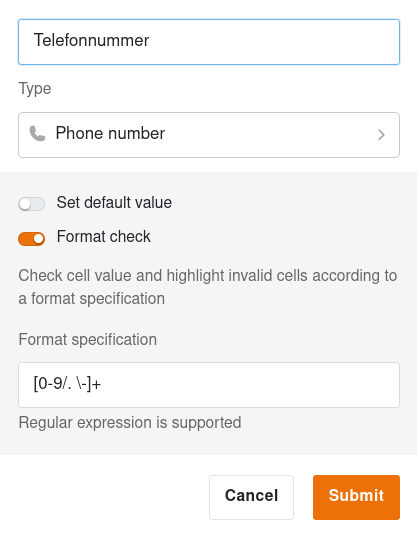
As with text columns, you have the option of validating entries in the telephone number column. By performing a format check, you can highlight telephone numbers that deviate from the valid format. You can also use regular expressions for validation.
Start calls
The phone number column type makes your daily communication even easier. A click on the phone icon in a cell transfers the phone number to your telephony application. On cell phones, this works without any further configuration. The same applies on the desktop if a shortcut to telephony software has been set up in the browser.