Table of Contents
As a team administrator, you can create new groups in the team administration. To do this, follow these instructions:
-
Switch to the team administration.
-
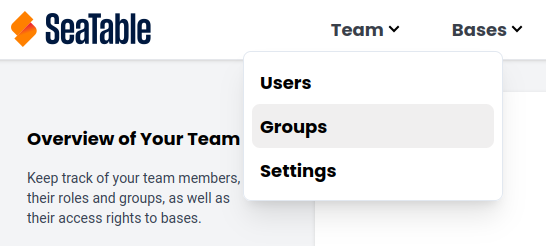
Under Navigation, click on the menu item Team, select the Groups category.
-
Click on the Create Group button.
-
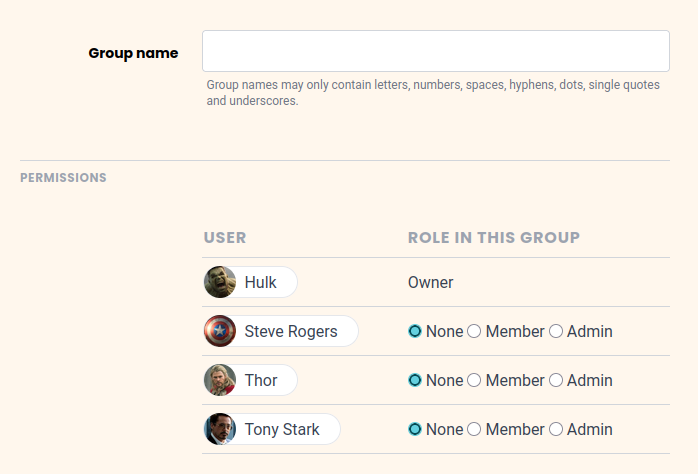
Set the Name of the group.
-
Select the Team Members that should belong to the group by changing their role from none to Member or Admin.
-
Click Create Group.
Read the article Group members and their permissions to find out more about the roles of a group member.