Table of Contents
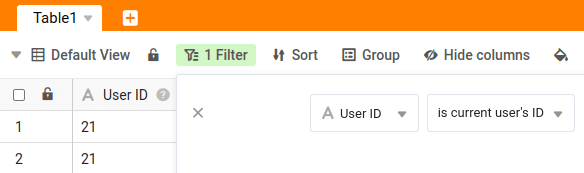
Each user account in SeaTable has, in addition to the name and email address, an ID that can be used for dynamic filters . Each ID can be assigned only once within a team.
You can change this ID in just a few steps via the team administration.
Changing the User ID
-
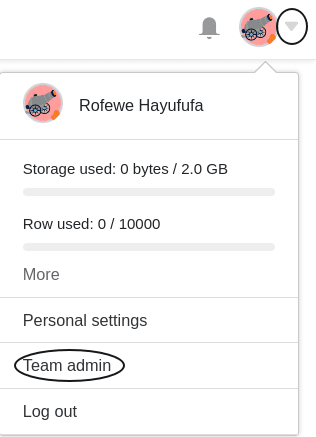
Open the Team Management.
-
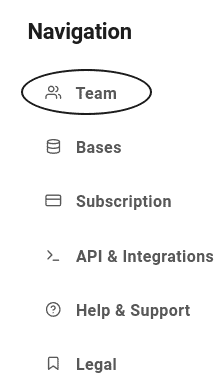
Click on the Team tab.
-
Select a User.
-
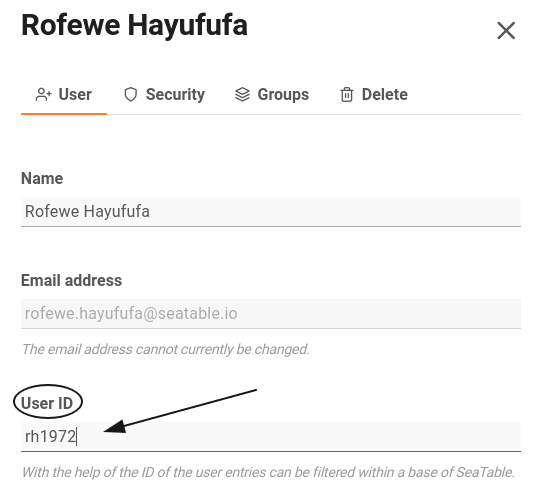
Enter a new User ID into the designated text field.
-
Confirm with Save Changes.
Filter with the User ID
SeaTable gives you the ability to customize table views via a dynamic filter based on the user ID. This offers several advantages for certain use cases. For details, see the corresponding help article .