Digital Medication Plan Template
SeaTable offers you a modern, free medication plan template for the digital management of medication, doctors, health data and documents. Clear structure, full security and transparency - GDPR-compliant and free of charge.
Safety, overview, comfort
What the medication plan template can do for you
-
Input
Conveniently enter medications and dosages into the intuitive template - errors are minimized.
-
Flexibility
Customize the free template to your individual needs, treatments and documentation requirements at any time - without any effort.
-
Central
Manage all medical data, medication and health information centrally and securely - always have a complete overview.
-
Map
Use the map view to have your most important doctor contacts and consultation times at a glance - including location.
-
Print
With the page design plugin you get a printable medication plan - ideal for practice, emergency and travel.
-
Reminder
Document income, side effects and important information - integrated reminders provide more security.
Always up-to-date, always at hand
Fill out medication plan online
A classic medication plan on paper is quickly created - and quickly outdated. If you create your medication plan online, you benefit from many advantages that make your everyday life easier.
Always up-to-date: changes can be entered immediately and are available the next second.
Access from anywhere: you have your data to hand at all times via online access
Share with relatives: Give your family or care staff access
Clear presentation: Thanks to the page design plugin, a Mediplan can be printed out.
More security: Nothing gets lost, the data remains protected and traceable.
Fill out medication plan online - GDPR-compliant
The advantages of SeaTable's medication schedule template
Medication schedule to print out
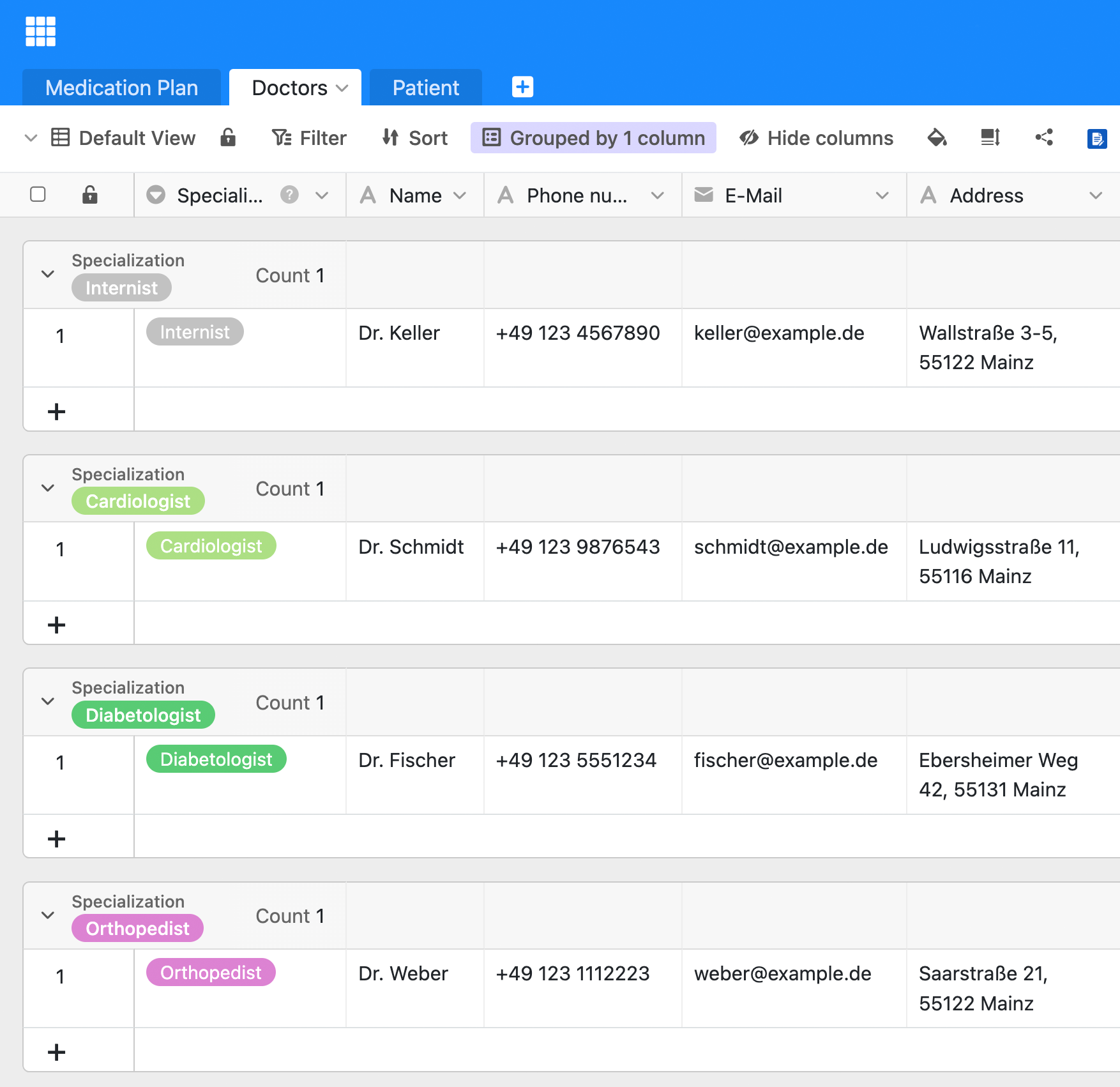
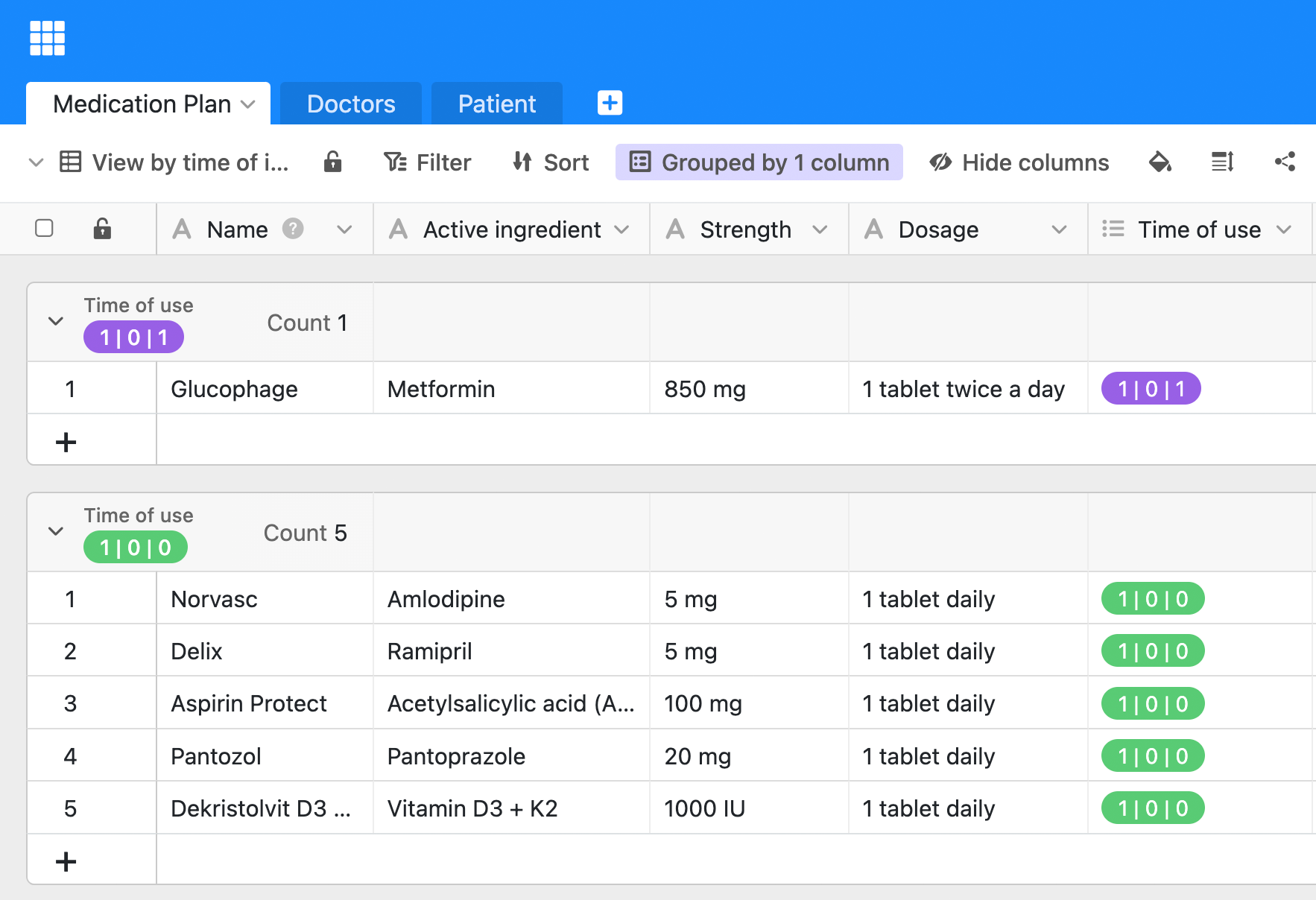
Enter your medication and all important information directly into the template. SeaTable’s medication schedule to fill out is clearly structured and intuitively designed. A clear print version is automatically created from the data entered, which you can export and print out if required.
All your doctors at a glance
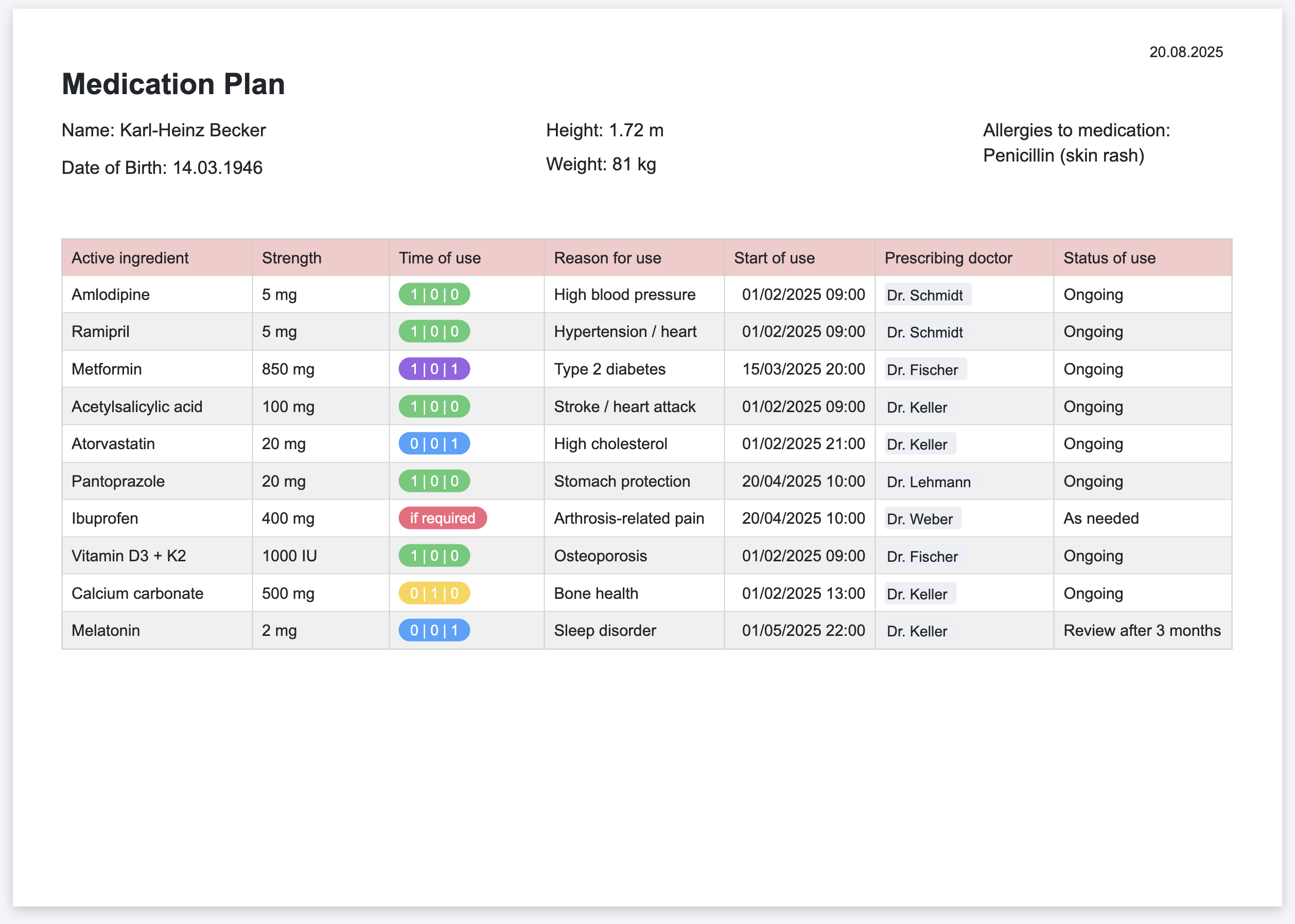
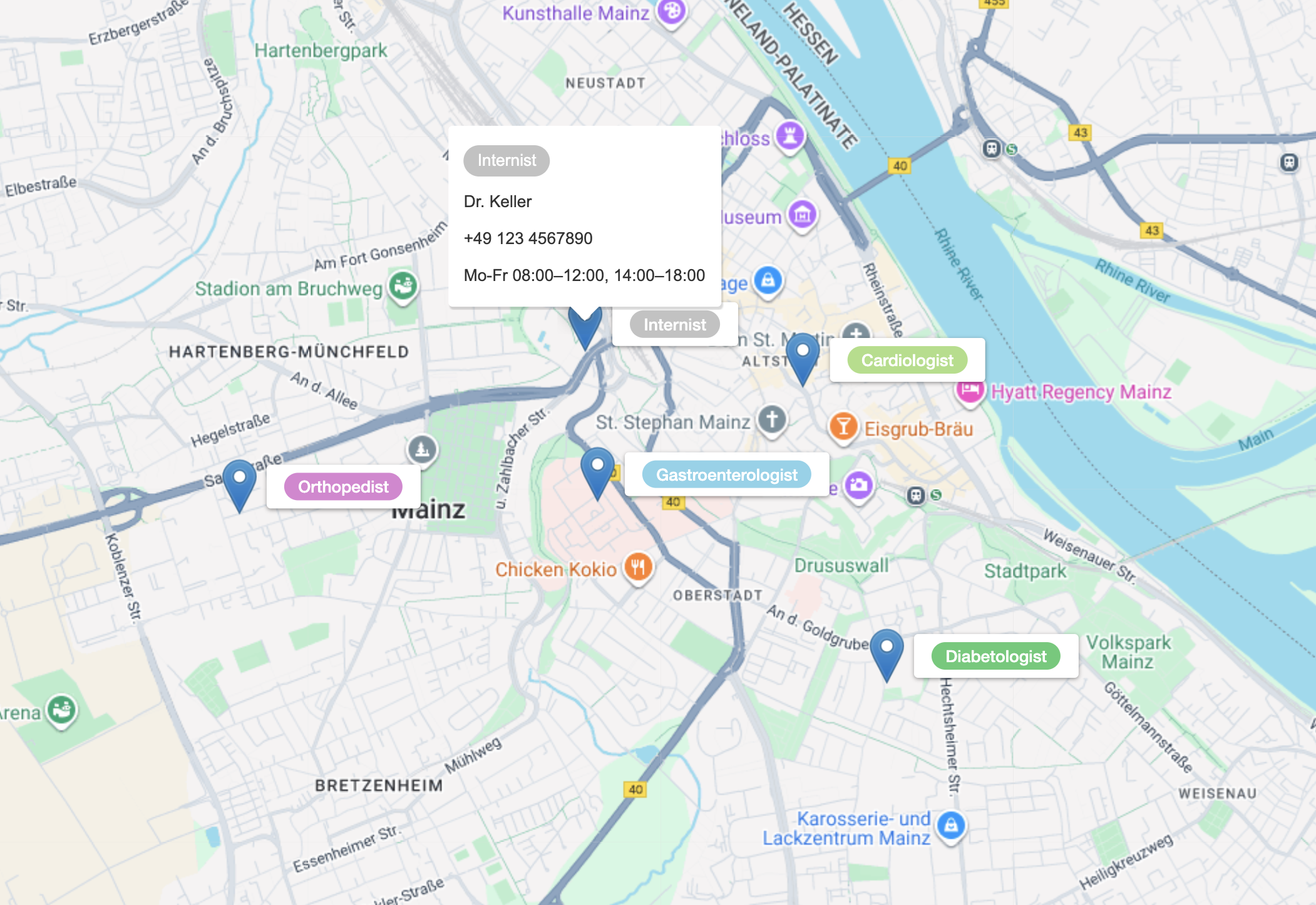
Link your medicines directly to the doctors who prescribed them. This gives you an overview and allows you to ask specific questions. You can also save the contact details of your doctors and visualize their locations using the map plugin.
Save and manage your own health data
Enter all relevant personal information in a separate table. Store height and weight for dosage calculation, allergies, previous illnesses, important documents or pictures centrally. This means you always have your health data structured and ready to hand.
Data protection and security
Trust is crucial, especially when it comes to health data. SeaTable attaches great importance to data protection and security. Your data is stored exclusively on servers in Germany and is subject to the strict requirements of the GDPR. You retain full control at all times.
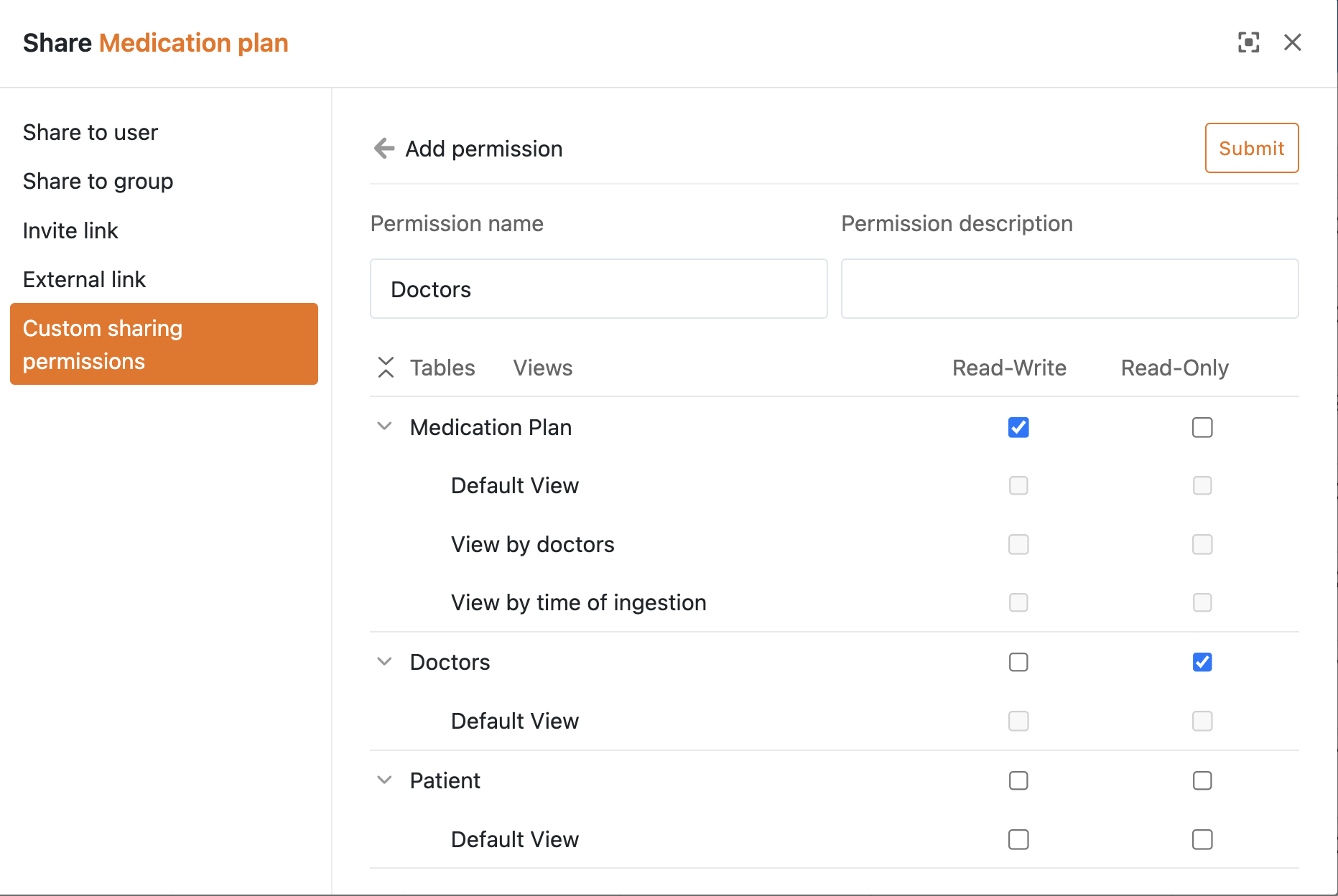
Complete control over your medication - dosage and intake always in view
Your own medication plan app with SeaTable
With SeaTable’s integrated no-code app builder, you can create your own personal health app in just a few steps. In addition to medications and doctor contacts, you can also record side effects or additional data such as blood pressure values to discuss them at your next treatment appointment. The integrated reminder function provides additional security.
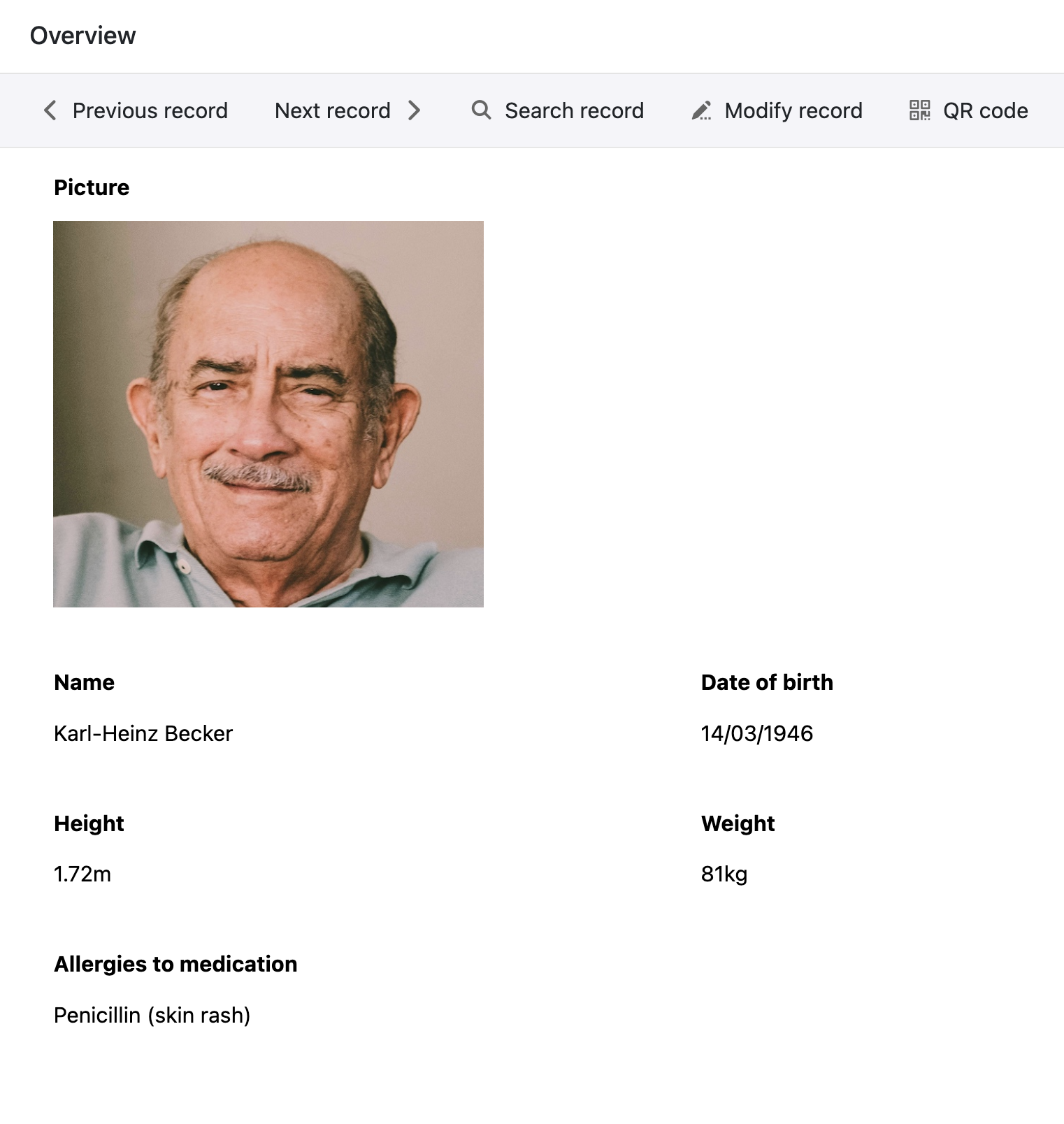
Smart support in everyday life
AI-supported medication plan with SeaTable
With SeaTable, you benefit from powerful AI features , that make your medication plan even safer and clearer. Analyze texts, evaluate documents, and reduce manual work—all in compliance with GDPR on German servers.
Automatic classification with Classify
Automatically categorize medications into meaningful groups—such as by active ingredient class, time of administration, or area of application. The AI function “Classify” helps you to clearly structure complex medication plans and avoid errors.
Automatic text recognition with OCR
Take photos of doctor’s letters, medication lists, or discharge reports and let the OCR function automatically recognize relevant information such as preparations, dosages, or frequency. The recognized data can be transferred directly to your medication table.
Intelligent data extraction with Extract
The Extract function analyzes unstructured texts such as findings or information on the package insert and extracts specific information—for example, instructions for use, contraindications, or maximum daily doses. This provides you with important facts directly in a structured form.
Summaries with Summarize
The Summarize function automatically summarizes long doctor’s letters or detailed medication changes into short, easy-to-understand texts. You can see at a glance what has changed and which points you should address at your next consultation.
Individual AI rules with custom prompts
With Custom Prompts, you can define your own AI instructions related to your medication plan. Examples: Notifications of potential double medication based on existing entries, automatic formulation of questions for your next doctor’s appointment, or generation of a summary for your emergency ID card.
Reports at the touch of a button
Automatically generate reports for general practitioners, specialists, or nursing staff based on your data. AI summarizes medication, changes, and documented side effects in a structured manner, saving you time and ensuring that all relevant information is available.
Digital overview
Medication plan for an overview and safety
SeaTable is a modern no-code database solution with App Builder and offers all the functions that an electronic medication plan needs. You can easily keep an overview and record side effects to discuss them with your doctor.
Avoid risks
Taking medication correctly is crucial. Older people or people with several pre-existing conditions in particular benefit from a plan that not only documents the preparations, but also the exact dosages and times they are taken.
Transparency
This template makes it easier to communicate with doctors and pharmacies. Having your data structured and up-to-date saves time and avoids misunderstandings. An up-to-date medication plan template can also be crucial in an emergency.
FAQs about SeaTable's medication plan template
-
Is SeaTable's template for a medication plan free of charge?
-
Yes, SeaTable’s medication plan template can be used free of charge. All you need is a SeaTable account to customize the medication plan template for free and use all its features.
-
Why should I create a medication plan online?
-
If you fill out and manage your medication plan online, you can access the latest information anytime, anywhere, and easily share it with doctors or therapists. The digital version is easier to keep up to date than paper lists and can be printed out as a clear overview if needed.
-
Can I print out the template for the medication plan?
-
Yes, you can create your medication plan online and use the page design plugin to automatically generate a clear medication plan for printing—for example, for doctor’s appointments, hospital stays, or your emergency passport.
-
Can I use the medication plan template for multiple people?
-
Yes, you can also use our medication plan template for multiple people or family members. With SeaTable, you can create a medication plan for up to 25 users in the SeaTable Cloud free of charge.
-
Is there an example of a medication plan to fill out?
-
Yes, the medication plan template contains a clear example that you can use as a guide. You can download our medication plan template free of charge and customize it to suit your personal medication.
-
What AI features does the medication plan template support?
-
SeaTable provides you with AI functions such as Summarize, Classify, Extract, OCR, and Custom Prompt. These can be used to evaluate documents, extract information, categorize medications, or create summaries—all integrated directly into your automations.
-
Are AI functions GDPR-compliant—especially when it comes to health data?
-
Yes, SeaTable operates its own AI server in a German data center. All data remains in Europe and is transmitted in encrypted form. There is no data exchange with external AI providers, so you can also process sensitive health data in compliance with data protection regulations.
-
Can I have doctor's letters or medication lists evaluated automatically?
-
Yes, with the combination of OCR and extract functions, you can digitize doctor’s letters, discharge reports, or existing medication lists and automatically transfer relevant information such as preparations, dosages, or instructions for use into structured fields.
-
Can I link my medication plan to other health templates?
-
Yes, you can use the medication plan template with other SeaTable health templates such as a digital patient record combine or integrate them into existing processes. Step by step, you can create your own personal health overview in one central location.