SeaTable – Your travel expense claim template for HR, Office and Finance
More than half (65 per cent) of small businesses with up to 250 employees still process their travel expenses manually – mostly using paper forms or Excel spreadsheets. This takes time, is prone to errors and makes it difficult to match receipts to the relevant expenses. With SeaTable’s digital travel expense report template, employees record their business trips using a travel expense form, upload hospitality receipts and other receipts directly via their smartphone, and initiate the approval process between colleagues, managers and the accounts department. Additional meal expenses, meal allowances, mileage allowances and other travel expenses are calculated automatically – a smart cloud solution instead of rigid Excel files.
Digital travel expense claims
Travel Expense Report Template for Your HR Processes
-
Travel expenses without Excel
Keep a structured record of travel expenses, out-of-pocket expenses and hospitality receipts in a centralised digital solution. This allows you to replace error-prone Excel spreadsheets with a system where amounts, flat rates and receipts are clearly linked and can be traced at any time.
-
Business trips via the form
Employees record every business trip using an intuitive expense claim form – whether on a desktop or mobile device. Simply enter the details, upload a photo of the receipt, and you’re done: receipts, hotel bills and tickets are digitised directly upon submission – without any disruption to the process.
-
Automatic flat rates
Calculate additional meal expenses, meal allowances, mileage allowances and travel allowances automatically according to your specifications. This significantly reduces manual calculation errors and ensures consistent, transparent reimbursement amounts – without having to maintain complex Excel formulas.
-
Clear approval workflows
Control who is authorised to submit, review or approve travel expenses, and map out the approval process between employees, managers and the accounts department as a clear workflow. Status fields, comments and filters ensure that everyone involved can see the current status at all times.
-
Flexible policy fields
Add fields such as cost centres, projects, countries, travel purposes or approval levels to the template. This allows you to tailor the digital expense claim template precisely to your company policies and compliance requirements, ensuring consistent adherence to internal rules.
-
HR team transparency
Use views, groupings and dashboards to analyse travel expenses by month, employee or category. Ensure transparency regarding budgets, reimbursements and outstanding tasks, and seamlessly integrate these workflows into your existing HR processes and reports.
Who uses SeaTable?
Leading companies worldwide rely on SeaTable

















100.000+
Downloads in the first year of Docker Hub
1.500+
Daily users on SeaTable Cloud
4.6
Review on Capterra
Your benefits at a glance
Use the online travel expense claim template
With SeaTable, a flexible, AI-powered no-code platform, you can implement a digital travel expense reporting system that adapts precisely to your internal policies and accounting processes. Replace traditional Excel spreadsheets with mobile form entry, automatic calculation of additional meal expenses and meal allowances, and centralised storage for hospitality receipts and invoices. This transforms your travel expense claim template into a modern, cloud-based solution for approvals, archiving and reimbursement – integrated into your HR processes.
Mobile submission: Employees submit each business trip directly via their smartphone using the travel expense claim form. Receipts and entertainment expenses are digitised immediately and linked to the relevant record.
Calculated automatically: Additional meal expenses, meal allowances, mileage allowances and other travel expenses are calculated automatically in the template. This saves time and reduces errors caused by manual formulas in Excel.
Archived in an audit-proof manner: All submitted receipts and details are stored centrally and documented in a traceable manner. This makes the travel expense claim template ideal for a neat, digital expense reimbursement process with a clear audit trail.
Approvals in the workflow: The approval process between employees, line managers and the accounts department follows a structured workflow. Status fields, notifications and views ensure that no travel expense claim is lost or left unprocessed.
Interoperable: If required, connect your template to other systems via API or automation. This makes it easier to process reimbursement data for accounting, management control or reporting purposes.
Practical examples from HR, Office and Finance
How the travel expense claim template works
Record receipts and expenses centrally
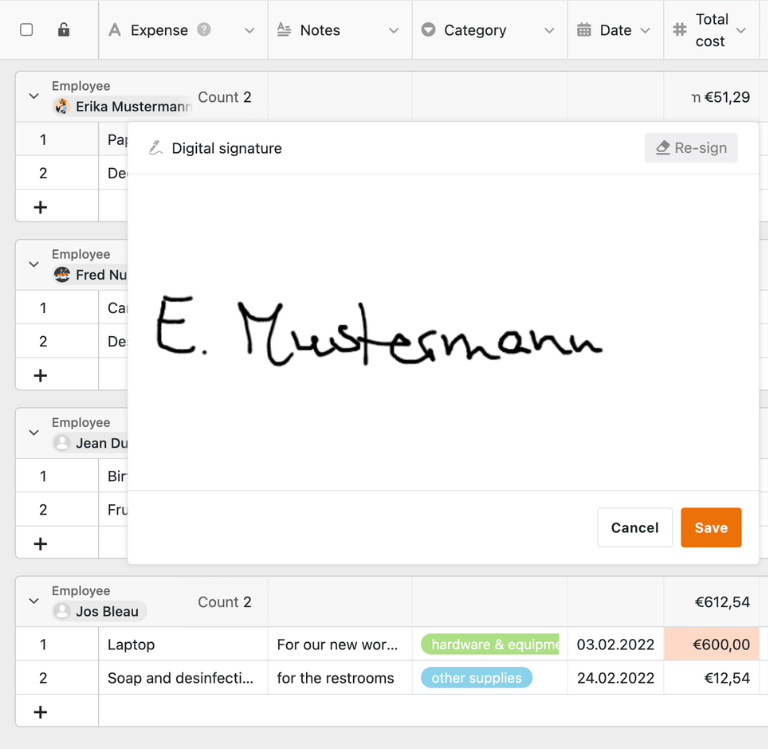
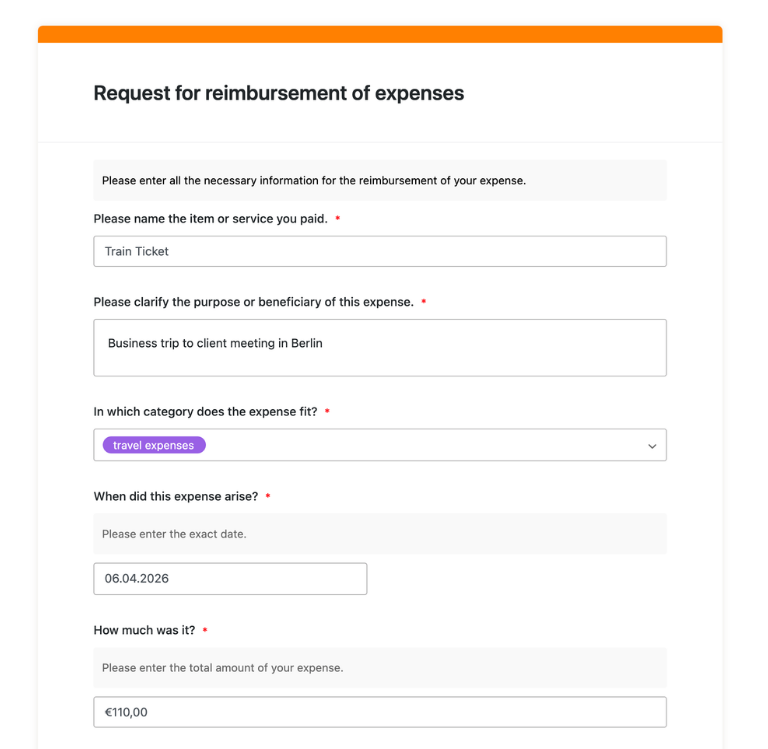
In the first table of the travel expense claim template, employees can enter all relevant expenses incurred during a business trip – such as travel tickets, hotel costs, hospitality receipts or office expenses – directly via the travel expense claim form. In addition to the date, category and amount, photos of receipts can also be uploaded, ensuring that the digitisation of receipts and their allocation to the relevant expense reimbursement template can be carried out seamlessly.
Automatically consolidate monthly refunds
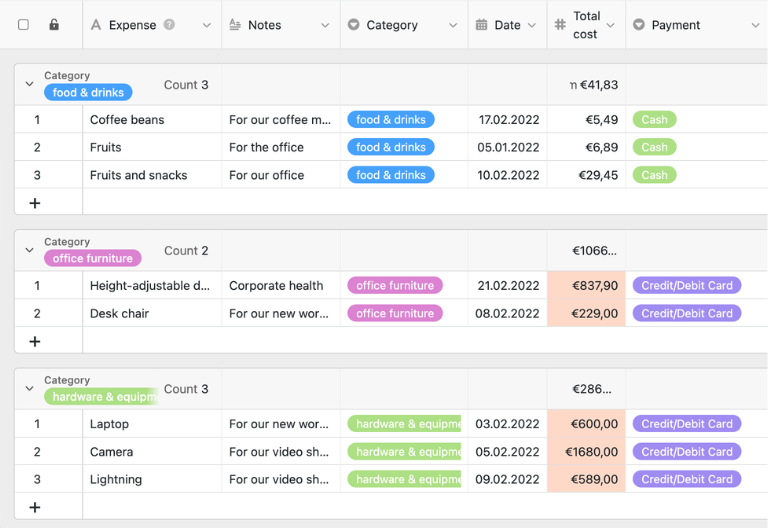
In the second table, the travel expense claim template consolidates all submitted expenses by employee and month. As soon as individual receipts are linked to a claim, details such as the employee, month and amount are automatically populated, enabling HR or the accounts department to review and process the expense claim more quickly.
Calculate flat rates, travel expenses and meals
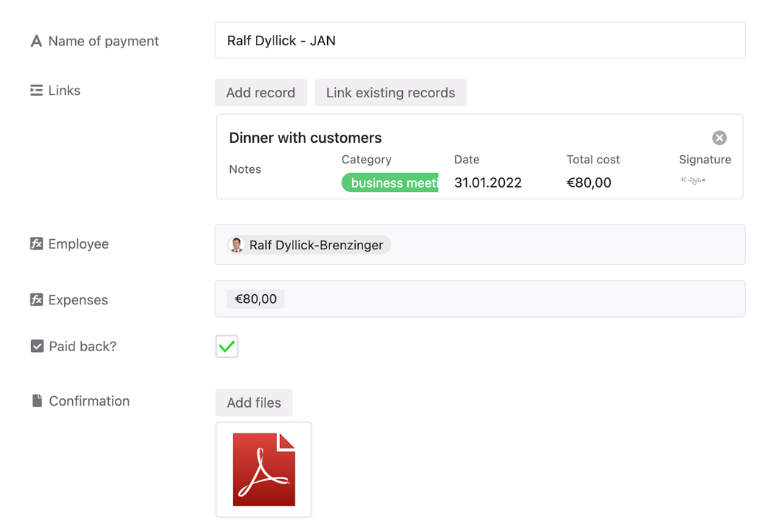
Using formulas and structured fields, the travel expense report template clearly sets out additional meal expenses, meal allowances, mileage allowances and travel expense allowances. This turns the template into a practical system for travel expense reporting and expense reimbursement that is significantly more robust than standalone Excel files.
Approval process and accounting documents
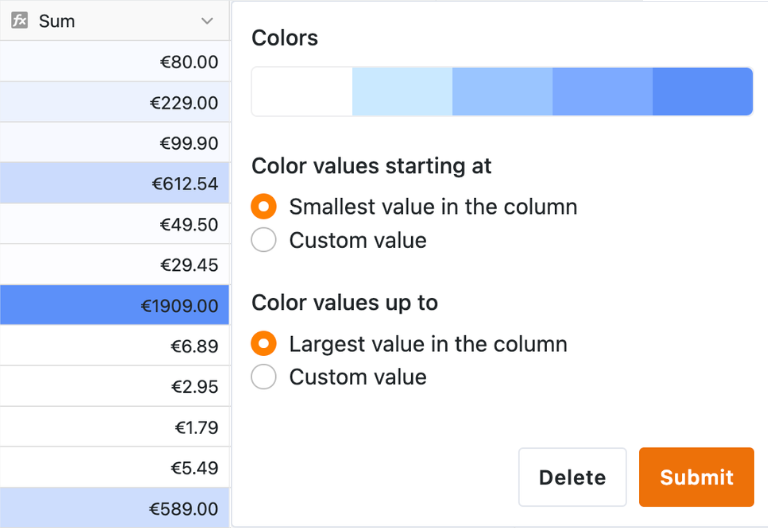
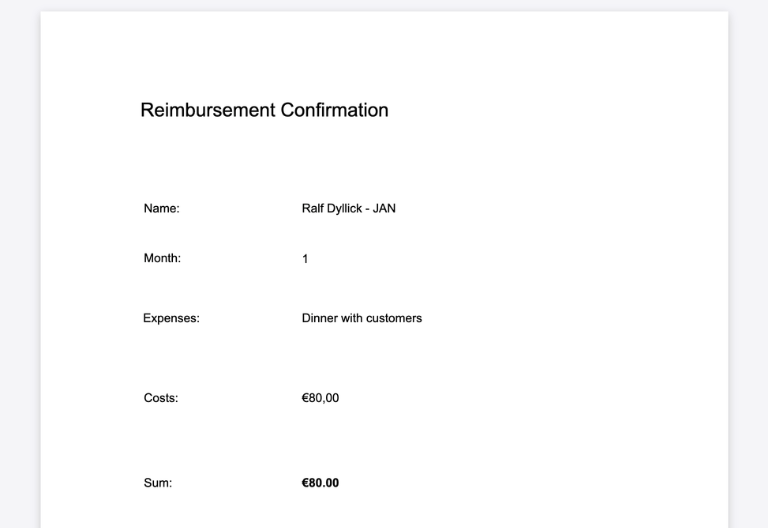
Status fields and views support the approval process from submission through to final reimbursement by the accounts department. Furthermore, you can use data from the travel expense report template to generate personalised expense claim or reimbursement documents, into which fields can be added via drag-and-drop – ideal for standardised confirmations sent to employees.
Your personalised travel expenses app
Using the integrated no-code app builder, you can turn the travel expense report template into a customised app for employees, managers, HR and accounts. Combine forms for business trips, receipt uploads and entertainment expenses with clear status overviews, monthly summaries and approval workflows – right through to specialised apps for individual sites, companies or cost centres. Share specific sections as a front-end with the relevant roles and use permissions to control who is allowed to record travel expenses, check receipts or approve reimbursements – turning the travel expense report template into a bespoke solution for digital expense reimbursement.
Manage travel expenses, receipts and reimbursements transparently – with SeaTable
Smart automation for HR and finance
AI-powered travel expense reporting
With SeaTable, you can use powerful AI features, which automate your travel expense claim templates, receipt verification and reimbursement processes. This turns your travel expense management into a smart hub for business travel, out-of-pocket expenses, hospitality receipts and approvals – far more efficient than using an Excel file.
Allocate expenses automatically
With Classify, you automatically assign submitted travel expenses to categories such as accommodation, meals, hospitality, travel costs or materials. The AI analyses existing text fields and writes the identified category into a dedicated field, so your cost-type analyses become faster, clearer and more consistent overall.
Extract data from documents
With Extract, you pull key information from submitted receipts, invoices or emails and transfer it in a structured format into the appropriate fields. Amounts, dates, currencies and merchants are recognised automatically, so HR and Finance teams spend far less time typing data manually and can focus on reviewing content and policy compliance.
Digitise receipts using OCR
With OCR, you capture text from uploaded images such as receipts, hotel bills or entertainment expense slips and link it directly to the relevant transaction. Step by step, this turns your travel expense process into a digital, paperless receipt management system where supporting documents remain permanently accessible and searchable instead of being lost in folders.
Generate monthly reports
With Summarize, you automatically generate concise overviews from your travel expense data, such as monthly reimbursement totals, pending approvals or the most frequent cost categories. These summaries make coordination between HR, office management and Finance easier and give you a sound, up-to-date basis for planning budgets, forecasts and management reports.
Custom AI rules with prompts
With Custom Prompt, you define your own AI rules, for example to flag missing mandatory fields, unclear expense descriptions or notable deviations from internal guidelines. The AI works on existing spreadsheet and text data and returns concrete suggestions, helping you refine approval processes, improve data quality and enforce travel policies more consistently.
Status overviews in seconds
With AI-powered status views, you create clear overviews of pending, approved and already reimbursed claims at the touch of a button. The AI condenses status and date fields into compact reports, highlights bottlenecks within the approval chain and helps teams prioritise, follow up and close travel expense claims more quickly and reliably.
Transparency and cooperation
Transparent and secure travel expense claim template
SeaTable is a modern AI-powered no-code database solution featuring automation and an app builder, offering all the features you need for a professional digital travel expense claim template. The focus is on traceability, teamwork and flexible customisation – from the simple entry of individual receipts right through to a complete expense claim template with an approval process, document generation and monthly statements, serving as a scalable alternative to traditional travel expense reporting using Excel.
Alternative to Excel
Organise your travel expense claims much more efficiently with SeaTable than with Excel – thanks to linked spreadsheets, customised views, forms and automations for employees, managers and the accounts department.
Bringing HR, Office & Finance together
Integrate travel expense reporting, expense reimbursement and other HR processes into a single structure, and consolidate business trips, receipts and reimbursements within a single, user-friendly system.
GDPR-compliant
If you use SeaTable Cloud or the integrated AI, all personal data and documents remain in Europe – the infrastructure is hosted exclusively on servers in Germany.
2FA and SSO
SeaTable supports two-factor authentication and single sign-on, allowing you to control exactly who can access travel expenses, receipts, accounting documents and reports.
FAQs on the SeaTable Travel Expense Report Template
-
Can I adapt the template to my company’s specific guidelines?
-
Yes, you can easily customise the travel expense report template by adding your own fields, categories, flat rates, approval levels and views. This allows the template to be tailored to your internal policies on business travel, entertainment expenses and reimbursements.
-
How does the data from the template get into my accounting system?
-
The data from the template can be processed further via exports, automations and API interfaces. This allows you to provide structured reimbursement data for accounting, management accounting or downstream systems.
-
Is the digital travel expense reporting feature in SeaTable audit-proof?
-
The system supports the audit-proof, traceable storage of documents, details and status changes in a central database. This ensures that submissions, approvals and reimbursements are clearly documented and can be traced at any time.
-
Can several employees access the template at the same time?
-
Yes, several employees can submit travel expenses via the travel expense claim form at the same time, whilst managers and the accounts team can review or approve them in parallel. You can use permissions to control who is allowed to view and edit which data.
-
Can I upload entertainment expenses and receipts directly?
-
Yes, employees can upload hospitality receipts, invoices and other supporting documents directly when submitting their travel expenses. This ensures that all documents are immediately linked to the correct transaction in the travel expense report template.
-
Is the form also suitable for claiming expenses without a business trip?
-
Yes, the template is suitable not only for standard business trips, but also as an expense claim form for office expenses, purchases of supplies or hospitality-related costs. This allows you to consolidate various reimbursement processes into a single system.
-
How does the template help with additional meal expenses and mileage allowances?
-
The template can systematically record and automatically calculate additional meal expenses, meal allowances, mileage allowances and travel expense allowances. This reduces calculation errors and provides a transparent basis for reimbursement.
-
Why is SeaTable better than using Excel for travel expense claims?
-
Excel files are often prone to errors when it comes to travel expenses, difficult to use on the go, and impractical for linking receipts. With the travel expense report template in SeaTable, you can work digitally, on the go, collaboratively and in a much more structured way – from submission to reimbursement, it’s a strong alternative to Excel.