To-Do List Template for Project Managers and Teams
Keep a clear track of tasks, deadlines, and responsibilities! With our digital to-do list template, you can manage your tasks centrally, transparently, and without version confusion. The to-do list template helps you clearly track work stages such as “To Do,” “In Progress,” “On Hold,” or “Done,” assign priorities, and reliably meet deadlines. Whether you’re a project manager, team lead, or part of a cross-functional project team—you can organize tasks in a structured way within a shared to-do list app. Use Kanban boards, calendars, and filters to implement projects more efficiently and boost your productivity in the long term.
Digital Task Management
To-Do List Template for Planning, Prioritizing, and Execution
-
Centralized Task Management
Use the to-do list template to centrally manage tasks, deadlines, responsibilities, and statuses. This allows you to replace scattered notes, chat histories, and spreadsheets with a single solution where your team can always see the current status of the work.
-
Clear status in the workflow
Work with clearly defined stages such as To Do, In Progress, On Hold, or Done, and keep a reliable track of every step in the process. The to-do list template provides transparency, simplifies status updates, and gives project managers confidence in their management at all times.
-
Real-time overviews
With just a few clicks, create up-to-date overviews of open tasks, priorities, deadlines, and progress. Filters, views, and dashboards show your team in real time where bottlenecks are occurring, which tasks are critical, and what needs to be addressed next.
-
Secure and transparent
Say goodbye to confusing file versions and changes that are hard to track. In the To-Do List app, everyone involved works in a structured environment with clear permissions, documented changes, and reliable access to the latest task statuses.
-
Flexibly customizable template
Add fields such as Assignee, Milestone, Category, Priority, or Dependencies to the to-do list template. Flexibly customize views, columns, and workflows to fit your processes, and use SeaTable as a customizable app for your to-do list.
-
Meet deadlines without fail
Set due dates and keep track of upcoming tasks using calendars, reminders, and filtered views. This mobile to-do list solution helps you ensure you never miss a deadline and manage projects effectively, even when juggling multiple tasks at once.
Who uses SeaTable?
Leading companies around the world rely on SeaTable

















100.000+
Downloads in Docker Hub's first year
1.500+
Daily users on SeaTable Cloud
4.6
Review on Capterra
Your benefits at a glance
Use the to-do list template online
Discover the flexible solution for modern task management! With SeaTable’s digital to-do list template, you can say goodbye to static notes, Word documents, and cluttered Excel spreadsheets. The template is ideal for project managers and teams who want to centrally manage work steps, responsibilities, and deadlines. Take advantage of interactive features like Kanban boards, calendar views, and prioritization. Whether it’s campaigns, internal projects, or recurring tasks—with this to-do list app, you’ll always have a reliable handle on all your tasks.
Real-time data: Any changes to a task, its status, or due date are saved immediately—so you can always see what’s pending, what’s in progress, and what’s already been completed.
True collaboration: Project managers, department heads, finance teams, and executives work together using the same database—without version conflicts, data inconsistencies, or the need to manually reconcile figures.
True collaboration: Project managers and team members work in a shared database—with assigned responsibilities, comments, priorities, and clear status fields for each task package.
Interactive Template: Combine a to-do list template, Kanban board, calendar, and filtered lists into a single system, and switch seamlessly between planning, work, and overview views.
Centralized storage: All tasks, deadlines, categories, priorities, and status updates are in one place—no scattered files, duplicate lists, or lost information.
Real-world example
How to use the to-do list template
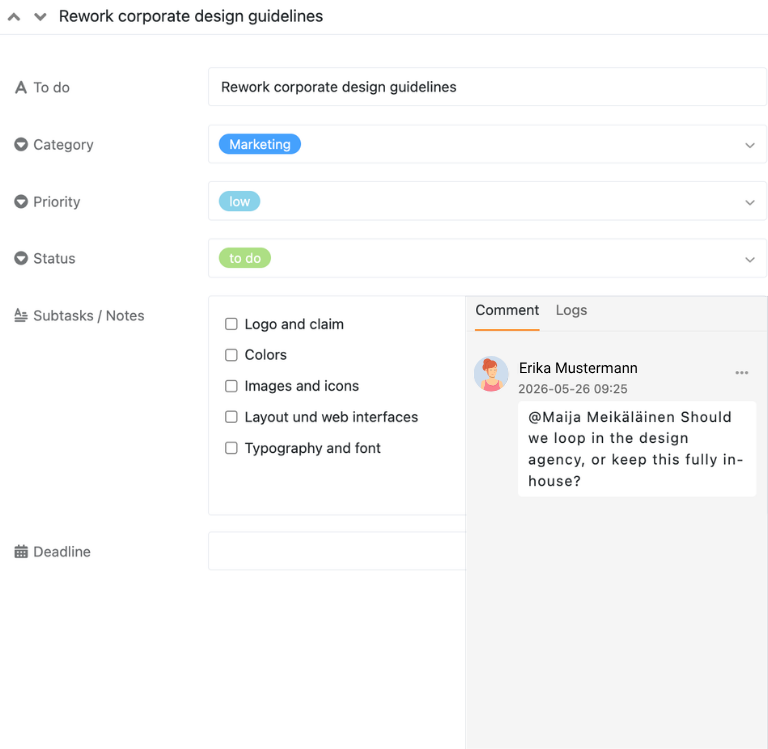
Task list for all to-dos
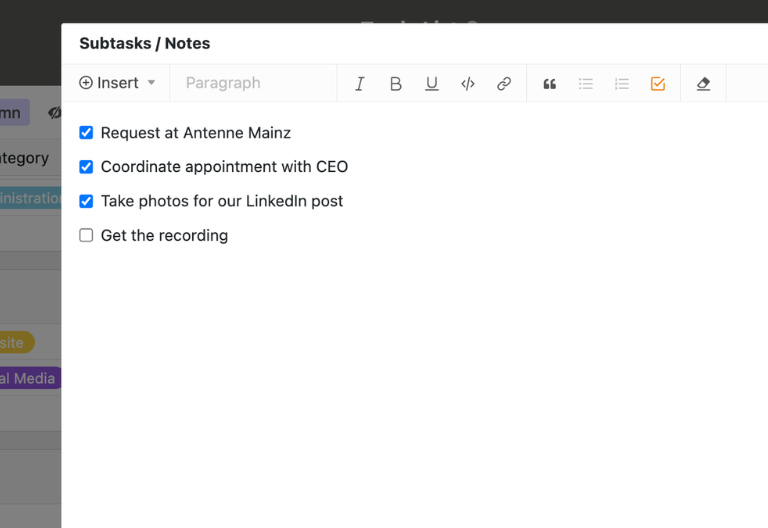
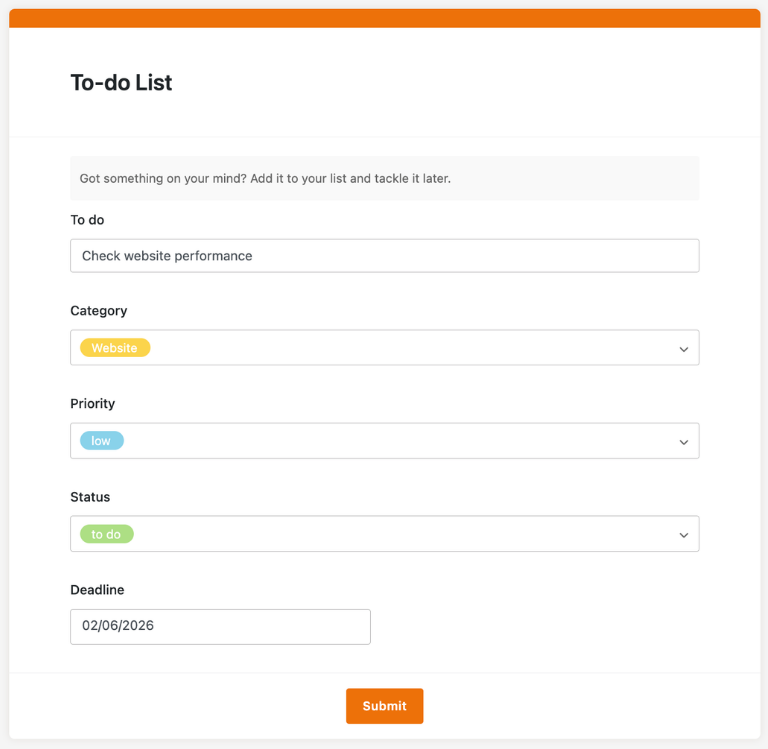
In the “To-dos” table, you can keep track of all your project tasks in one central location. You can create new entries using the plus icon, assign categories and priorities, define subtasks, and set deadlines. This makes the to-do list template a reliable foundation for your daily task management.
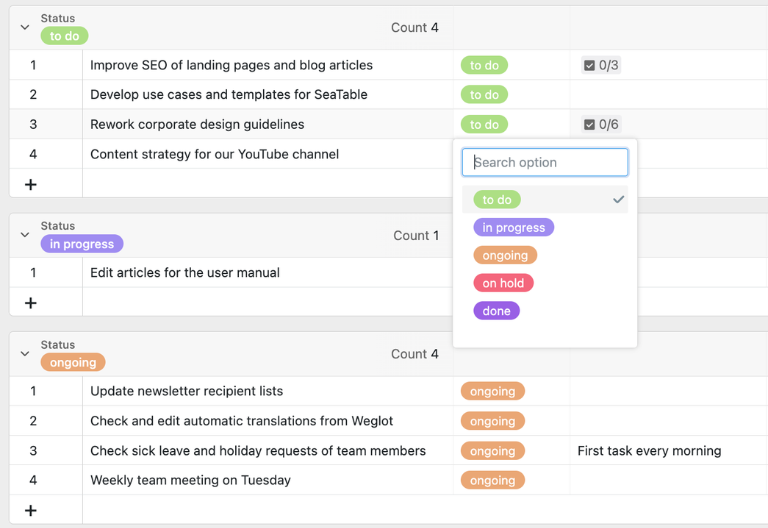
Status view for open work steps
In the first view, your tasks are grouped by status, such as To Do, In Progress, or Done. Another view shows only open tasks because it is filtered by the criterion “is not done.” This allows project managers to immediately identify where action is needed.
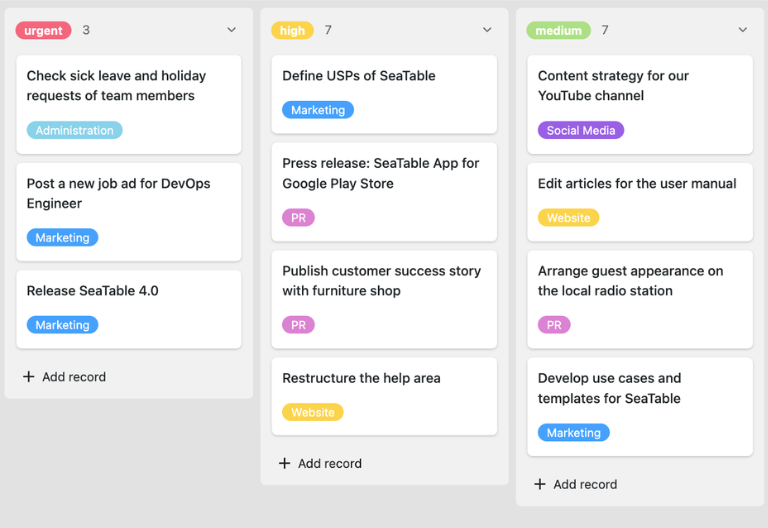
Kanban Boards for Progress and Prioritization
To get a clear overview, use two Kanban boards. On the first board, track progress and move cards between status columns using drag-and-drop. The second board shows priorities at a glance, so your team can complete important tasks efficiently and on time.
Calendar view for deadlines and scheduling
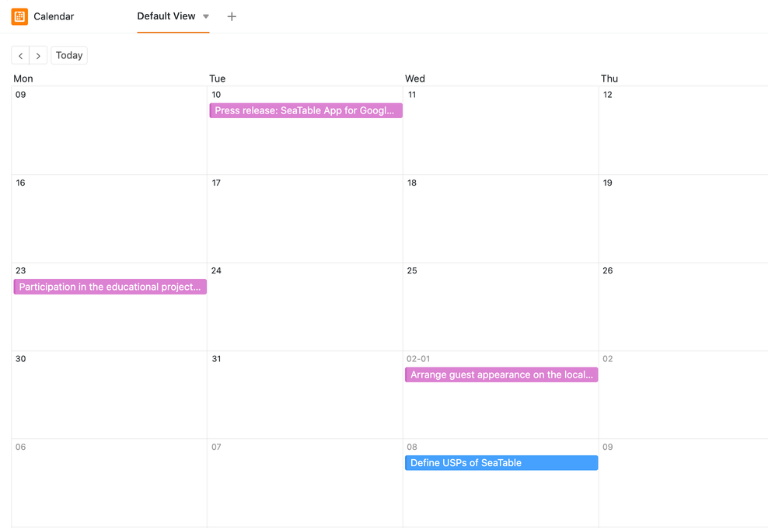
When you set deadlines for tasks, you can also view them in the calendar—by month, week, or day. This allows you to identify bottlenecks early on, coordinate resources more effectively, and seamlessly integrate the to-do list template into existing project processes.
Your interactive to-do list app
Revamp your task management with this customizable to-do list template! Perfect for project managers, team leads, and collaborative workflows. Turn the template into an interactive app for your to-do list that combines spreadsheets, Kanban boards, calendars, and prioritization tools all in one system. Visualize open tasks, deadlines, and progress in clear, organized views, and share specific sections with internal or external stakeholders. With customizable permissions, you decide who can view, edit, or review tasks. This turns your to-do list app into a flexible control center for projects, backlogs, and recurring workflows.
Organize tasks, deadlines, and priorities digitally—with SeaTable
Smart automation for project managers and teams
AI-powered task management
With SeaTable, your to-do list template gets a smart upgrade! Powerful AI features turning your to-do list template into a smart hub for prioritization, data analysis, and workflow management. Say goodbye to static Word, PDF, or Excel lists. With SeaTable, you’ll save time, coordinate teams more effectively, and keep a reliable track of tasks, deadlines, and responsibilities.
Identifying question types
With Classify, you can automatically assign new tasks to categories such as “Meeting,” “Content,” “Approval,” or “Analysis.” The AI analyzes titles, descriptions, and comments and enters the appropriate category directly into a field. This keeps your to-do list template neatly organized, filterable, and ready for analysis at any time.
Extract information from tasks
With Extract, AI automatically extracts key information from notes, briefings, or emails and adds it directly to your to-do list template. Deadlines, responsibilities, priorities, and subtasks are identified and assigned to the appropriate columns. This saves project managers time on manual data entry.
Making content from images usable
With OCR, you can extract content from screenshots, whiteboards, or photographed notes and convert it into structured tasks. The AI identifies tasks, deadlines, or assignees directly from image files. This ensures that even spontaneous inputs are seamlessly integrated into your mobile to-do list app.
Summarize project statuses
With Summarize, you can automatically generate brief status reports from open, in-progress, or completed tasks. The AI concisely summarizes table content and provides clear updates for meetings, reports, or stakeholders. This turns your to-do list app into a reliable foundation for quick coordination.
Define your own rules
With Custom Prompt, you can set up custom AI rules for your task management. For example, you can have it suggest priorities, refine unclear task descriptions, or generate reminders for missing deadlines. This way, the to-do list template adapts precisely to your processes and standards.
See critical tasks right away
With AI-powered status overviews, you can see at a glance which tasks are overdue, where deadlines overlap, or which work steps are stalled. This allows you to proactively manage priorities, respond more quickly to risks, and keep your project on track even when there are many tasks to manage.
Transparency and real-time collaboration
Transparent and flexible to-do list template
SeaTable is a modern AI-powered no-code database solution with automation features and an app builder, offering all the functionality you need for a professional to-do list template. The focus is on transparency, team collaboration, and flexible customization—from a simple task list with deadlines to a scalable to-do list app with a Kanban board, calendar, and prioritization features—serving as a powerful alternative to static Word, PDF, or Excel lists.
An alternative to static to-do lists
Organize your task management with SeaTable as a powerful project management tool significantly more efficient—thanks to linked views, Kanban boards, calendars, and automations for project managers and teams.
Combining Tasks and Planning
Link your to-do list template to the Project Plan Template and use SeaTable as a central platform for deadlines, responsibilities, milestones, and backlogs within a seamless workflow.
GDPR-compliant
If you use SeaTable Cloud or the built-in AI, all task-related data remains in Europe—the infrastructure is hosted exclusively on servers in Germany.
2FA and SSO
SeaTable supports two-factor authentication and single sign-on, allowing you to precisely control who can access your to-do list template, including tasks, deadlines, and project statuses.
FAQ – Frequently Asked Questions About SeaTable's To-Do List Template
-
Can I use the SeaTable to-do list template for free?
-
Yes, you can use the to-do list template for free in the SeaTable Cloud. All you need is a free account to get started right away with digital task management for projects, teams, and personal workflows in your to-do list app.
-
Why is a digital to-do list template useful?
-
A digital to-do list template provides clarity on tasks, priorities, responsibilities, and deadlines. Unlike sticky notes or static files, your team works in real time within a shared to-do list app, which helps them stay organized and avoid version confusion.
-
How can I customize the template to suit my needs?
-
You can flexibly customize fields, views, statuses, priorities, and workflows. This transforms the to-do list template into a fully customizable to-do list app for campaigns, projects, backlogs, or recurring tasks.
-
Can I set deadlines and assign responsibilities?
-
Yes, you can assign responsible parties, priorities, and deadlines to each task. Using the calendar, Kanban board, and filtered lists in your to-do list app, you can keep track of upcoming tasks, while the to-do list template serves as a central database.
-
Is Teams free to use?
-
Yes, teams can try out the to-do list template in the free SeaTable Cloud and use it together. This allows you to test collaborative task management in a centralized to-do list app before adding more features if needed.
-
How does this template help me set the right priorities?
-
With priority fields, Kanban boards, and filtered views, you can immediately see which tasks should be tackled first in your to-do list app. The to-do list template helps your team identify key steps and meet deadlines more reliably.
-
Can I use the to-do list template on my mobile device?
-
Yes, you can also manage your tasks on the go using a smartphone or tablet. This turns SeaTable into a mobile to-do list app, while the to-do list template continues to serve as a structured foundation for all tasks.
-
Is SeaTable also a good alternative to Excel?
-
Yes, SeaTable can be used as a flexible alternative to Excel, going far beyond a simple to-do list. Combine task management, project planning, status updates, and reporting into a single to-do list app built around the to-do list template as its central system.