SeaTable – Your Professional Project Plan Template
A well-thought-out project plan is at the heart of every successful project: With SeaTable’s project plan template, you can replace rigid and cluttered Excel files with a dynamic, cloud-based AI no-code solution. Plan milestones, task dependencies, resources, and capacities in one place, visualize project workflows in a Gantt chart, and collaborate with your team in real time. Use this flexible template for your projects as the foundation for transparent planning, reliable deadlines, and seamless coordination with all stakeholders.
Use online project planning
Project Plan Template for Complex Projects
-
Transparent project workflow
Organize all tasks, phases, and milestones in a centralized project schedule. Instead of static Excel project plan files, you’ll get a flexible template with a Gantt chart view, a Kanban view, and clear task dependencies.
-
Meet deadlines reliably
Plan start and end dates, dependencies, and buffer times clearly in one place. This allows you to identify critical paths, potential delays, and scheduling bottlenecks early on and keep a reliable overview of the entire schedule.
-
Use resources effectively
Link tasks to the people and teams responsible for them, as well as the required capacity. This allows you to see immediately where resources are fully utilized, where there is available capacity, and how rescheduling directly affects deadlines and project progress.
-
Manage permissions effectively
Specify in detail who is allowed to view, edit, or comment on tasks. This allows you to involve internal teams, management, and external partners in a targeted manner and create a secure, centralized project planning system for all relevant stakeholders.
-
Enter tasks using the form
Create new tasks, risks, or change requests directly via web forms. New entries are automatically added to your template and appear in the appropriate views for planning, implementation, and tracking without any manual effort.
-
Notify teams automatically
Take advantage of automatic notifications for new, updated, or overdue tasks. This keeps your team up to date in real time and helps them reliably track deadlines, responsibilities, and key milestones.
Who uses SeaTable?
Leading companies around the world rely on SeaTable

















100.000+
Downloads in Docker Hub's first year
1.500+
Daily users on SeaTable Cloud
4.6
Review on Capterra
Your benefits at a glance
Use a project plan template online with SeaTable
The AI-powered no-code solution SeaTable combines flexible database logic with modern views such as Gantt charts, Kanban boards, and calendars. With this template, you can plan projects from kickoff to completion, keep track of deadlines, dependencies, and resources, and establish a common foundation for stakeholder management across the entire team—use SeaTable as a flexible project management tool .
Always up to date: Thanks to comments, revision history, and real-time updates, your project planning is always up to date—from initial ideas to completion.
Access from anywhere: With an online, cloud-based template, you can access your project plan and all views at any time—whether you’re in the office, working from home, or visiting a client.
Project Transparency: Link tasks, phases, and milestones to clearly map out dependencies. This allows you to immediately see which deadlines are critical and where action is needed.
Scalable: Your template grows with your needs—no matter how many projects, subprojects, teams, or stakeholders you manage. Or use our project portfolio template , to support multi-project management and resource planning.
Automated & integrated: Your template scales with you—no matter how many projects, subprojects, teams, or stakeholders you manage. If needed, you can add additional modules, such as for portfolio or resource planning.
Create a project schedule in SeaTable
How the Project Plan Template Works
Track tasks and milestones
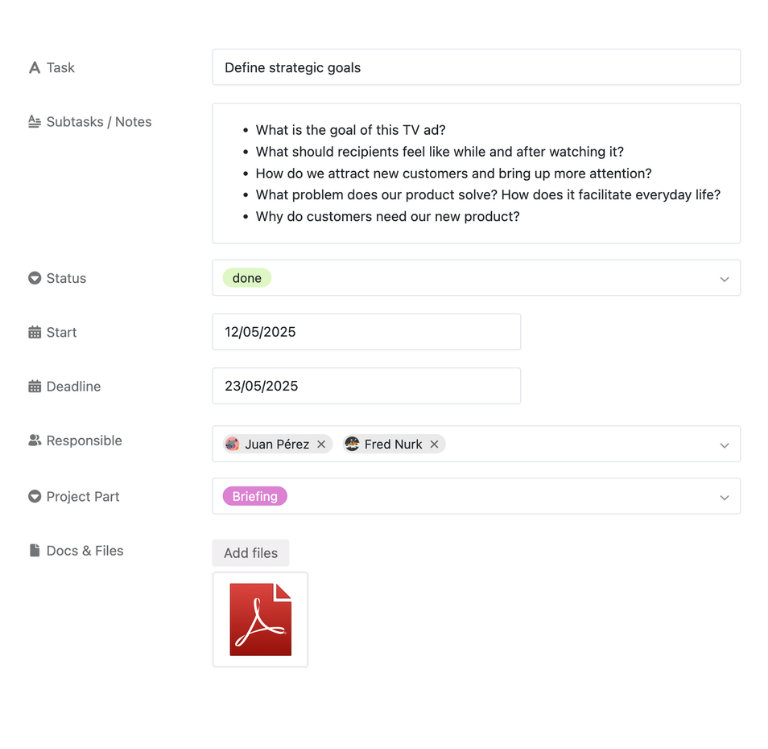
In the first table of the project plan template, you can consolidate all the phases, tasks, subtasks, and milestones of your project—including status, assignees, start and end dates, priority, and optional effort estimates. Through various views, project managers and team members can keep track of the entire project schedule without having to reconcile multiple Excel project plan files—from planning through implementation to completion.
Visualize scheduling in a Gantt chart
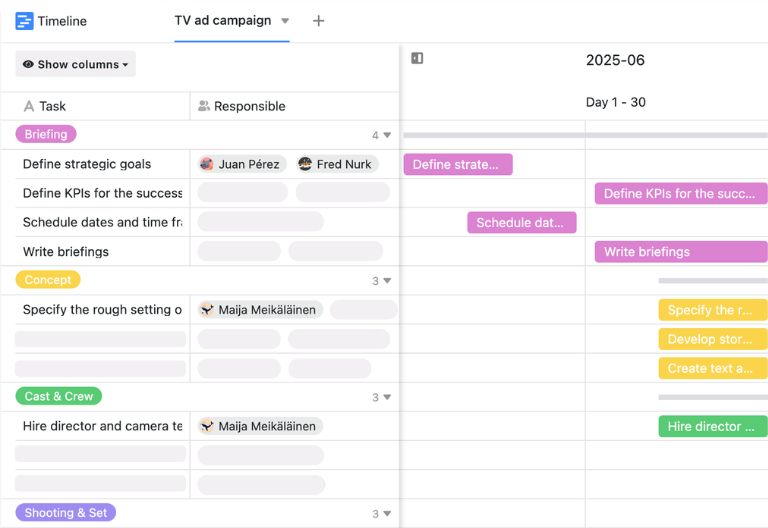
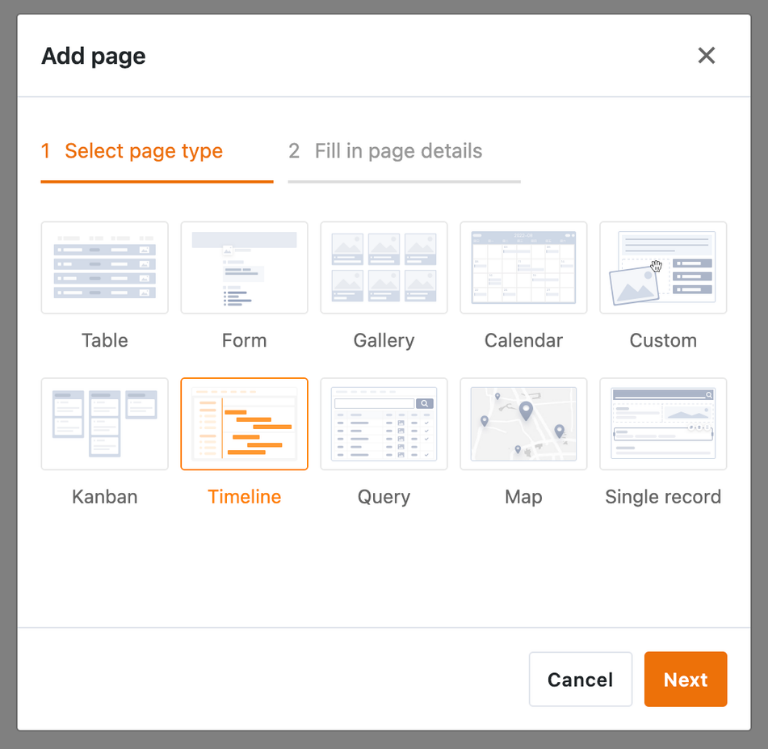
In the timeline or Gantt view, you can visualize all tasks as bars on a timeline and immediately see which tasks are running in parallel, which depend on one another, and where critical paths arise. You can choose between annual, quarterly, monthly, weekly, or daily views and identify bottlenecks, buffer times, and schedule risks much more quickly than in a traditional Excel project plan spreadsheet.
Kanban view for operational management
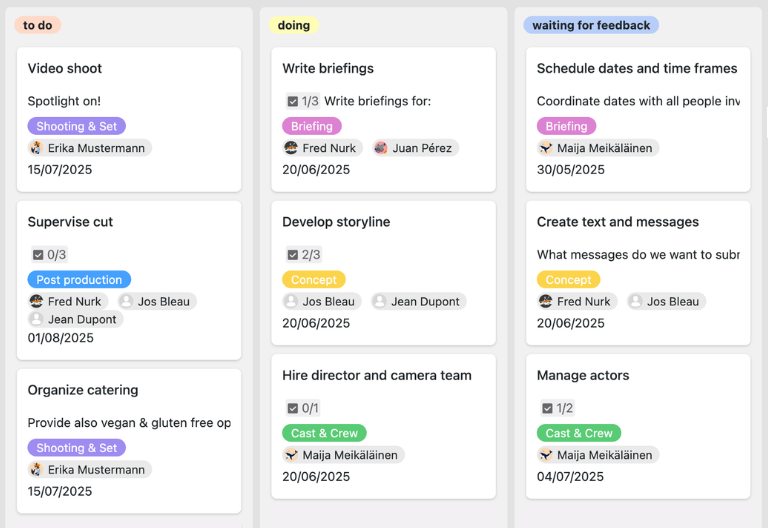
The built-in Kanban board groups all tasks by status—such as “Open,” “In Progress,” “Waiting for Feedback,” and “Completed”—and provides transparency into the team’s progress and roadblocks. You can move tasks between columns using drag-and-drop, which automatically updates their status, thereby combining a structured project schedule with an agile task board for day-to-day project management.
Documents, Communication, and Reporting
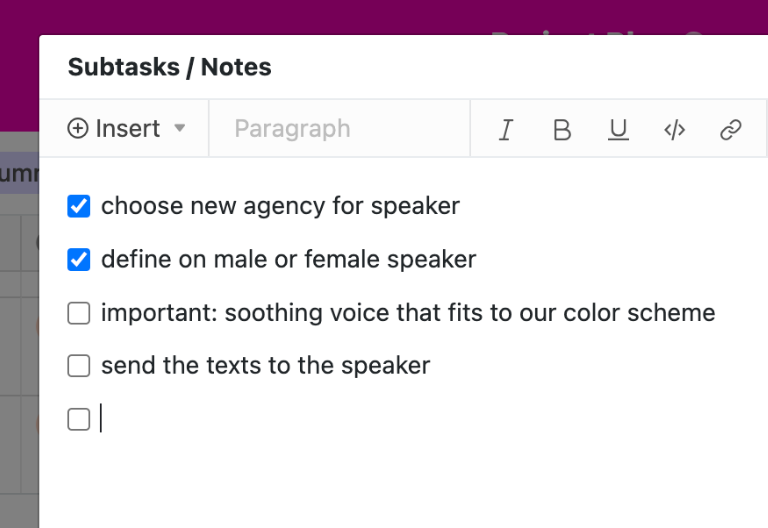
For each task, you can attach briefings, specifications, presentations, or contracts directly as files and use comments for coordination and approvals—including @mentions for relevant people. Calendar and dashboard views also provide a visual overview of deadlines, milestones, progress, and workload, allowing you to create status reports and project reviews directly from the project plan template.
Your Custom Project Planning App
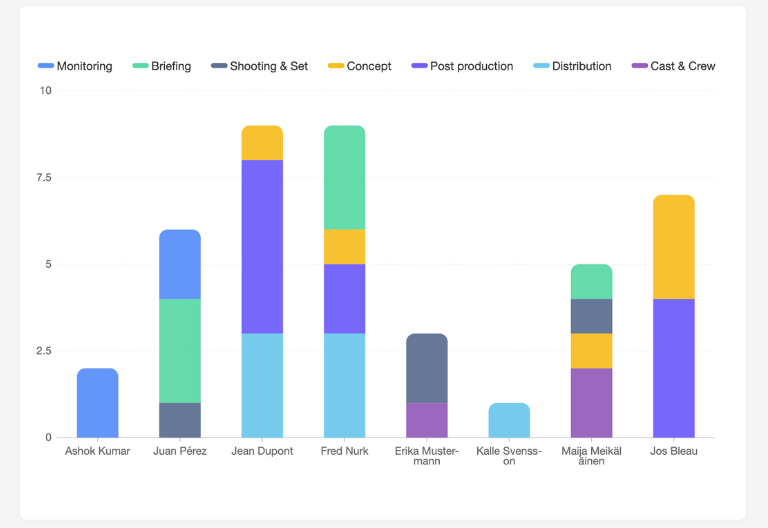
With the built-in no-code app builder, you can easily create a custom frontend based on the project plan template. Combine forms for new tasks, Gantt views for schedules, Kanban views for daily workflows, and filtered views tailored to specific roles. Share specific sections via links with stakeholders and use permissions to control who can view or edit which elements of the template—turning your project plan into a customized project plan app for your team.
Keep track of deadlines, resources, and workflows—with SeaTable’s project plan template
Smart automation for your project plan
AI-powered project plan
Take advantage of powerful AI features , to optimize your project planning and take it to the next level. Automate tedious routine tasks and say goodbye to the hassle of maintaining Excel files. Free up valuable time for analysis and make informed decisions about priorities and resources. Transform your project planning into an efficient and stress-free experience. Get started now and see how easy project management can be!
Classify tasks automatically
Using AI-powered classification, SeaTable automatically assigns new tasks to the appropriate phases, categories, or milestones based on their title and description. This ensures that entries are placed directly in the correct context of your project plan template—such as the Gantt chart, the Kanban view, or specialized risk and change views—without requiring manual updates by project managers.
Extract information from emails
With AI-powered data extraction, you can automatically extract relevant information—such as responsible parties, deadlines, and effort estimates—from logs, emails, or meeting notes. This data is transferred to your Project Plan template in a structured format, eliminating the need to manually enter it into Project Plan Excel files—complete with clean fields for filters, reports, and analyses.
Capture project documents using OCR
With optical character recognition (OCR), you can import content from screenshots or other images directly into your digital project plan template. Tasks, milestones, and budgets are immediately available and can be reused in Gantt charts, Kanban boards, or dashboards without having to tediously retype the information.
Automatically consolidate status reports
Using automatic summaries, the AI generates concise, easy-to-understand overviews from lengthy status reports, comment threads, or meeting minutes. This allows you to grasp the essence of a project phase more quickly and prepare for status meetings, reviews, and management reports efficiently—ideal for presenting complex projects to stakeholders in a clear and understandable way.
Identifying Risks and Trends
With AI-powered status and risk overviews, you can generate structured reports on open and completed tasks by phase, project, or time period at the click of a button. The AI highlights trends, risks, and bottlenecks, allowing you to proactively manage your projects—without having to manually review multiple Excel project plan files or painstakingly compile reports.
Customize reports
With customizable AI prompts, you can automatically generate recurring reports such as monthly status reports, management updates, or team summaries. The AI directly accesses your project plan template, compiles relevant metrics, and generates easy-to-understand text that you simply need to review and send to stakeholders.
Transparency and Collaboration
Project Plan Template for Every Use Case
SeaTable is a modern, AI-powered no-code database solution with automation features and an app builder, offering all the functionality you need for professional project plan templates. It focuses on traceability, real-time collaboration, and flexible customization, all while maintaining the highest security standards—from your first project plan template to a scalable multi-project environment.
GDPR-compliant
If you use SeaTable Cloud or its built-in AI features, all your data remains in Europe—the infrastructure is hosted exclusively on servers in Germany.
2FA and SSO
SeaTable supports common authentication methods such as two-factor authentication and single sign-on, allowing you to control who can access your sensitive project data.
FAQs About the SeaTable Project Plan Template
-
What should a professional project plan include?
-
A professional project plan includes objectives, phases, tasks, milestones, task dependencies, responsibilities, deadlines, and resources. In the SeaTable template, you can map out all these elements in a structured and interconnected way—including a Gantt chart, Kanban view, and real-time collaboration.
-
Why should I stop using an Excel spreadsheet for project planning?
-
Excel project plans quickly reach their limits: no real-time collaboration, manual updates, no automated stakeholder management, and no clear representation of task dependencies. The SeaTable template offers a cloud-based, interactive alternative with Gantt charts, Kanban views, automated notifications, and flexible reporting.
-
How do I create a project schedule in SeaTable?
-
Create a new project and select a template. Enter tasks with start and end dates, assign responsible parties, and define task dependencies. Then use the timeline or Gantt chart view to generate a visual project schedule—which is much more convenient than an Excel project schedule.
-
Can I import my data from Excel into the SeaTable template?
-
Yes, you can import existing Excel project plan files as CSV files and import them directly into the template. You can then customize fields, views, and automations to suit your needs and take advantage of Gantt charts, Kanban views, and real-time collaboration—without having to re-enter your existing data.
-
What types of projects is this template suitable for?
-
The project plan template is suitable for both traditional and agile projects—from IT implementations and marketing campaigns to construction and consulting projects, as well as product development. Thanks to the Gantt view, Kanban view, and flexible filters, project managers can tailor any project plan to their industry and methodology.
-
Can I share my project plan with stakeholders?
-
Yes, you can share specific views of your template via a link—such as just the Gantt chart, a milestone overview, or a Kanban board. You can use permissions to control whether stakeholders are allowed to view, comment on, or edit tasks.
-
Does the template support automated notifications?
-
Yes, you can set up automations in SeaTable to send notifications when statuses change, new tasks are added, or deadlines are about to be missed. This keeps project managers and team members informed at all times without having to constantly check the project plan manually.
-
Can I combine this template with other project management templates?
-
Yes, you can combine this template with other SeaTable templates, such as Project Portfolio, Task List, or Risk Register. This creates an integrated project environment where you can consolidate strategic planning, operational management, and reporting into a single central platform.