SeaTable - Your Kanban board template
Visualize your workflows with SeaTables Kanban board template for efficient task management. Customizable - scalable - GDPR-compliant - with AI support.
Use Kanban Board online
Kanban board software for agile teams
-
Intuitiv
The user-friendly Kanban board template is easy to understand and less error-prone than a Kanban board in Excel or handwritten cards.
-
Flexible
Add as many tables, columns and links as you like. Customize the template to your individual requirements - without IT support.
-
Transparent
You and your team work together in real time. This means that everyone always has the latest information and data - without the need for update meetings.
-
AI automation
SeaTable’s integrated AI-supported automations enable even more efficient processes - GDPR-compliant thanks to its own AI server.
-
Analysis
With just a few clicks, you can create appealing analysis dashboards to analyze and optimize your processes.
-
Authorizations
With individually adjustable authorizations, you determine who is allowed to view or edit Kanban boards and certain information.
Who uses SeaTable?
Leading companies worldwide rely on SeaTable

















100.000+
Downloads in the first year of Docker Hub
1.500+
Daily users on SeaTable Cloud
4.6
Rating on Capterra
Your advantages
Use Kanban Board online with SeaTable
The AI no-code solution SeaTable impresses with its flexibility and customizability. With our Kanban board template, you benefit from many advantages and can also map dynamic processes.
Always up to date: Always stay up to date thanks to the communication functions, complete change history and real-time updating.
Access from anywhere: With an online Kanban board, you have access at any time and protect your data from loss.
Data protection: SeaTable Cloud and the SeaTable AI server are hosted exclusively in Germany.
Scalable: Our Kanban template grows with your requirements - regardless of how many teams or employees you have.
Use Kanban
How the Kanban board template works
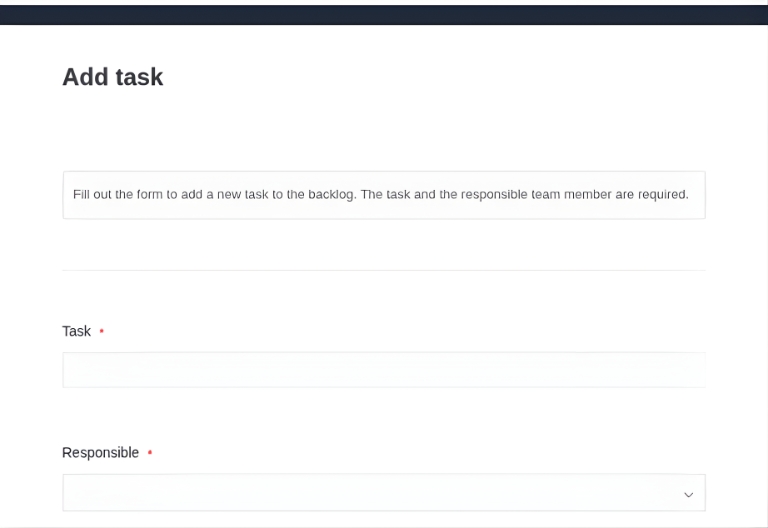
Simply create new tasks
Create new tasks easily using a form and assign them directly to your employees. All tasks can be viewed in the “Project Tasks” table, either as a spreadsheet or in the Kanban view.
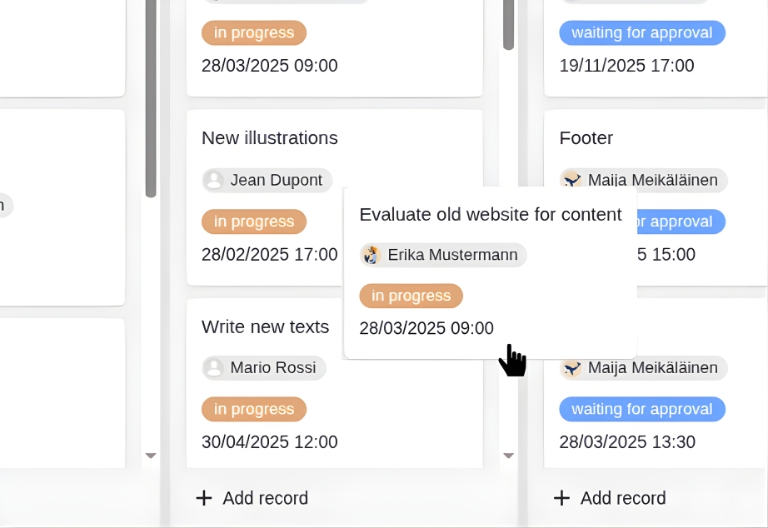
Group tasks
SeaTable offers extensive filter and grouping options. This means you can always display your tasks exactly as you need them. Tasks can simply be moved around the board using drag-and-drop.
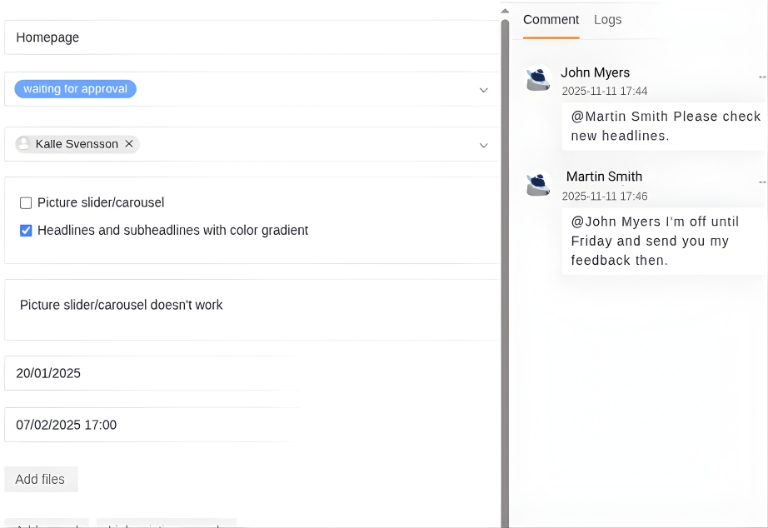
Communication
Simply comment on a task and @mention everyone you want to join the conversation. Or create notification rules to stay informed about important updates.
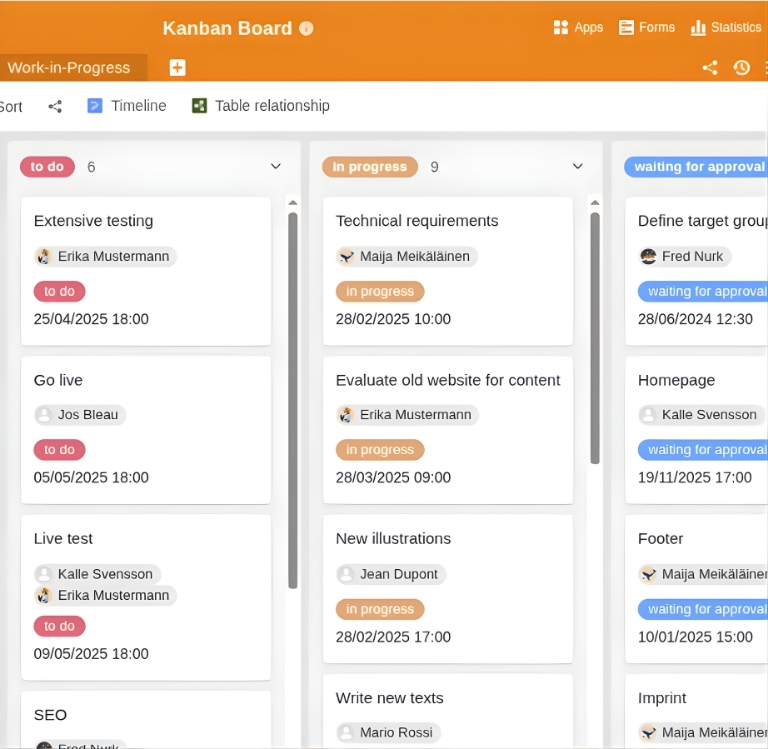
Set WIP limits
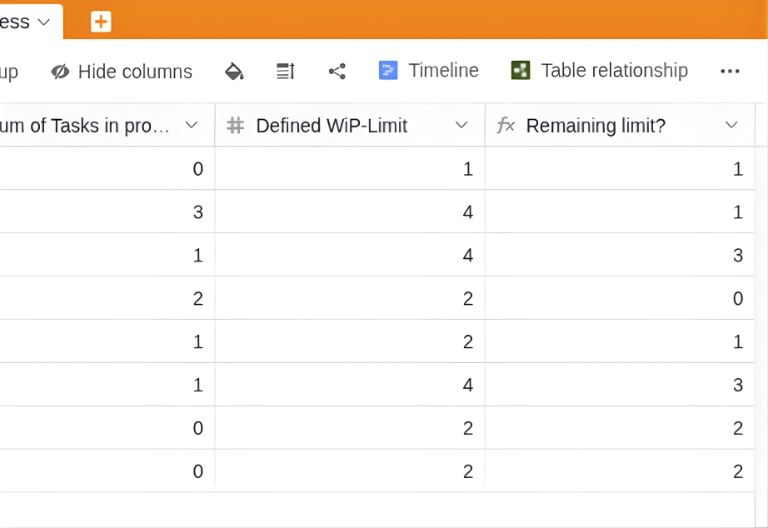
WIP limits are a central element of an effectively used Kanban board. Define individual limits for each team member or for entire teams in the “Work-in-Progress” table - and monitor your resources efficiently.
Your individual Kanban app
With SeaTable’s integrated no-code app builder, you can create your own customized Kanban frontend with little effort. Use Kanban in project management, for example, and create different pages and dashboards for employees and stakeholders, share boards with external parties via a link and store important additional information. Password protection and user-defined authorizations offer additional security.
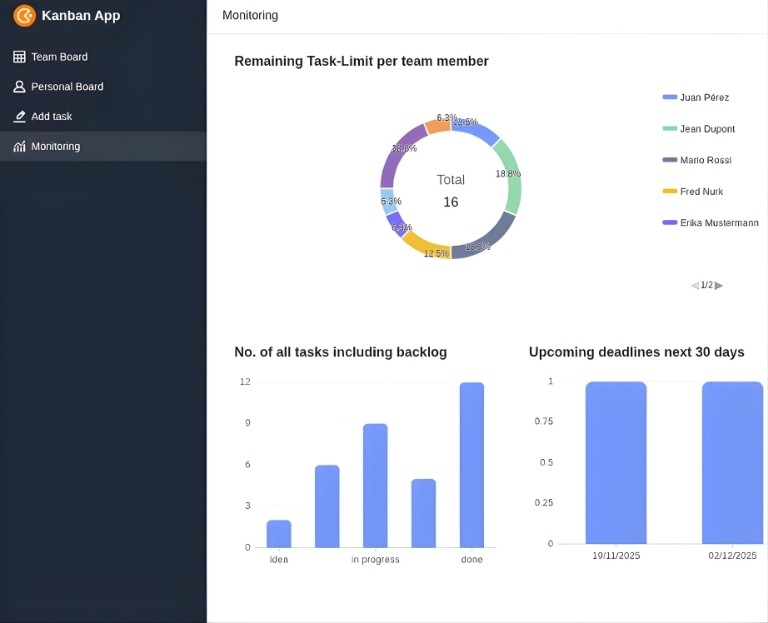
Make the most of your capacities - with SeaTable
Smart automation
AI-powered task management with SeaTable
With SeaTable, you benefit from powerful AI features , that take your Kanban board to the next level. Automate recurring tasks and save valuable time.
Prioritization with Classify
Have new tasks automatically sorted by urgency: The AI function “Classify” evaluates tasks based on their description and due date and automatically assigns them to the priority levels “High,” “Medium,” or “Low”—saving time in triage and ensuring consistent standards across the team.
Task descriptions with Summarize
The Summarize feature automatically creates concise summaries from longer task texts or copied email content. Perfect for quick team updates and daily standups—everyone can see what’s going on at a glance without having to read long texts.
Automatic estimates with Extract
The Extract function automatically recognizes important information in task descriptions, such as time specifications (“approximately 3 hours”), names of team members mentioned, or technical dependencies, and enters them in separate columns—significantly reducing manual post-processing.
Tailored workflows with Custom Prompt
With the custom prompt feature, you can define your own AI instructions for specific workflow automations. Examples: Automatic generation of acceptance criteria, intelligent assignment to team members based on skills, or automatic creation of subtasks—all according to your requirements.
Text recognition for attachments with OCR
Upload design mockups, whiteboard photos, or handwritten notes—the OCR feature automatically recognizes text, requirements, and details and transfers them to your task description. Ideal for workshop results or quick captures with your smartphone.
Sprint reports at the touch of a button
Automatically generate sprint summaries for retrospectives or stakeholder updates: AI summarizes completed tasks, outstanding blockers, and milestones achieved in a structured manner—saving time in sprint reviews and consistently documenting progress.
Maximum security
Kanban board template for every use case
SeaTable is a modern AI no-code database solution with automations and app builder and offers all the functions you need for a digital, integrated Kanban tool. The protection of your data is our top priority.
GDPR compliant
SeaTable Cloud: When you use SeaTable Cloud or our integrated AI, all your data stays in Europe. Our infrastructure is hosted exclusively on servers in Germany.
2FA and SSO
SeaTable supports all common authentication techniques and enables two-factor authentication and SSO. Because you decide who gets access to your data.
FAQs about the Kanban Board template from SeaTable
-
Can I use SeaTable's Kanban template free of charge?
-
Yes, you can use all templates free of charge for an unlimited period of time. All you need is a free account and you can start using your Kanban board software straight away.
-
Is SeaTable an alternative to Trello, Jira, or Asana for Kanban?
-
Yes, SeaTable is a powerful alternative to Asana , Jira and Trello. Unlike these tools, SeaTable offers not only Kanban boards, but also flexible database functionality, AI-powered automations, granular permissions, and full GDPR compliance through German hosting—all in one platform.
-
Can I import my existing Trello board into SeaTable?
-
Yes, you can easily migrate your Trello boards to SeaTable. SeaTable supports importing CSV files and JSON exports. After importing, you can customize the data structure, add additional columns, and benefit from all SeaTable features such as AI automation and advanced permissions.
-
Does SeaTable allow me to set WIP limits as a Kanban tool?
-
Yes, in our template, you can define individual limits for each team member in the “WIP Limit” table. With the integrated notification function, you can set up alerts when a limit is exceeded. A sample notification has already been created in our Kanban tool.
-
I want my team members to only see their own tasks. Is that possible?
-
When you create a digital Kanban board online with SeaTable, you can set individual read and access rights. For example, you can create a Kanban board for your teams and a separate board for each team member that only they can view. Filters can also be set so that employees can only see their assigned tasks.
-
Does SeaTable support agile methods such as Scrum and sprint planning?
-
Yes, the Kanban board template can be flexibly adapted for Scrum. You can map sprints as separate columns or tables, add story points, create burndown charts, and document retrospectives. The template is suitable for both classic Kanban and hybrid Scrum/Kanban approaches.
-
Can I also manage and move tasks on my mobile device?
-
Yes, the Kanban board is fully optimized for mobile devices. You can create, edit, comment on, and drag and drop tasks between columns using your smartphone or tablet—whether you’re in the office, working from home, or on the go. All changes are immediately synchronized with your team.
-
Can I be automatically warned about overdue tasks?
-
Yes, the Kanban board template supports smart notifications and alerts. You can define automatic alerts for overdue deadlines, unassigned tasks, exceeded WIP limits, or blocked tasks. The AI can also proactively flag risks in your workflow.
-
Can I create multiple Kanban boards for different projects?
-
Yes, you can create as many Kanban boards as you need for different projects, teams, or workflows. Each board can be configured individually—with its own columns, WIP limits, permissions, and automations. The boards can be linked to each other to map cross-project dependencies.
-
I would like to use SeaTable as a Kanban tool. Is there any free support available?
-
Yes, you can contact our support team with any questions you may have. Either post your question in our community forum or contact us directly by email.