SeaTable – Your editorial plan template for structured content marketing
Many content marketing projects fail due to a lack of structure, unclear responsibilities, and scattered editorial plan Excel files. With the editorial plan template in SeaTable, you can bundle your topics, channels, and deadlines in a digital editorial calendar. You can plan blog articles, newsletters, social media posts, and campaigns centrally, keep track of status and capacity planning, and replace rigid content plan templates in Excel with a flexible, collaborative system.
Use the editorial calendar online
Editorial plan template for your content workflow
-
Intuitive start
Use the editorial plan template to immediately record content ideas, topics, and formats in a structured manner. This will help you avoid queries and create a clear foundation for your content plan—from briefing to publication.
-
Structure instead of chaos
Bundle topics, channels, target groups, keywords, and deadlines in a central content plan template. This replaces scattered files and creates a uniform editorial calendar with transparent status for everyone.
-
Inhalte im Blick
Keep track of which content is planned for which channels and where there is still capacity available. This allows you to optimize your planning, fill gaps in your editorial calendar, and use your content more efficiently.
-
Rights and approvals
Control exactly who can contribute ideas, edit briefings, or approve publications. This allows you to separate content creation from approvals and ensure that only authorized persons can change key fields such as status or budget.
-
Web forms for ideas
Collect topic suggestions, campaign ideas, and briefings via a web form that automatically feeds into your editorial plan. This way, all input is stored centrally in the calendar and no longer gets lost in chats or notes.
-
Reminders & Deadlines
Get reminders for deadlines, publications, or corrections and avoid missing content slots. This keeps your editorial plan up to date and provides reliable support for campaigns and product launches.
Who uses SeaTable?
Leading companies worldwide rely on SeaTable

















100.000+
Downloads in the first year of Docker Hub
1.500+
Daily users on SeaTable Cloud
4.6
Review on Capterra
Your advantages at a glance
Use the editorial plan template online
The AI no-code solution SeaTable offers flexibility, automation, and real-time teamwork. With editorial and content plan templates, you can centrally manage all your multi-channel content, keep track of status and capacities, and create a uniform basis for your content marketing—more efficiently than a traditional Excel editorial plan approach or static systems. Use SeaTable as a powerful marketing tool and templates become scalable marketing processes.
Always up to date: With comments, change history, and real-time updates, your editorial planning always stays up to date—from the initial idea to the final publication.
Access from anywhere: As a digital editorial calendar, your content plan is available at any time—in the office, at home, or on the go, even for agencies and freelancers.
Multi-channel strategy at a glance: Link your blog, website, newsletter, and social media in a central editorial plan and keep track of when which content appears on which channel.
Scalable: Your editorial calendar grows with your content marketing—from small blogs to multilingual campaigns across multiple channels and international markets.
Automated & integrated: Use SeaTable as your central marketing tool and integrate your editorial plan into workflows for campaigns, approvals, and reporting—with appropriate automations.
Editorial plan: practical example
How the editorial plan template works
Manage content centrally in the editorial plan
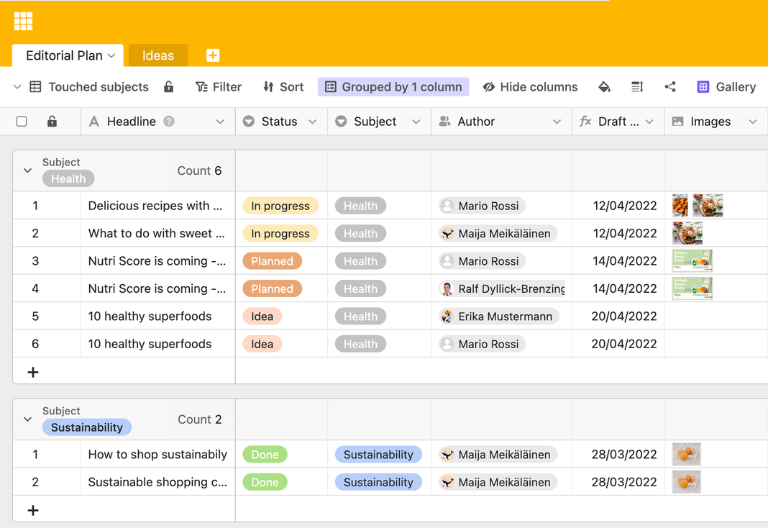
In the first table of the editorial plan template, you plan all content—from blog articles to landing pages to newsletter campaigns. You enter the title, target audience, channel, format, keywords, status, and publication date, and define who is responsible and who needs to approve it. Using Kanban views (Kanban Board), you can visualize the status from “Idea” to “Published” and make your editorial calendar transparent for the entire team.
Idea pool and backlog for content tasks
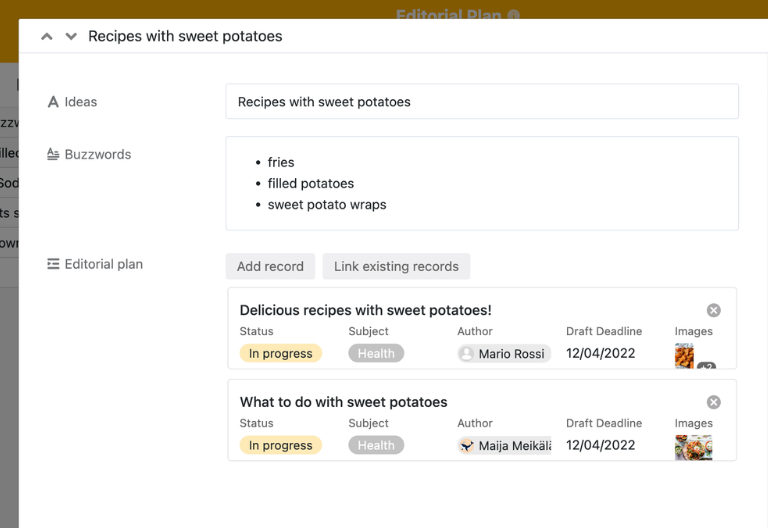
A second table serves as an ideas area and backlog for your content plan template. Here, you collect topic suggestions from sales, product, management, or the community, prioritize them, and transfer selected ideas to the active editorial plan via links. This way, no idea is lost, you structure your content funnel for the long term, and you create clarity about which content moves to the Kanban board and when.
Multi-channel strategy with clear capacity planning
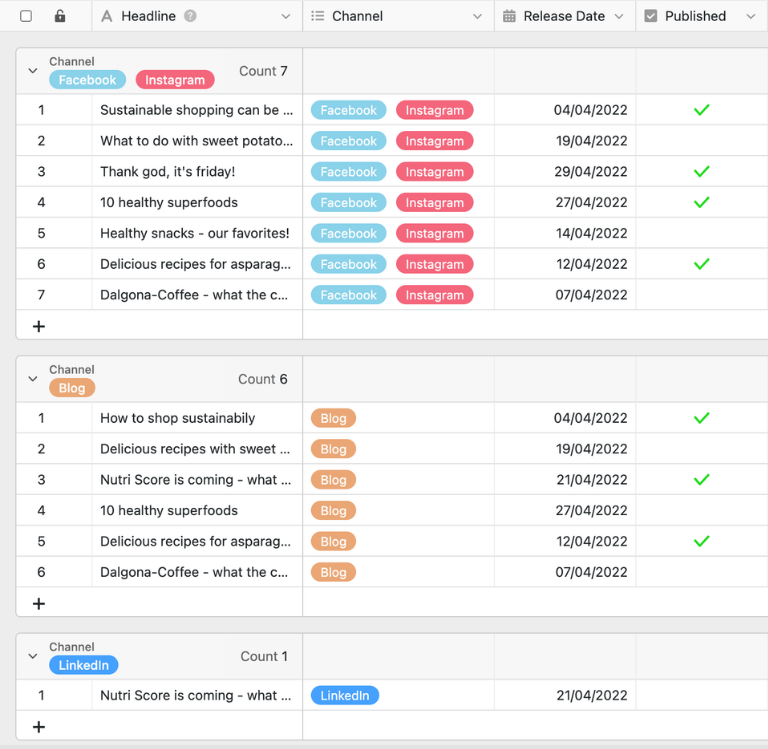
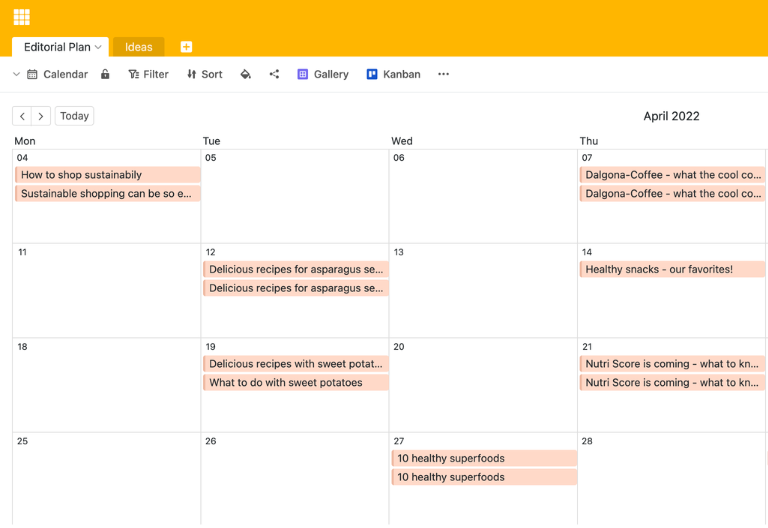
In another view, you can plan your multi-channel strategy across all platforms — such as your website, blog, newsletter, and social media. You can see which content is reused on which channels, what the capacity planning looks like per week or sprint, and whether the editorial plan for individual platforms is too full or too empty. Timeline and calendar views turn your editorial calendar into a structured content plan that neatly orchestrates campaigns.
Keep track of status, assets, and approvals
Additional tables and views help you manage assets, briefings, and approvals within your editorial plan template. You can link text, images, header graphics, and tracking links to the respective content elements, document feedback loops, and record when content was approved and published. Status fields, Kanban views, and filters allow marketing specialists and content creators to see at any time which tasks are pending and where bottlenecks are occurring in the editorial calendar.
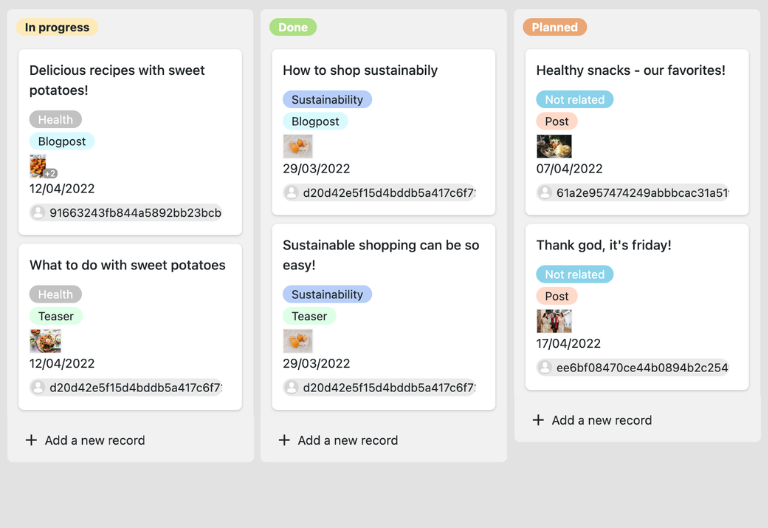
Your personalized editorial calendar app
With the integrated App Builder, you can use the editorial plan template to build your own custom content app for marketing specialists and content creators. Combine forms for topic suggestions, overviews for the editorial calendar, Kanban views for status and capacity planning, and focused filter views for individual channels or campaigns—right down to specialized views for social media, which you can create with the social media plan template Share specific excerpts with stakeholders as a front end and use permissions to control who can view or edit which elements of your content plan—turning the editorial plan template into a customized editorial plan app.
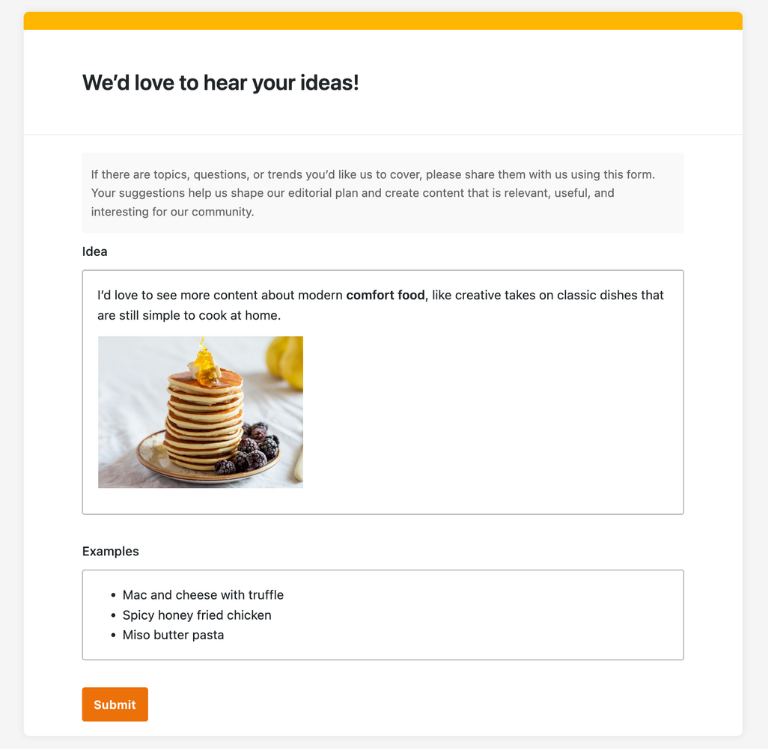
Keep track of topics, channels, and deadlines with SeaTable's editorial plan template.
Smart automation in content marketing
AI-supported editorial planning
With SeaTable, you can use powerful AI features , that automate your editorial planning, content creation, and evaluation. This turns your editorial plan template into an intelligent content hub that takes care of routine tasks and gives marketing teams more time for creativity and strategy.
Classification of content with Classify
With Classify, you can automatically organize new content in your editorial plan by channel, format, topic, or funnel phase and structure your content plan without any manual effort. This allows you to identify which content types you use most frequently and where there are still gaps in your editorial calendar.
Data extraction with Extract
With Extract, you can automatically extract information such as topic clusters, keywords, or target groups from briefings, emails, or meeting notes and transfer them in a structured manner to your editorial plan. The recognized content goes directly into the fields of your content plan, shortening the path from idea to planning.
Text recognition with OCR
With OCR, you can capture content from images such as scanned notes or photographed whiteboards and transfer relevant information directly into your editorial plan. This allows you to quickly integrate offline ideas and existing documents into your content plan template.
Automated summaries with Summarize
With Summarize, you can automatically summarize extensive briefings, interview transcripts, or campaign reports in just a few sentences. You can grasp the essence of complex content more quickly and prepare topics for your editorial plan much more efficiently.
Tailor-made automation with Custom Prompt
With Custom Prompt, you can define your own AI instructions that support typical routines in your editorial calendar—such as suggestions for headlines, recommendations for channel distribution, or automatically generated teaser texts for various platforms.
Status overviews at the touch of a button
With AI-powered status and performance overviews, you can automatically generate clear analyses of publication frequency, channel balance, campaign success, and your content team’s workload. The AI highlights anomalies so you can optimize capacities, topics, and formats in your editorial plan at an early stage.
Transparency and cooperation
Editorial plan template instead of content chaos in Excel
SeaTable is a modern AI no-code database solution with automation and app builder, offering all the features you need for a professional digital editorial plan template. The focus is on traceability, teamwork, and flexible customization with the highest security standards—from the first simple content plan template to a scalable editorial calendar structure for international campaigns.
Alternative to Excel
Organize your editorial plan more efficiently with SeaTable than with Excel—thanks to linked tables, custom views, and automations for greater clarity and speed.
Connecting social media and content
Link your editorial and social media plans and combine your blog, newsletter, and social media into a clearly structured, multi-channel content plan with a consistent status.
GDPR compliant
When you use SeaTable Cloud or the integrated AI, all data remains in Europe—the infrastructure is operated exclusively on servers in Germany.
2FA and SSO
SeaTable supports two-factor authentication and single sign-on, allowing you to control who can access your content data in the editorial plan.
FAQs about SeaTable's editorial plan template
-
Can I use SeaTable's editorial calendar template for free?
-
You can use the template free of charge in SeaTable Cloud. All you need is a free account, and you can immediately begin to map your content marketing in a structured manner in a digital editorial calendar.
-
How does the SeaTable editorial plan differ from an Excel editorial plan?
-
With an Excel editorial plan, you quickly reach your limits: manual maintenance, missing links, and high susceptibility to errors. This template in SeaTable links content, channels, campaigns, and responsible parties, offers views such as calendar, timeline, and Kanban board, and enables automation—making your editorial calendar significantly more robust and transparent.
-
Can I import existing content plans from Excel into SeaTable?
-
Yes, you can transfer existing content lists, editorial plans, or campaign overviews from Excel to SeaTable via CSV import. After importing, customize the template and benefit from all the features of the digital solution.
-
Is this template suitable for multi-channel strategies?
-
Yes, you can map all relevant channels such as your website, blog, newsletter, and social media in your template, link channels, and plan your multi-channel strategy in a structured way in the editorial calendar.
-
Can I combine my editorial plan with social media planning?
-
Yes, you can link the editorial plan template to the social media plan template and assign content directly to channels, target groups, and campaigns. This creates a consistent content plan structure for your entire marketing strategy.
-
How many users can work with the template at the same time?
-
Multiple users can work on the same base at the same time, submitting ideas, planning content, or updating statuses. Permissions allow you to control who can read, comment, or edit—ideal for marketing teams, agencies, and external freelancers.
-
Can I create my own fields, views, and workflows in the template?
-
Yes, you can add additional columns, tables, views (e.g., Kanban board, calendar, timeline), and automations at any time. This allows you to flexibly adapt your editorial planning to your content processes, reporting requirements, and the specifics of your multi-channel strategy.
-
Is SeaTable suitable as a content plan and marketing tool?
-
Yes, SeaTable is a modern, collaborative alternative to traditional editorial plan Excel files and specialized content tools. With this template and others, you can combine flexible database logic with views such as calendar, timeline, Kanban, and app front ends to implement your content marketing exactly as you need it.