Competitive Analysis Template: Positioning & Market Monitoring
Cluttered Excel spreadsheets, scattered documents in Word, PDF, and PowerPoint, and difficulty comparing data: traditional approaches to competitive analysis quickly reach their limits. Competitor data is scattered, charts are time-consuming to create, and updates are tedious. With SeaTable’s competitive analysis template, you can capture competitor master data, market shares, target audiences, marketing channels, SWOT analyses, and USPs in a collaborative platform—including dashboards for visualizations, automated comparisons, and real-time updates for your competitive analysis. Analyze the competition with this template for data-driven strategy development and benchmarking.
Structure a competitive analysis online
Competitive Analysis Template for Your Strategy Workflow
-
Finally Break Down Data Silos
Consolidate competitor data, market shares, target groups and SWOT analyses centrally in the Competitive Analysis Template. Replace scattered Excel lists, Word docs and PowerPoints with one collaborative platform for your competitive analysis. All market info for research and positioning stays current and team-accessible.
-
Track market share in real time
Monitor competitors market shares, prices and features live via the competitive analysis template. The competitive analysis tool delivers real-time comparisons so marketing teams and C-level spot strategic gaps instantly. Eliminate manual reconciliations for benchmarking and pricing strategies in competitive analysis
-
Identify gaps early on
Visualize USPs, unique selling points and marketing mix in the competitive analysis template dashboard. Competitor weaknesses and market opportunities appear immediately – no tedious graphics needed. Leverage automated business intelligence to drive your strategic development and positioning.
-
Proactively Manage Market Risks
Detect market changes ahead of competitors via automated alerts in the competitive analysis template. Get notified on media strategy or feature comparison updates immediately. Strengthen data-based positioning while minimizing risks through systematic market monitoring with the competitive analysis tool.
-
Changes without an IT ticket
Flexibly customize the competitive analysis template without IT tickets: Add fields for SWOT analyses, market shares or target groups as needed. The scalable no-code structure grows with your market research and benchmarking requirements, enabling seamless collaboration for C-level and marketing teams.
-
Manage competitors centrally
Maintain all competitor master data centrally: logos, websites, USPs and market intelligence in the competitive analysis template. Automatic linking to products, prices and SWOTs creates seamless feature comparisons and supports collaborative strategy development across your organization.
Who uses SeaTable?
Leading companies around the world rely on SeaTable

















100.000+
Downloads in Docker Hub's first year
1.500+
Daily users on SeaTable Cloud
4.6
Review on Capterra
Your benefits at a glance
Competitive Analysis in One Place
With SeaTable, a flexible AI-powered no-code platform, you can build a competitive analysis tool that adapts perfectly to your marketing and strategy workflows. Replace confusing Excel spreadsheets and scattered documents with an interactive competitive analysis template featuring drag-and-drop functionality, dashboards, and automated visualization—ideal for real-time comparisons, market monitoring, and collaborative strategy development within marketing teams and at the C-suite level. If needed, connect your template directly to other databases and create a central platform for your competitive analysis.
Up-to-date data: Any changes regarding competitors, market shares, or SWOT analyses are immediately visible—no more comparing outdated Excel spreadsheets in the competitive analysis template.
True collaboration: Education administration, HR teams, faculty, and organizers work together in a shared database—with clearly defined responsibilities, comments, and status fields.
Interactive Template: Switch between tables for master data, dashboards for market share, and visualizations for feature comparisons using the competitive analysis template.
Centralized Storage: Logos, websites, USPs, and market information are all stored directly within the competitive analysis tool—no need for separate folders or file storage.
Competitive Analysis: A Real-World Example
From master data to feature comparisons—comprehensive
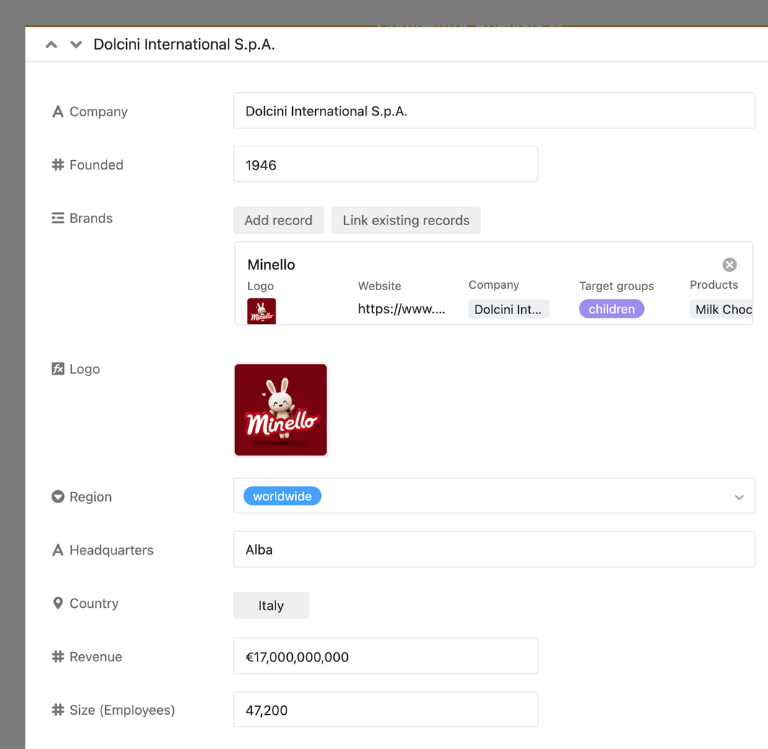
Competitor Database for Master Data
In the “Companies” table, you can maintain all competitor master data: size, revenue, founding date, region, and headquarters. The Company ID is assigned automatically. This data is linked to “Brands” and “Products” to ensure comprehensive market monitoring in the competitive analysis template.
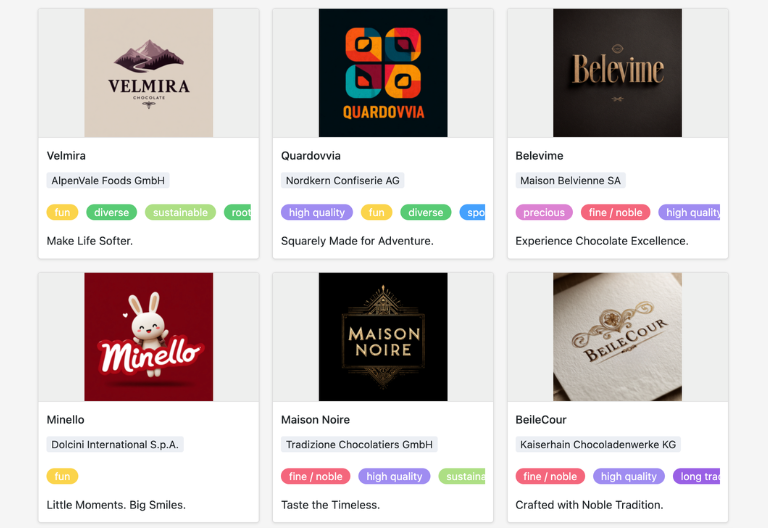
Brands with unique selling propositions and target audiences
In “Brands,” list brands along with their logos, websites, marketing materials, target audiences, and positioning. Analyze their claims, USPs, and strengths/weaknesses. By linking to “Products,” the average price per 100g is automatically calculated for price strategy comparisons.
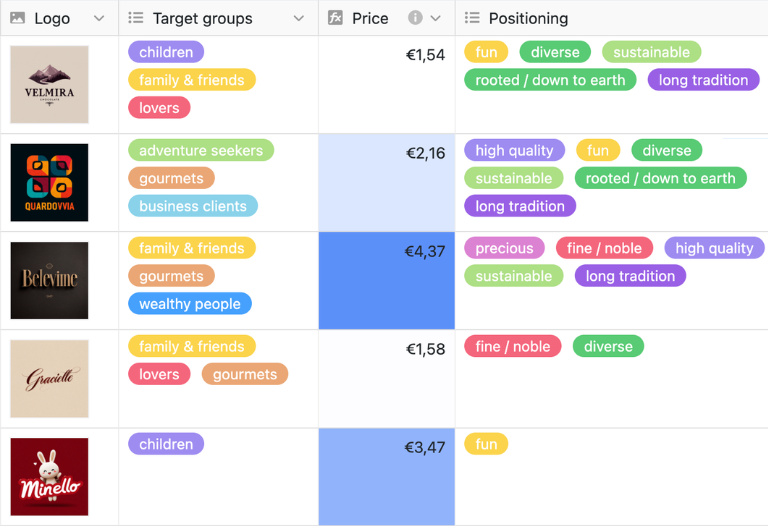
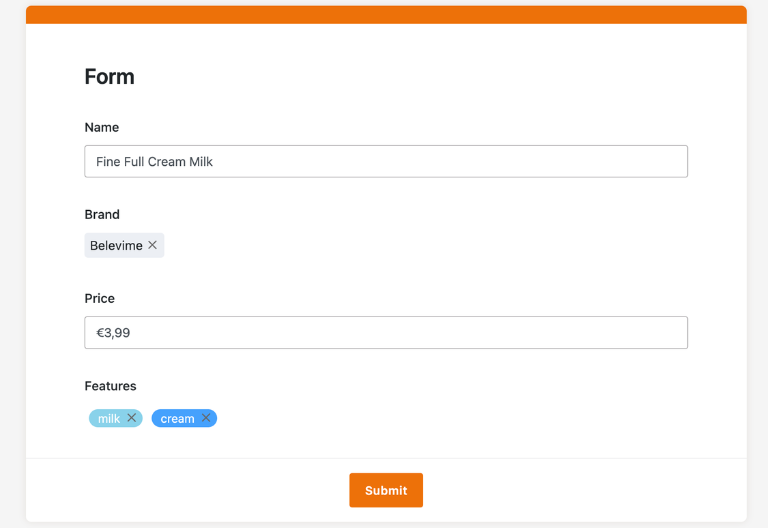
Enter products using the web form
In “Products,” you can group products by brand and add prices and features. Upload images for detailed feature comparisons. Status colors indicate market positioning—ideal for benchmarking in a competitive analysis template.
Features for SWOT integration
In “Features,” you can compile all the characteristics needed for comparisons: popular content, gap identification. Link to SWOT Analysis Template for comprehensive strategy development and positioning—seamlessly bridging the gap from market research to optimization.
Your Custom Competitive Analysis App
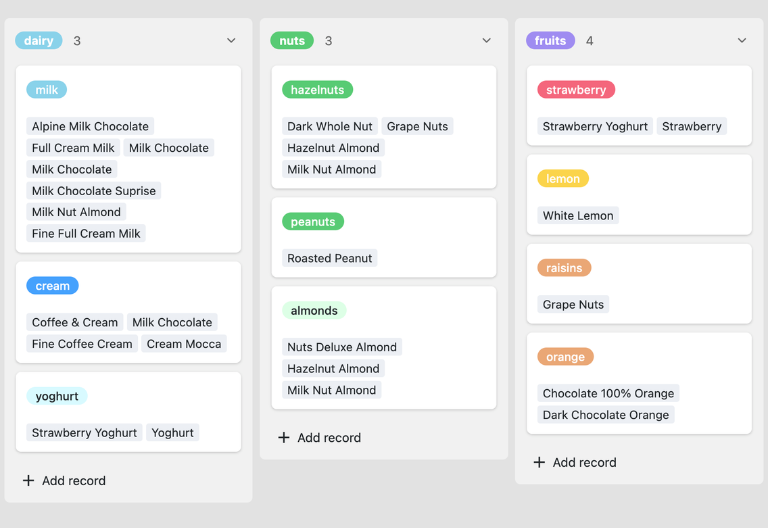
With the built-in App Builder, you can transform the competitive analysis template into a custom analysis app for marketing, sales, and management. Combine market monitoring forms, competitor profile overviews, Kanban views for analysis tasks, and targeted filters for specific segments or regions—all the way to specialized views for pricing or media strategies. Share specific sections as a frontend with stakeholders and use permissions to control who can view or edit which market information—turning the competitive analysis template into a customized competitive analysis tool.
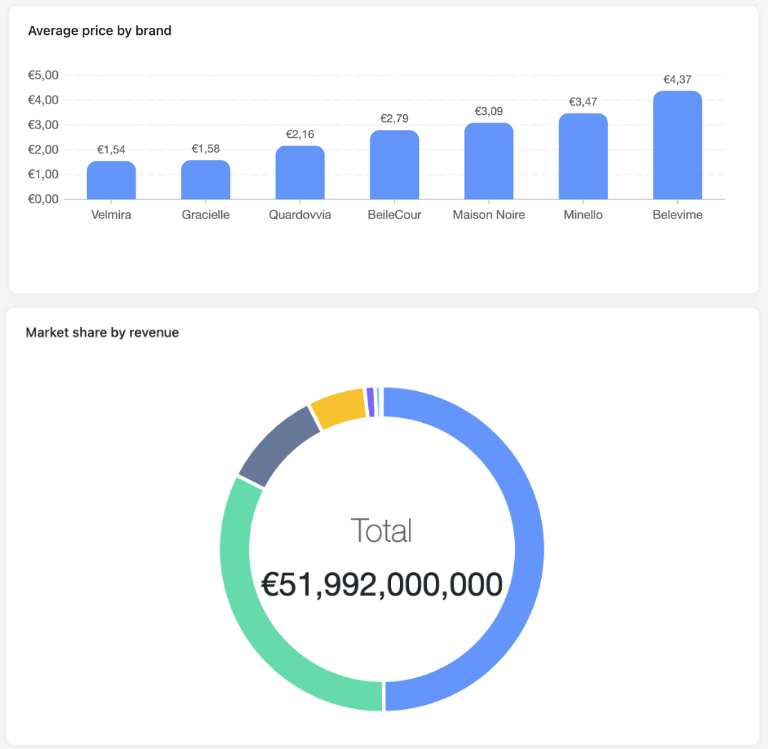
Keep track of competitors, market share, and positioning—with SeaTable’s competitive analysis template
Smart automation for market and competitive data
AI-powered competitive analysis
Take your competitive analysis to the next level with SeaTable’s Competitive Analysis Tool! Automate market research and strategy development with powerful AI features turning your competitive analysis template into a smart hub for competitor tracking, market share, and SWOT analyses. Enjoy real-time insights like never before. Say goodbye to Excel chaos and experience efficient market monitoring. SeaTable seamlessly integrates everything to help you stay ahead of the competition.
Classify competitors
With Classify, SeaTable categorizes competitors by category, market segment, or risk group. The AI analyzes names, USPs, and market shares, and populates the competitive analysis template with classifications—ensuring that filters and dashboards for competitive analysis remain up-to-date and data-driven to support C-level decision-making.
Extract data from PDFs
With Extract, AI transfers content from reports, press releases, or PDFs directly into the competitive analysis template. Market shares, prices, features, and target audiences are identified and entered into columns—eliminating the need for manual data entry and enabling efficient market research and benchmarking in competitive analysis.
OCR for marketing materials
Using OCR, SeaTable extracts text from logos, ads, and screenshots: text related to USPs, claims, or positioning is automatically assigned to competitors in the competitive analysis template. Documents are searchable, and feature comparisons can be automated—ideal for effortless collaborative market monitoring.
Reports for Market Positioning
Using Summarize, SeaTable generates status reports: market shares, SWOT summaries, or pricing strategies for each competitor. The AI condenses tables into actionable insights for meetings—perfect for strategy development and business intelligence using the competitive analysis template.
AI Rules for USP Detection
With Custom Prompt, you can define rules for the competitive analysis tool: for example, gaps in feature comparisons or suggestions for unique selling propositions. The AI processes data to generate real-time recommendations for positioning and marketing mix.
Real-time SWOT analyses
Use AI automation to analyze competitor data: The AI fills in fields related to missing USPs, market opportunities, or price differences. Leverage these insights directly in the competitor analysis dashboard template to make quick decisions regarding strategy development and benchmarking.
Transparency and real-time collaboration
Scale flexibly, quickly, and reliably
SeaTable is a modern, AI-powered, no-code database solution with automation features and a built-in app builder, offering all the functionality of a professional, cloud-based competitive analysis tool. Key features include real-time comparisons, collaboration, and customization—from a competitor database with market share data to a competitive analysis tool featuring SWOT analysis, benchmarking, and visualizations, serving as an alternative to Excel and scattered documents.
Alternative to Excel and PowerPoint
Conduct competitive analysis more efficiently with SeaTable than with Excel or PowerPoint—using linked tables, views, forms, and automations designed for marketing professionals and C-suite executives.
Combining Market Research and Strategy
Link the Competitor Analysis Template to the SWOT Analysis Template and other marketing databases. Consolidate competitor information, USPs, and market shares in one place for maximum insight.
GDPR-compliant
If you use SeaTable Cloud or the built-in AI, all your data remains in Europe—the infrastructure is hosted exclusively on servers in Germany.
2FA and SSO
With supported two-factor authentication and single sign-on, you can precisely control who is allowed to access the sensitive competitive data in the competitive analysis.
FAQs About the SeaTable Competitive Analysis Template
-
What is the difference between a market analysis template and a competitive analysis template?
-
A market analysis examines the overall market, trends, and target audiences, while the template focuses on specific competitors, their strengths, weaknesses, market shares, and positioning. Ideally, you should combine both perspectives in a central marketing tool such as SeaTable.
-
How often should I update the competitive analysis template?
-
We recommend updating your competitive analysis template at least once a quarter. In dynamic markets or during product launches, monthly updates may be advisable to keep your pricing strategy, USP, and marketing initiatives up to date.
-
Can I add my own criteria to the template?
-
Yes, you can add additional columns, tables, views, and workflows to your competitive analysis template at any time—for example, for new segments, benchmarks, key metrics, or criteria specific to your industry.
-
Is the competitive analysis template free to use?
-
You can use the competitive analysis template for free in the SeaTable Cloud. All you need is an account, and you can immediately start collecting competitor data in a structured way and building actionable analyses.
-
How does the SeaTable competitive analysis template differ from a competitive analysis in Excel?
-
In Excel, you quickly run into limitations: manual data entry, missing links, data inconsistencies, and time-consuming visualization. The SeaTable template integrates market information, competitor profiles, SWOT analyses, and dashboards, and enables automation and real-time collaboration.
-
Can I combine the competitive analysis template with the SWOT analysis template?
-
Yes, you can link this template directly to the SWOT analysis template, results
-
Is this template also suitable for international markets?
-
You can include multiple countries, regions, or languages in your competitive analysis template, create filters and views for each market, and thus plan international competitive strategies in a structured way.
-
Does the template work with other marketing workflows?
-
Yes, enhance your competitive analysis with the SeaTable Marketing Templates a key tool for competitive analysis and strategy.